Auto Apply Oils (Next Gen Compatible) NO LONGER REQUIRED
Witcher 3 — Mods & Enhancements
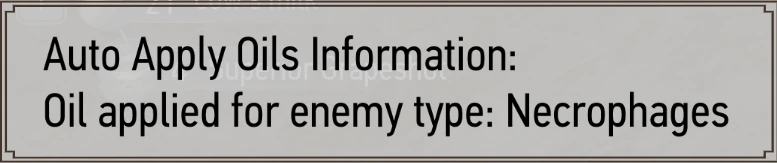
This mod automatically applies the most effective blade oil to your silver and steel swords at the start of combat, based on the enemy type you're facing (e.g., Necrophage Oil for drowners, Draconid Oil for forktails). It eliminates the need to pause mid-fight and manually select oils from the quick inventory, which is especially crucial on Death March difficulty where enemies regenerate health and oil duration is limited. The mod also respects the 'Horse Oil' and 'Beast Oil' categories, and can be configured to only apply oils when you have them in your inventory, preventing wasted applications.
📦 Full mod page on discovermods
Downloads, ratings, compatibility info, installation guides, and user reviews.
View on discovermods →Syntax
TweaksExample
Downloads: 1,698,804 | Endorsements: 53,521💡 Notes
By SheepDarklord | v4.0.2.0 | 53,521 endorsements
🎯 Tips & Tricks
Open the mod's config file at 'mods/modAutoApplyOils/config.cfg' and set 'PriorityMode=1' to prioritize oils by enemy count, or 'PriorityMode=2' to use the highest-level oil. For a mixed pack of drowners and a wyvern, set 'PriorityMode=2' so the game applies Draconid Oil (higher level) instead of switching back and forth, which wastes oil charges.
In the same config.cfg, set 'ApplyNecrophage=0', 'ApplyDraconid=0', etc., to exclude oils you want to manually apply (e.g., for roleplay or when saving rare oils like Hanged Man's Venom). This prevents the mod from overriding your manual application during boss fights like the Caretaker.
If you switch targets mid-fight (e.g., from a human to a wraith), the mod won't auto-switch oils unless you toggle it. Bind a hotkey in the mod's input settings (open 'mods/modAutoApplyOils/input.xml' and assign a key like 'O') to force re-evaluation. This is critical for contracts with mixed enemy types, like 'The Beast of Honorton' which has both wolves and a werewolf.
🔧 Troubleshooting
Conflicts with 'Preparations' mod (which adds oil crafting and duration mechanics) causing oils to not apply or duplicate.
Install 'Auto Apply Oils' AFTER 'Preparations' in your load order (e.g., in Vortex, place it below 'Preparations' in the plugins tab). Additionally, edit 'mods/modPreparations/config.cfg' and set 'OilDurationMult=1.0' to avoid the auto-applier overriding the duration multiplier, which can cause oils to expire instantly.
Incompatibility with 'Script Merger' errors when using 'Enhanced Targeting' (a combat mod) that changes enemy type detection scripts.
Use Script Merger to merge 'modAutoApplyOils' with 'Enhanced Targeting' by selecting the conflicting scripts (e.g., 'enemyManager.ws') and choosing the 'Auto Apply Oils' version as the base, then manually re-add Enhanced Targeting's targeting lines. Alternatively, disable Enhanced Targeting's 'auto-target' feature in its MCM menu, as it interferes with the oil detection logic.
⚠️ Common Mistakes
- [object Object]
- [object Object]
👍 Pros
- 53,521 endorsements
- 1,698,804 downloads
- Category: Tweaks
👎 Cons
- Requires mod manager installation
- May conflict with similar mods
More Witcher 3 Mods & Enhancements
The Witcher 3 HD Reworked Project OldGen Edition
Models and TexturesScript Merger
UtilitiesAll Quest Objectives On Map
User InterfaceThe Witcher 3 Mod Manager
UtilitiesAlways Full Exp (Next-Gen)
Skills and LevelingIndestructible Items - No More Weapon Degradation (Next-Gen Update Compatible)
ItemsSlots Slots SLOTS (Next-Gen compatible)
Gameplay ChangesIncreased Creature Loot
Tweaks