All Quest Objectives On Map
witcher-3 — Mods & Enhancements
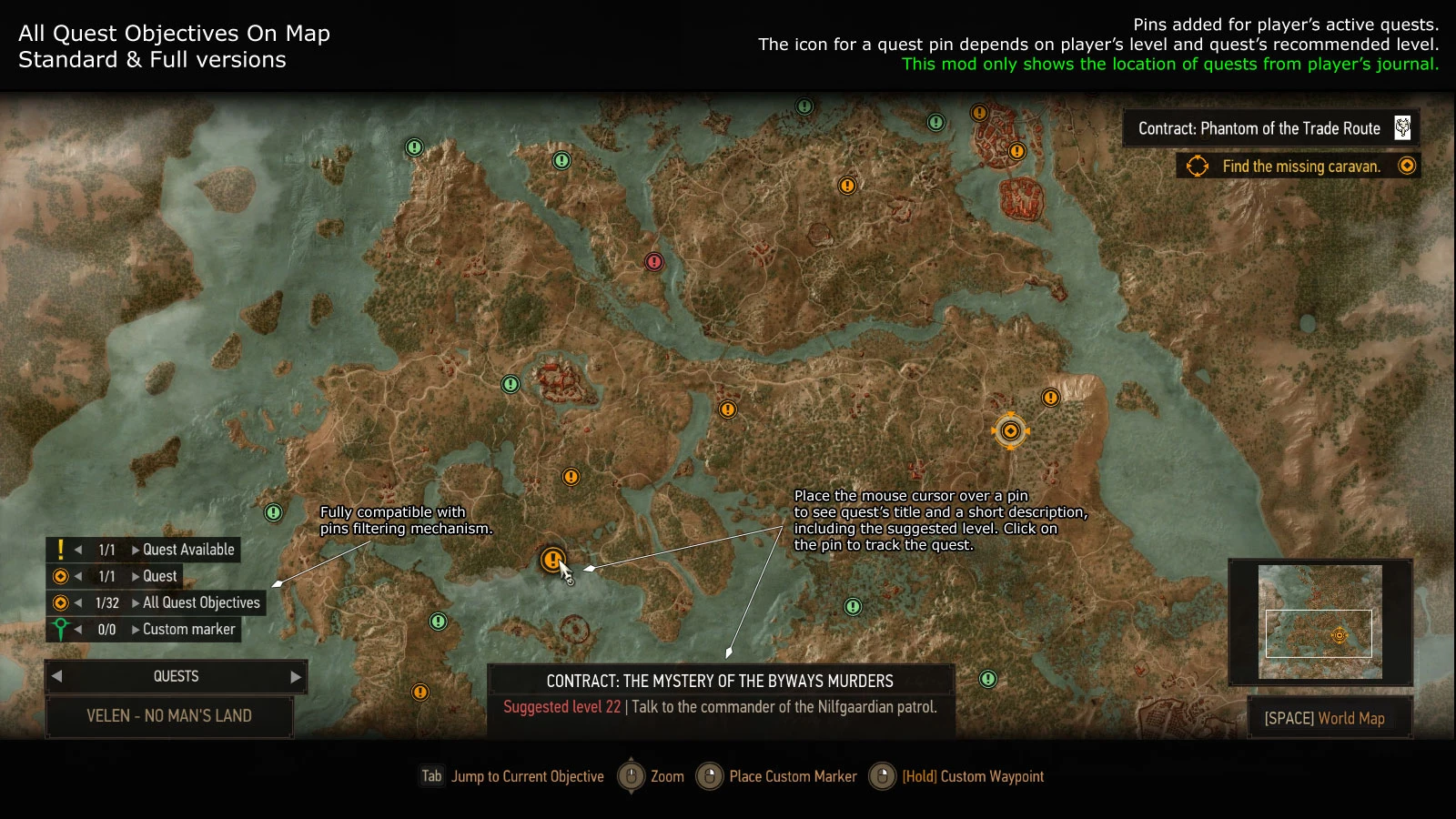
This mod revolutionizes quest tracking by displaying every active quest objective (main, side, witcher contracts, and treasure hunts) simultaneously on the world map and minimap, instead of just the single tracked quest. It adds a new UI panel where you can see all objectives with their current status (e.g., 'Go to the cave', 'Talk to Yennefer'), and you can click any objective to instantly switch your active quest without opening the quest log. It also includes an optional 'cache' feature that remembers the locations of previously discovered objectives, so you can see where a quest giver is even if you're in a different region.
📦 Full mod page on discovermods
Downloads, ratings, compatibility info, installation guides, and user reviews.
View on discovermods →Syntax
User InterfaceExample
Downloads: 3,444,639 | Endorsements: 80,276💡 Notes
By Wolfmark | v4.03.13 | 80,276 endorsements
🎯 Tips & Tricks
Open the mod's menu in-game (default key 'M' for map, then press 'C' to open the mod settings). Set 'Cache Objectives' to 'Enabled'. This stores the coordinates of quest givers like 'The King of Beggars' in Novigrad, so when you're in Skellige, you can still see his marker on the world map and fast-travel directly to him without remembering the exact location.
In the mod's settings (accessible via the 'Mods' menu in the pause screen), set 'Show Contract Objectives' to 'False' if you have many witcher contracts. This keeps the map clean for main story and side quests, preventing the screen from being covered by dozens of red markers in areas like Velen where contracts are dense.
Assign a hotkey (e.g., 'T') in the mod's config file (located at 'mods/modAllQuestObjectivesOnMap/config.ini'). Set 'ObjectiveSwitchKey=T'. During combat, you can press 'T' to cycle through all active objectives without opening the map, which is crucial when you're running from a griffin and need to quickly see the nearest safe zone or quest location.
🔧 Troubleshooting
Objectives do not appear on the map when using 'Friendly HUD' mod, because Friendly HUD hides the default quest markers
Open Friendly HUD's settings (press 'F' to open its radial menu), go to 'HUD Elements', and set 'Quest Objectives' to 'Always On'. Also, in the All Quest Objectives mod's settings, enable 'Force Show Markers' to 'True'. This overrides Friendly HUD's hide logic for this mod's specific markers.
Map becomes completely black or icons disappear after installing 'Map Modifiers' or 'Colored Map Markers'
This is an XML conflict. Use Script Merger to merge the 'map_config.xml' files. In the merge, keep the 'objective' entries from All Quest Objectives, and the 'color' entries from Colored Map Markers. Specifically, delete any duplicate 'objective' lines that Colored Map Markers adds, as they override the cache coordinates.
⚠️ Common Mistakes
- [object Object]
- [object Object]
👍 Pros
- 80,276 endorsements
- 3,444,639 downloads
- Category: User Interface
👎 Cons
- Requires mod manager installation
- May conflict with similar mods