No Dirty Lens Effect
witcher-3 — Mods & Enhancements
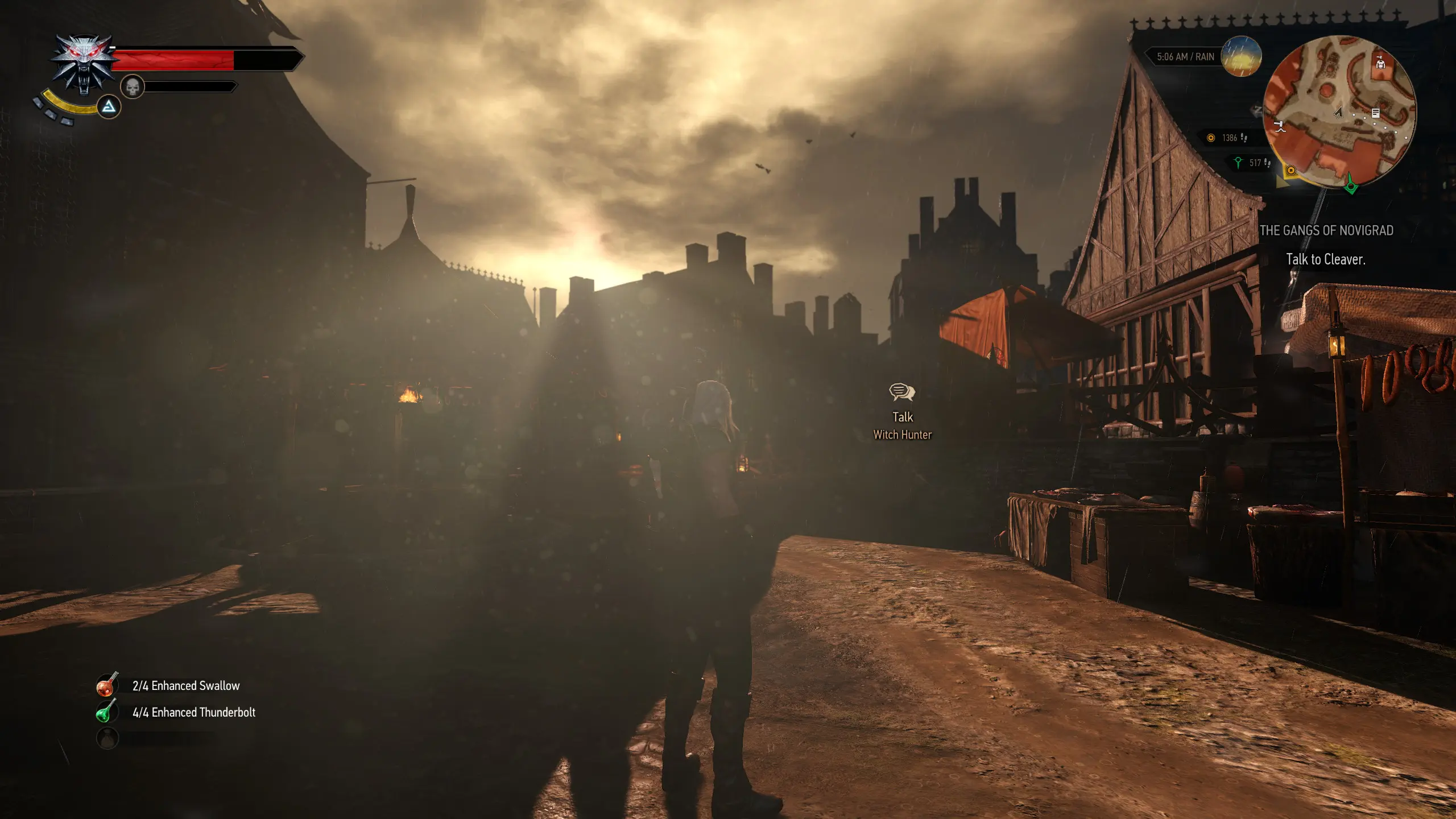
This mod completely removes the 'dirty lens' vignette and grime overlay that Witcher 3 applies to the screen during certain weather conditions (rain, fog, underwater) and when Geralt's HP is low, which darkens edges and adds distracting smudges. It works by editing the post-processing shader files to skip rendering the 'dirt' texture, leaving the screen clean while preserving other effects like bloom and depth of field. Players install it for a clearer view during combat in rain or when exploring the swamps of Velen, where the effect is most aggressive.
📦 Full mod page on discovermods
Downloads, ratings, compatibility info, installation guides, and user reviews.
View on discovermods →Syntax
Visuals and GraphicsExample
Downloads: 717,591 | Endorsements: 25,130💡 Notes
By RumenWest | v1.0 | 25,130 endorsements
🎯 Tips & Tricks
Open the game's 'Options > Video > Post-Processing' and set 'Blur' and 'Motion Blur' to Off—this reduces the dirty lens intensity, but for full removal, you must keep the mod installed. To verify it's working, go to Novigrad during a rainstorm and check for the dark edges; if still visible, reinstall the mod and ensure no other reshade presets override it.
If you want to retain the game's cinematic feel, edit the mod's 'dirty_lens.ws' file (in content/scripts) to set 'dirtOpacity' to 0.1 instead of 0, giving a subtle film grain without the smudges. This is a good middle ground for players who find the vanilla effect too strong but don't want a sterile look.
Use the 'Console Commands' mod and type 'weather(rain)' then 'settime(12)' to trigger rain, then type 'fx_disable_dirty_lens(true)' to disable the effect on the fly. This is useful for testing if the mod works without restarting the game, and you can revert with 'fx_disable_dirty_lens(false)'.
🔧 Troubleshooting
The mod causes a 'blur' or 'fog' effect to remain on screen after removing it, especially when using 'HD Reworked Project' or 'E3 FX' mods.
These mods inject their own post-processing shaders that conflict with the removal. Use Script Merger to merge 'postprocess.ws' and 'shader.ps' files—prioritize this mod's version. If the issue persists, disable 'E3 FX' and use 'Phoenix Light' instead, which doesn't touch lens dirt.
The mod doesn't work with the Next-Gen (4.0) update, leaving the dirty lens effect intact.
The Next-Gen update changed shader file paths. Download the 'Next-Gen Compatible' version from the mod page (or the unofficial patch). If you have the old version, manually replace the 'dirty_lens.ps' file with the one from the new version, located in mods/modNoDirtyLens/content/shaders/.
⚠️ Common Mistakes
- [object Object]
- [object Object]
👍 Pros
- 25,130 endorsements
- 717,591 downloads
- Category: Visuals and Graphics
👎 Cons
- Requires mod manager installation
- May conflict with similar mods