Lore-friendly Witchers
witcher-3 — Mods & Enhancements
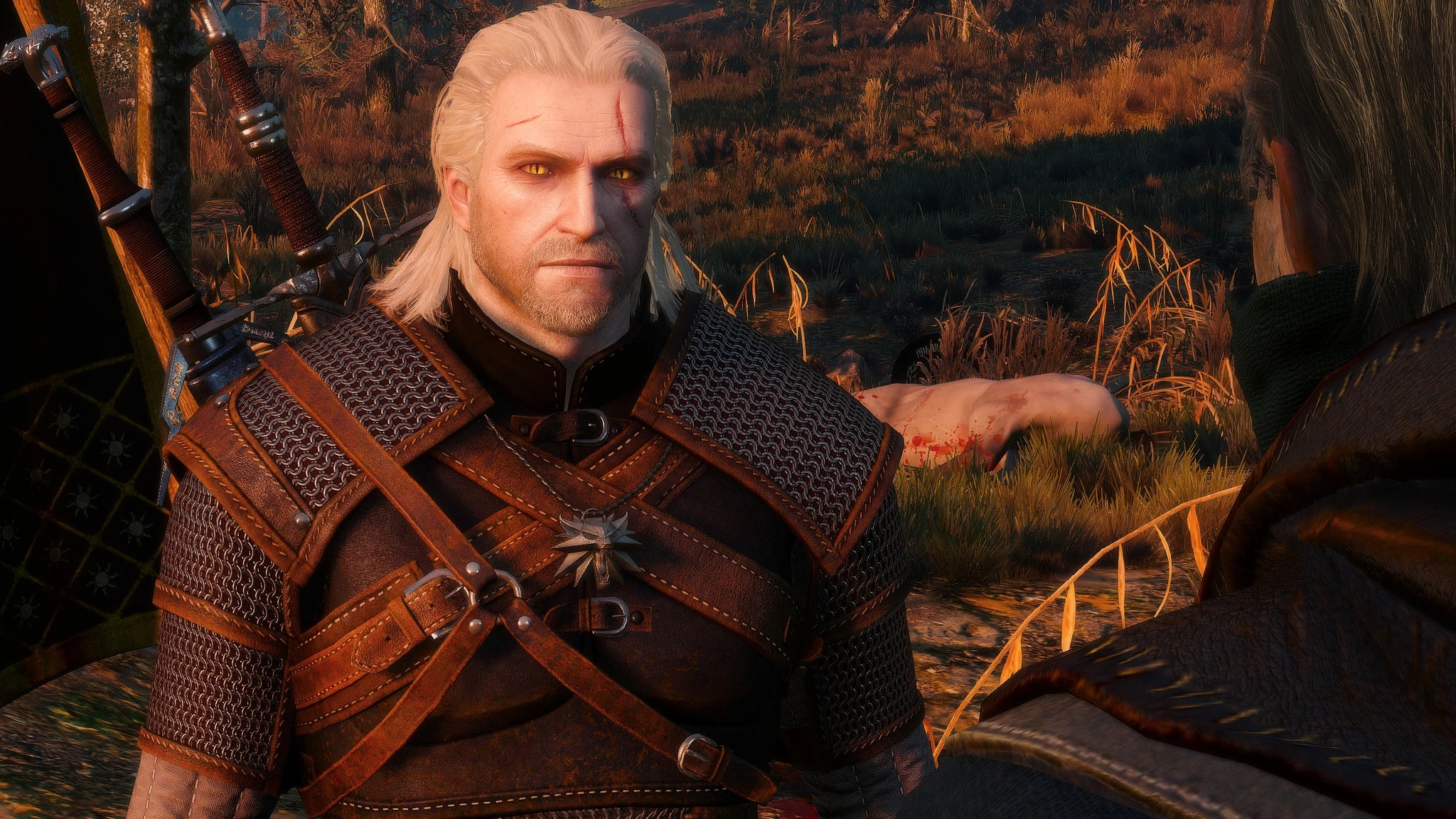
This mod reworks the facial and body appearance of Geralt, Lambert, Eskel, and Vesemir to match the book descriptions—pale, scarred, with cat-like slit pupils and more pronounced mutations. It replaces the vanilla 'pretty-boy' faces with grittier, more witcher-specific features, including darker eye sockets, gaunter cheekbones, and additional scars from training. Players install it for immersion, to make the School of the Wolf feel like a brotherhood of hardened mutants rather than models.
📦 Full mod page on discovermods
Downloads, ratings, compatibility info, installation guides, and user reviews.
View on discovermods →Syntax
CharactersExample
Downloads: 928,292 | Endorsements: 17,081💡 Notes
By DazzlingDjango | v0.6 | 17,081 endorsements
🎯 Tips & Tricks
After installing, load a save and use the console command 'toggledebug' (or press ~) to spawn a mirror (using 'spawn('mirror')') to view Geralt's new face. If the skin looks too pale, go to Options → Display → Gamma, and reduce to 0.9 for a more natural look in daylight.
This mod changes face meshes but not hair. Install 'Hairworks for All' (or 'Geralt Hairworks') and set 'Hairworks' to 'Geralt only' in graphics settings. This ensures the new facial scars and bone structure are visible under the hair.
In the mod folder mods/modLoreFriendlyWitchers/content, open 'lambert.ws'. Find the line 'SetAppearance('lambert_face_v1')' and change 'v1' to 'v2' or 'v3' to cycle through alternate scar patterns. Save and restart to see the change.
🔧 Troubleshooting
Conflict with 'Witcher 3 Enhanced Edition' (W3EE) which also changes Geralt's face via 'E3 Faces'
W3EE includes its own face replacer. Disable W3EE's face mod by going to its MCM → 'Visuals' → 'Face' and set to 'Vanilla'. Then install Lore-friendly Witchers AFTER W3EE in load order to ensure its meshes override. Use Script Merger to resolve any 'face.ws' conflicts.
Incompatibility with 'The Eyes of the Witcher' mod that changes pupil shapes
Both mods edit eye textures. Install Lore-friendly Witchers first, then 'Eyes of the Witcher' and set its 'Pupil Type' to 'Cat Slit'—this aligns with the lore-friendly look. If eyes appear black, reinstall 'Eyes' and choose 'Cat Slit (Dark)' option.
⚠️ Common Mistakes
- [object Object]
- [object Object]
👍 Pros
- 17,081 endorsements
- 928,292 downloads
- Category: Characters
👎 Cons
- Requires mod manager installation
- May conflict with similar mods