Debug Console Enabler v1.31
witcher-3 — Mods & Enhancements
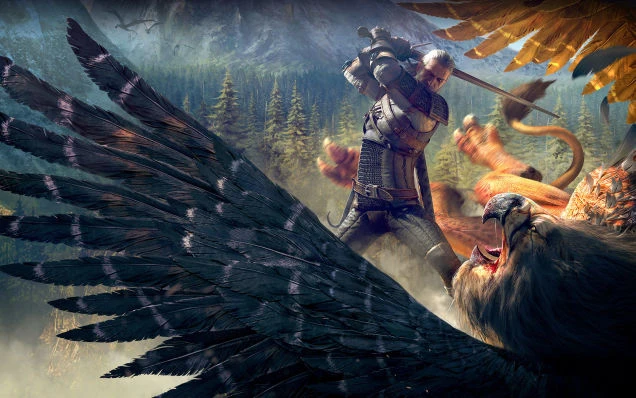
This mod re-enables the developer debug console for Witcher 3 version 1.31, allowing you to input commands like 'addmoney', 'spawn', or 'setlevel' directly in-game. It also includes a free-camera toggle (via keybind) that lets you detach the camera from Geralt for cinematic screenshots or exploration, bypassing the game's default camera constraints. Players install it for cheating, testing builds, or modding support, as many other mods require console commands to configure their settings.
📦 Full mod page on discovermods
Downloads, ratings, compatibility info, installation guides, and user reviews.
View on discovermods →Syntax
Debug ConsoleExample
Downloads: 1,109,895 | Endorsements: 34,606💡 Notes
By Aquileon | v1.31 | 34,606 endorsements
🎯 Tips & Tricks
After installing, launch the game and press F1 to toggle free camera. Use the mouse to rotate, WASD to move, and scroll wheel to zoom. Press F1 again to return to Geralt's camera. This works even during dialogue if you bind it in the mod's input.settings file (found in mods/modDebugConsoleEnabler/bin/config/r4game/user_config_matrix/pc/).
Open the console with '~' (tilde) key. For stuck quests, type 'closequest' followed by the quest ID, or 'addfact(sq_quest_failed)' to force-fail. For example, to skip the infamous 'Reason of State' bug, use 'addfact(sq302_started)' to manually trigger the next phase. Always save before using quest commands to avoid soft-locking.
Open console and type 'addmoney(5000)' to add 5000 crowns. To remove, use 'addmoney(-5000)'. For precise amounts, use decimal values like 'addmoney(1234.56)'. This is safer than editing save files and won't trigger anti-cheat (single-player only).
🔧 Troubleshooting
Console doesn't open with '~' on non-US keyboard layouts
Edit the mod's input.settings file (mods/modDebugConsoleEnabler/bin/config/r4game/user_config_matrix/pc/). Change the 'IK_PC_Key_Tilde' binding to a key like 'F2' or 'Insert'. Alternatively, install the 'Console Enabler for 1.31' patch from Nexus Mods that adds a separate hotkey config.
Free camera causes crashes when used with 'The Witcher 3 Enhanced Edition' mod
Disable free camera in the mod's menu (Options > Mods > Debug Console Enabler) and use only console commands. Enhanced Edition changes camera scripts, so the free-camera code conflicts. Use 'F1' only in non-combat areas or uninstall free camera component.
⚠️ Common Mistakes
- [object Object]
- [object Object]
👍 Pros
- 34,606 endorsements
- 1,109,895 downloads
- Category: Debug Console
👎 Cons
- Requires mod manager installation
- May conflict with similar mods