Complete ModKit (wcc_lite) UI - All Commands
witcher-3 — Mods & Enhancements
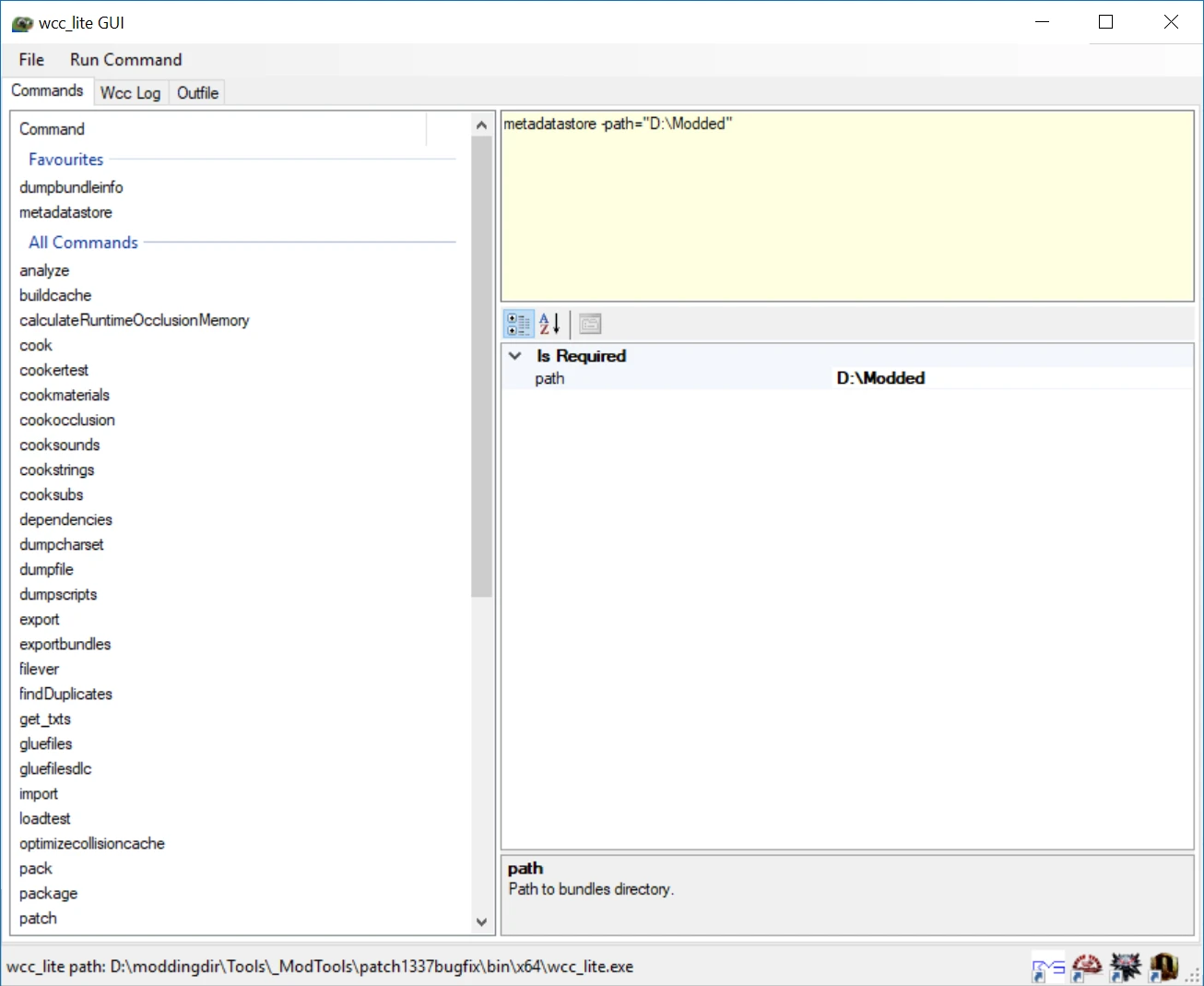
A complete UI for the Witcher 3 Modkit/wcc_lite, providing easy access to all commands like analyze, cook, dumpbundledir, export, and import. With 497 endorsements and 9,413 downloads, it's a popular tool for modders. Last updated in December 2018, it remains a stable utility for those working with the modkit.
📦 Full mod page on discovermods
Downloads, ratings, compatibility info, installation guides, and user reviews.
View on discovermods →Syntax
UtilitiesExample
Downloads: 9,413 | Endorsements: 497💡 Notes
By rfuzzo | v1.1.2 | 497 endorsements
🎯 Tips & Tricks
Make sure you have the Witcher 3 Modkit (wcc_lite) installed and properly set up before using this UI.
If you're new to modding, start with simple commands like 'analyze' or 'cook' to get familiar with the workflow.
Check the mod's forum posts for any user-created guides, since the author didn't provide documentation.
🔧 Troubleshooting
Mod not working
Check load order and required dependencies. Read the full mod description.
⚠️ Common Mistakes
- Installing multiple mods that modify the same files without checking compatibility
👍 Pros
- Community-approved with 497 endorsements and over 9,400 downloads.
- Covers every wcc_lite command, so you don't have to memorize the command line.
- Streamlines modding workflow with a graphical interface for complex operations.
👎 Cons
- Last updated in December 2018, so it may not support the latest game patches or modkit versions.
- No installation instructions or documentation provided by the author.
- Requires the Witcher 3 Modkit (wcc_lite) to be installed separately, which is not included.