SubShade - Subautica shader
subnautica — Mods & Enhancements
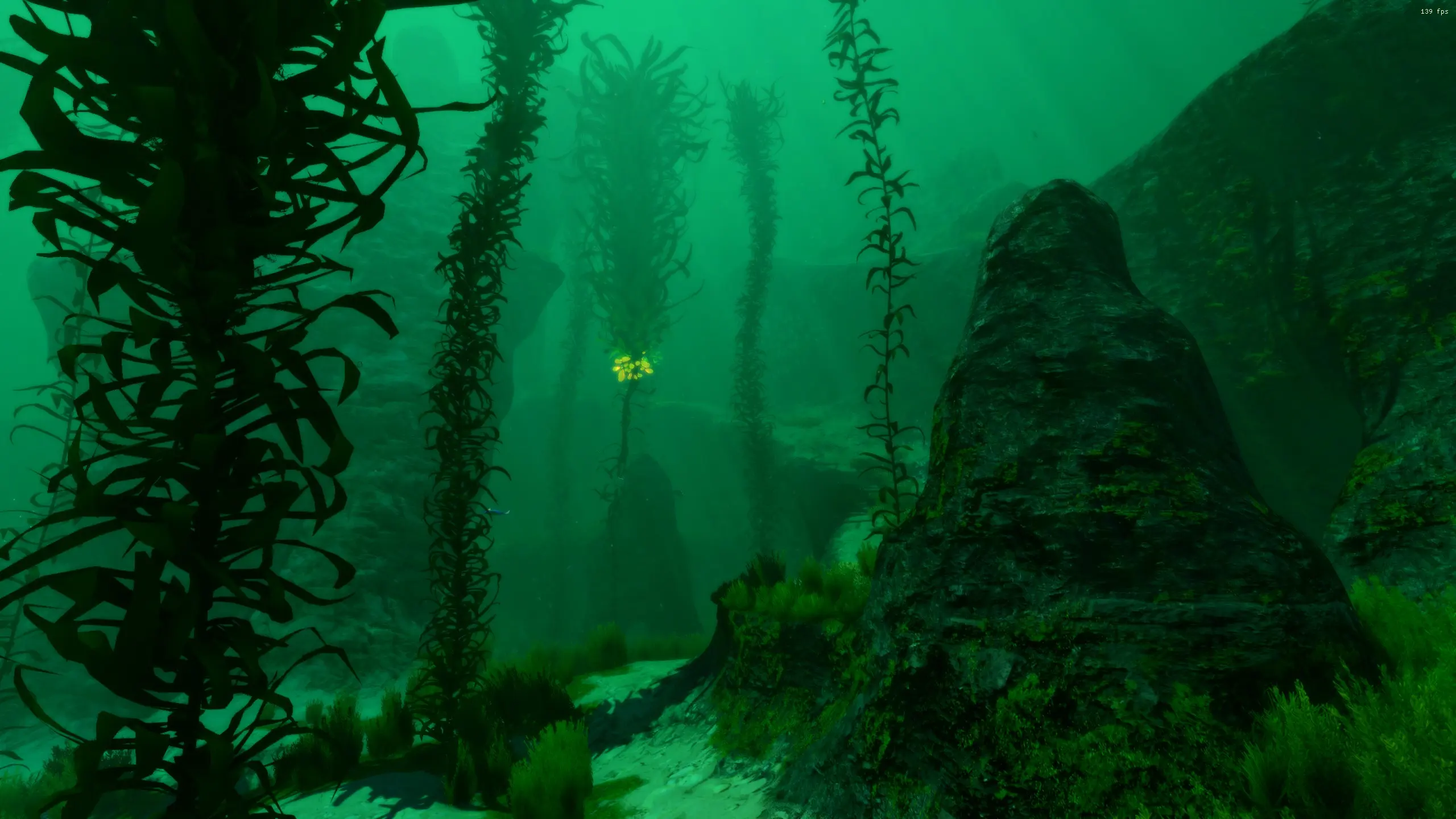
SubShade is a ReShade preset that overhauls Subnautica's visuals to resemble a modern AAA game. With 79 endorsements and 3,014 downloads, it's a niche but appreciated cosmetic mod for players seeking a graphical upgrade.
📦 Full mod page on discovermods
Downloads, ratings, compatibility info, installation guides, and user reviews.
View on discovermods →Syntax
Visuals and GraphicsExample
Downloads: 3,014 | Endorsements: 79💡 Notes
By EnclumeMagique | v1.0.0 | 79 endorsements
🎯 Tips & Tricks
Make sure you download ReShade first and run it on Subnautica's executable to install the necessary files.
After installing the preset, launch the game and press the ReShade hotkey (default: Home) to open the menu and select SubShade.
If the game looks too dark or bright, tweak the preset's settings in the ReShade menu to match your monitor.
🔧 Troubleshooting
Mod not working
Check load order and required dependencies. Read the full mod description.
⚠️ Common Mistakes
- Installing multiple mods that modify the same files without checking compatibility
👍 Pros
- Community-approved with 79 endorsements and over 3,000 downloads.
- Gives Subnautica a fresh, modern look without overhauling gameplay.
- Lightweight preset—no performance-heavy texture packs or model changes.
👎 Cons
- Requires ReShade, which some players find intimidating to set up.
- Preset may not suit everyone's taste—visual changes are subjective.
- Last updated in January 2023, so it might not be tested with the latest game patches.