SGS's LUTs - Enhanced Color Grading and Black Levels
starfield — Mods & Enhancements
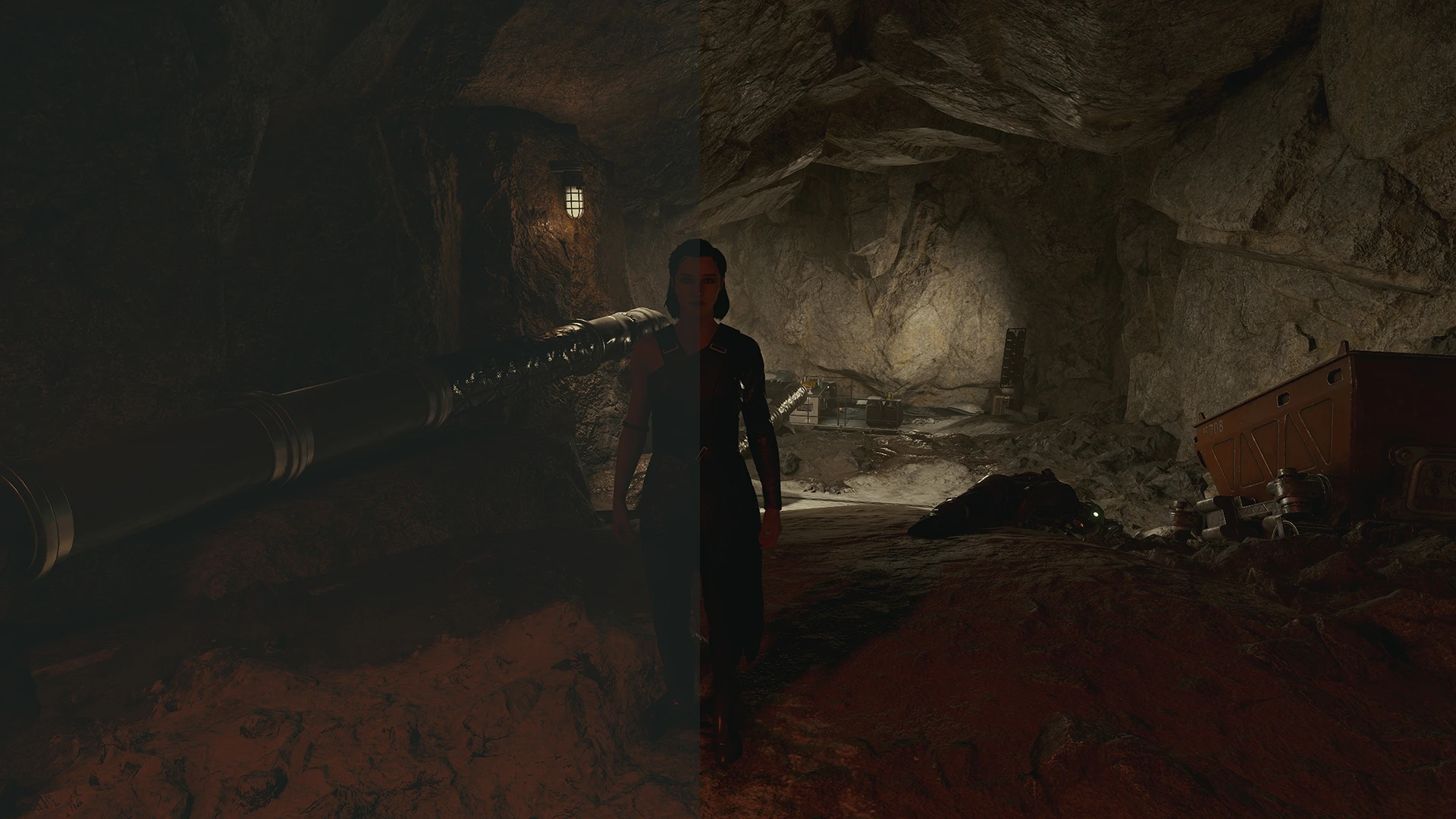
SGS's LUTs is a visual mod for Starfield that replaces the game's color grading with custom LUTs, offering improved contrast, deeper blacks, and more neutral colors while preserving the original artistic direction. It's a straightforward, non-Reshade solution for players wanting a more cinematic look without external tools.
📦 Full mod page on discovermods
Downloads, ratings, compatibility info, installation guides, and user reviews.
View on discovermods →Syntax
VisualsExample
Downloads: 92,226 | Endorsements: 1,535💡 Notes
By SGS | v1.2 | 1,535 endorsements
🎯 Tips & Tricks
Place the LUT files in your Starfield Data folder, then enable them via the game's ini or mod manager if you have one.
If you're using a mod manager like Vortex, let it handle the file placement to avoid conflicts.
Test the LUTs in different lighting conditions (day/night, interiors) to see if the deeper blacks are too dark for your taste.
🔧 Troubleshooting
Mod not working
Check load order and required dependencies. Read the full mod description.
⚠️ Common Mistakes
- Installing multiple mods that modify the same files without checking compatibility
👍 Pros
- Huge community trust with 1,535 endorsements and 92k downloads
- Simple install—just drop files, no Reshade hassle
- Preserves the game's look while fixing washed-out blacks
👎 Cons
- No install instructions provided by the author
- Last updated in 2023—may not be compatible with the latest Starfield patches
- Only affects color grading, so if you want full visual overhauls, this won't cut it