Generic Mod Config Menu (GMCM)
stardew-valley — Mods & Enhancements
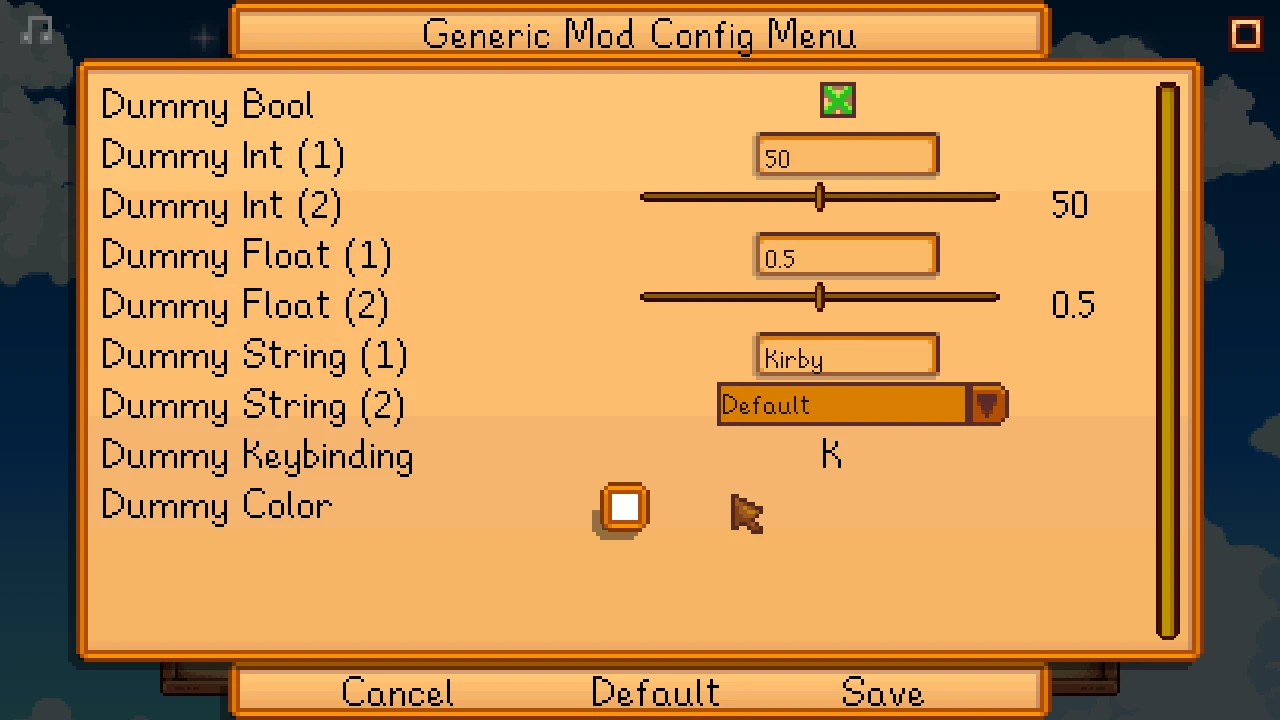
Generic Mod Config Menu (GMCM) is a modding tool that adds an in-game UI for editing other mods' config options. It is essential for Stardew Valley players who want a streamlined way to adjust mod settings without editing files manually. With 273,608 endorsements and 13.2M downloads, it's a community staple.
📦 Full mod page on discovermods
Downloads, ratings, compatibility info, installation guides, and user reviews.
View on discovermods →Syntax
Modding ToolsExample
Downloads: 13,153,516 | Endorsements: 273,608💡 Notes
By spacechase0 | v1.16.0 | 273,608 endorsements
🎯 Tips & Tricks
Install GMCM first, then check each mod's page to see if it supports GMCM — look for a 'Generic Mod Config Menu' mention.
After installing, launch the game and look for a config button in the mod list or pause menu to access the UI.
If a mod doesn't show up in GMCM, it likely doesn't support it — you'll need to edit its config file manually.
🔧 Troubleshooting
Mod not working
Check load order and required dependencies. Read the full mod description.
⚠️ Common Mistakes
- Installing multiple mods that modify the same files without checking compatibility
👍 Pros
- Massive community trust (273k endorsements) — this is the standard for config editing.
- Saves you from digging through JSON files; everything's in a clean menu.
- Active updates (October 2025) mean it keeps working with the latest game patches.
👎 Cons
- Requires other mods to be built with GMCM support — not all mods have it.
- No built-in search or filter for long mod lists, which can get cluttered.
- If you only use a few mods, you might not need it — but it's still handy.