TesModManager - OblivionModManager for Skyrim and Skyrim SE - Oblivion - Morrowind
skyrim — Mods & Enhancements
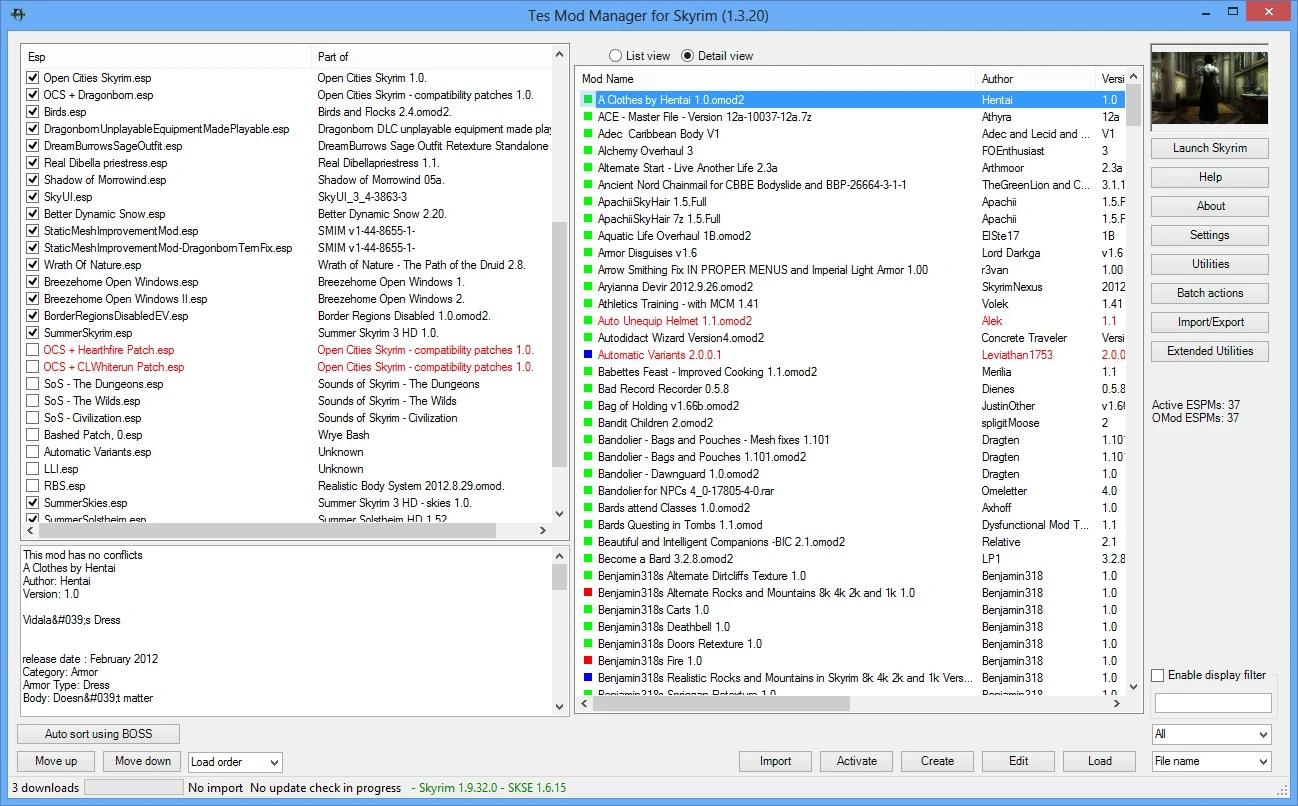
TesModManager is a modified version of OBMM extended that adds Skyrim support to the classic Oblivion Mod Manager. With 7,900 endorsements and 228,797 downloads, it's a popular utility for managing mods across multiple Bethesda games, though it hasn't been updated since 2019.
📦 Full mod page on discovermods
Downloads, ratings, compatibility info, installation guides, and user reviews.
View on discovermods →Syntax
UtilitiesExample
Downloads: 228,797 | Endorsements: 7,900💡 Notes
By monpetitbeurre | v1.6.56 | 7,900 endorsements
🎯 Tips & Tricks
Since this is a standalone executable, you can run it directly without a mod manager — just download and extract to a folder.
If you're using Skyrim SE, make sure your game version is compatible with the 2019 build; newer updates might cause issues.
For load order management, consider using this alongside a tool like LOOT to sort plugins, as TesModManager may not have advanced sorting.
🔧 Troubleshooting
Mod not working
Check load order and required dependencies. Read the full mod description.
⚠️ Common Mistakes
- Installing multiple mods that modify the same files without checking compatibility
👍 Pros
- Community-approved with 7,900 endorsements — clearly a trusted tool.
- One manager for multiple Bethesda games: Skyrim, Skyrim SE, Oblivion, and Morrowind.
- Huge download count (228k) shows it's been widely used over the years.
👎 Cons
- Last updated in 2019 — may have compatibility issues with newer game versions or mods.
- Based on an older mod manager, so it might lack modern features like auto-sorting or integration with current modding tools.
- No detailed feature list or instructions provided in the description, so you'll need to figure out setup on your own.