RaceMenu
skyrim — Mods & Enhancements
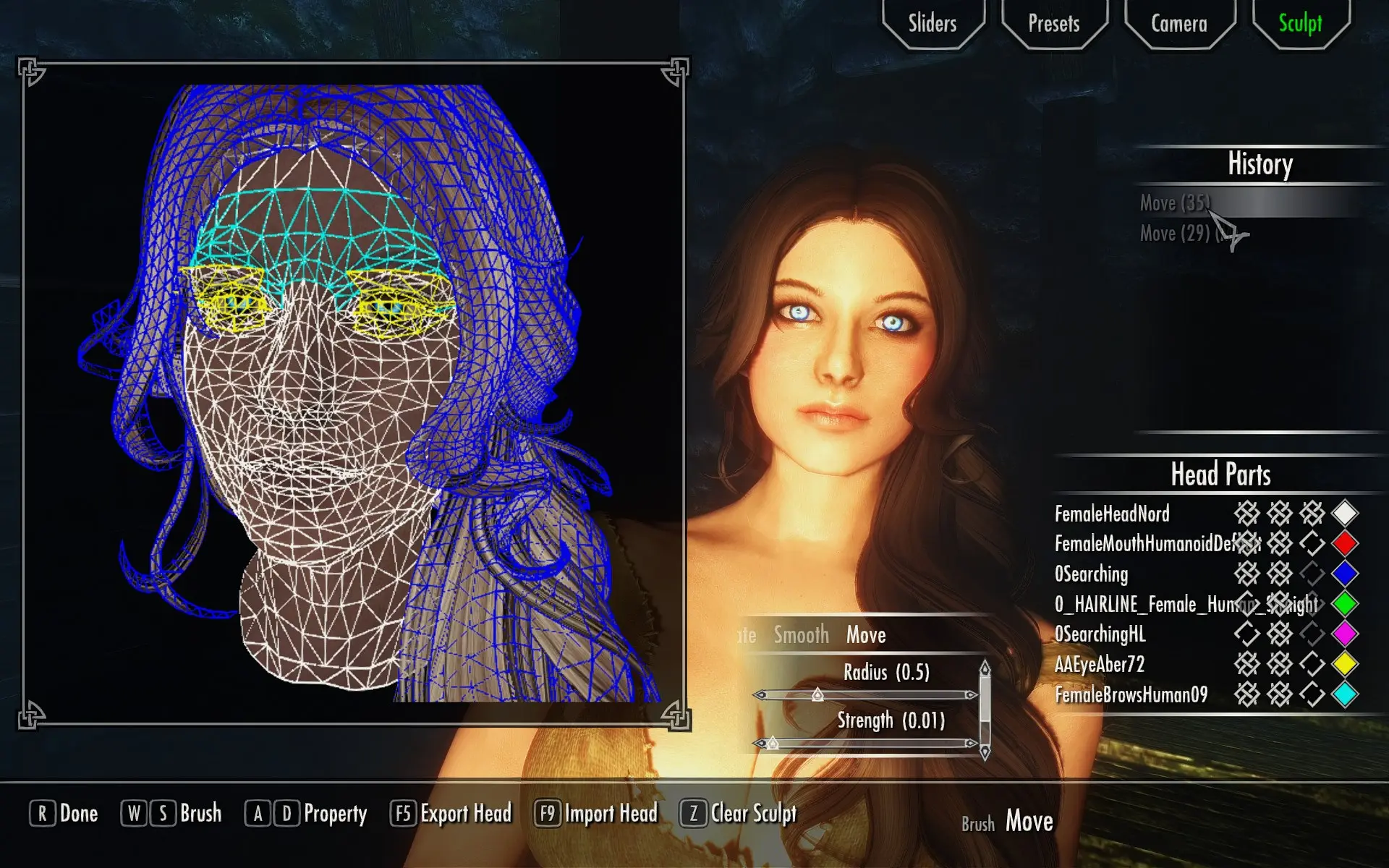
RaceMenu replaces the vanilla character creation slider system with a fully scriptable, SKSE-powered interface that adds over 100 new morph sliders for fine-tuning facial features, body proportions, and even asymmetrical adjustments. It introduces multiple RGBA warpaint layers (up to 12 per slot), body paint overlays, hand and foot paint slots, plus a sculpt mode that lets you vertex-edit the head mesh in real time using a brush system. Players install it to achieve near-photorealistic characters, export/import head presets as .nif files, and use its built-in pose and expression controls for screenshots or animation mods.
Syntax
User InterfaceExample
Downloads: 12,117,352💡 Notes
By Expired
🎯 Tips & Tricks
In the RaceMenu character creation, press F5 to save a preset (stored in Data/SKSE/Plugins/CharGen/Presets). To export a head mesh for use with NPC replacers, open the console (~) and type 'racemenu exporthead' — this saves the current head as a .nif in Data/SKSE/Plugins/CharGen/Heads. You can then use Creation Kit or NifSkope to attach it to an NPC.
If you need more than 100 morphs, edit Data/SKSE/Plugins/CharacterMakingExtender.ini and increase 'iNumSliders' to 200. Also ensure 'bEnableBodyMorphs' is set to 1 in the same file to allow body morph sliders to affect NPCs via the 'BodyMorph' system when using mods like BodySlide.
In RaceMenu, press Ctrl+F to toggle sculpt mode. Use the mouse wheel to adjust brush size, hold Shift to smooth, and Ctrl+Z to undo. For best results, disable the 'Triangulate' option in the sculpt tab when working on the jaw or cheekbones to avoid mesh warping.
🔧 Troubleshooting
RaceMenu conflicts with Enhanced Character Edit (ECE) — both override the same chargen scripts and sliders, causing CTD on character creation or missing sliders.
Do not install both. If you must, use the 'RaceMenu ECE Compatibility Patch' from the RaceMenu Nexus page, but it only works with ECE 1.4. Alternatively, uninstall ECE and use RaceMenu's built-in 'ECE sliders' option via the MCM (Mod Configuration Menu) to enable ECE-style sliders.
RaceMenu fails to load with SKSE64 2.0.20 on Skyrim SE 1.5.97, showing 'plugin not found' or missing MCM menu.
Ensure you have the correct RaceMenu version for your Skyrim build. For 1.5.97, use RaceMenu 0.4.16 (SE). For Skyrim AE 1.6.640+, use RaceMenu 0.4.19. Also verify SKSE64 is installed correctly — the DLL must be in your Skyrim root folder, not in Data.
⚠️ Common Mistakes
- [object Object]
- [object Object]
👍 Pros
- 374,763 endorsements
👎 Cons
- Requires correct game version