HD Dark brotherhood door
skyrim — Mods & Enhancements
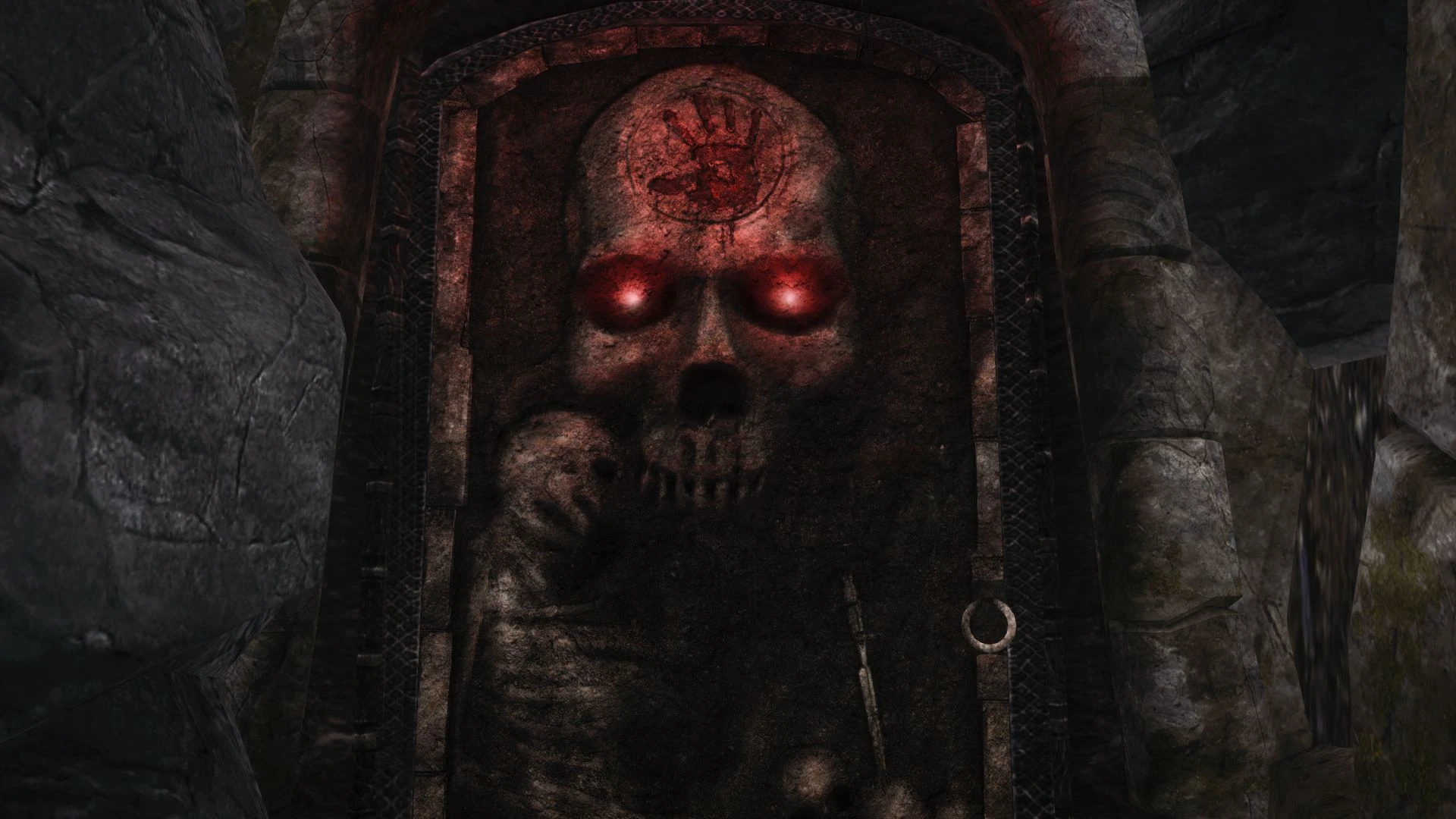
A compact HD retexture for the Dark Brotherhood door in Skyrim, replacing the default texture with a higher-resolution version. With over 6,600 endorsements and 361k downloads, it's a popular, lightweight visual upgrade for players who want a sharper door without changing other aspects. Last updated in 2014, it remains a simple drop-in texture mod.
📦 Full mod page on discovermods
Downloads, ratings, compatibility info, installation guides, and user reviews.
View on discovermods →Syntax
Models and TexturesExample
Downloads: 361,202 | Endorsements: 6,639💡 Notes
By KinderBueno | v1.0 | 6,639 endorsements
🎯 Tips & Tricks
Since it's a texture-only mod, you can install it manually by extracting the files into your Skyrim Data folder — no mod manager needed.
If you use a mod manager like Vortex or MO2, just drag and drop the archive; it will handle the file placement automatically.
This mod doesn't require a new game — it works on existing saves, so you can add it anytime.
🔧 Troubleshooting
Mod not working
Check load order and required dependencies. Read the full mod description.
⚠️ Common Mistakes
- Installing multiple mods that modify the same files without checking compatibility
👍 Pros
- Massive community trust (6,639 endorsements) — this is one of those texture mods everyone seems to have.
- Zero hassle install: just drop the texture files into your Data folder, no plugin needed.
- Lightweight and performance-friendly — it's just a door texture, so no FPS hit.
👎 Cons
- Only affects the door — if you're looking for a full Dark Brotherhood overhaul, this won't touch the sanctuary or armor.
- Last updated in 2014 — might not be optimized for the latest Skyrim versions, though texture mods usually age fine.
- No preview images or detailed description — you're trusting the endorsements over seeing the result first.