EzEs -Colored Map Markers-
skyrim — Mods & Enhancements
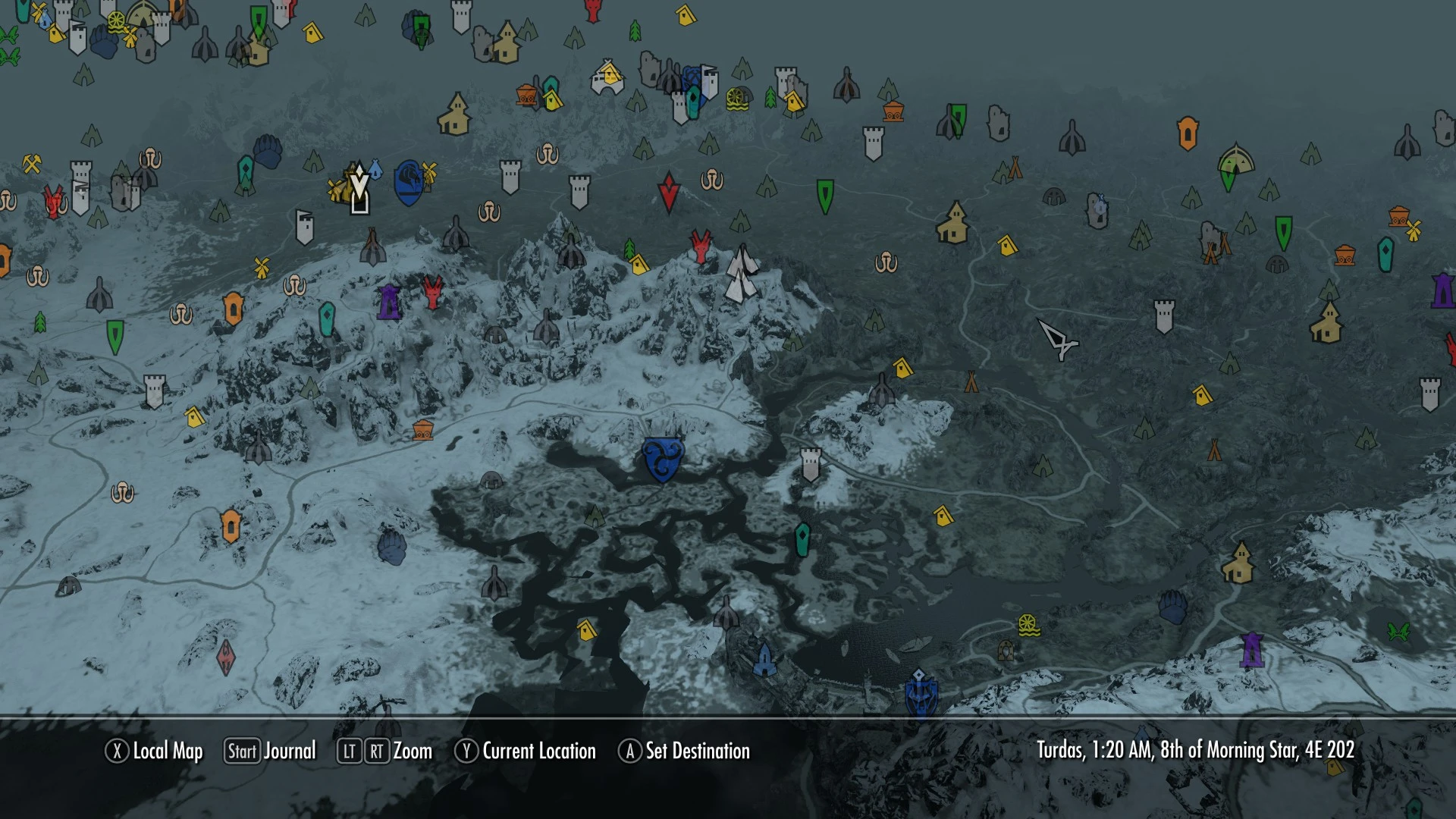
EzEs -Colored Map Markers- is a lightweight UI mod for Skyrim that recolors map markers for better visibility. It's compatible with Skyrim 1.8+ and SkyUI, ensuring waypoint markers remain visible. With nearly 7,000 endorsements and 148k downloads, it's a popular quality-of-life enhancement for players who want clearer map navigation.
📦 Full mod page on discovermods
Downloads, ratings, compatibility info, installation guides, and user reviews.
View on discovermods →Syntax
User InterfaceExample
Downloads: 148,680 | Endorsements: 6,933💡 Notes
By xEightballx | v7.1 | 6,933 endorsements
🎯 Tips & Tricks
Since this mod is just a texture/UI file, you can install it manually by dropping the contents into your Skyrim Data folder—no mod manager needed.
If you're using SkyUI, make sure to load this mod after SkyUI in your load order to ensure compatibility.
For Skyrim Special Edition, you may need to convert the mod or use a mod manager that handles oldrim files—check the mod page for any updates.
🔧 Troubleshooting
Mod not working
Check load order and required dependencies. Read the full mod description.
⚠️ Common Mistakes
- Installing multiple mods that modify the same files without checking compatibility
👍 Pros
- Community favorite with 6,933 endorsements and 148,680 downloads.
- Works with SkyUI, so it fits right into your existing mod setup.
- Lightweight and focused—does exactly what it says without bloat.
👎 Cons
- Last updated in 2013—might not be tested with the latest Skyrim Special Edition or Anniversary Edition.
- Only recolors markers; if you want custom icons or more map overhauls, this won't cover that.
- No detailed install instructions in the description, so you'll need to know how to drop files into your Data folder.