Enhanced Blood Textures (SKYRIM 2011)
skyrim — Mods & Enhancements
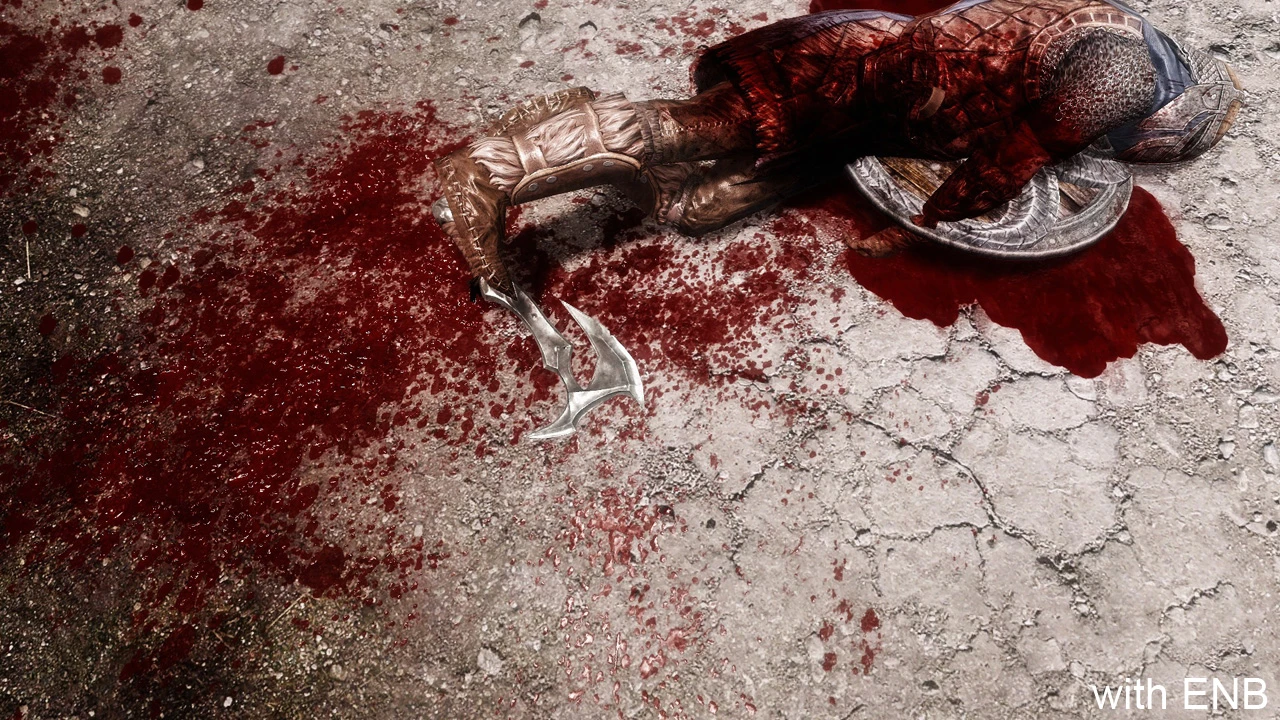
Enhanced Blood Textures (EBT) replaces Skyrim's vanilla blood decals, splatters, and gore with higher-resolution, more realistic textures, and adds new effects like blood pools, drips, and spray that react to weapon types and kill moves. It modifies the game's visual feedback for combat, making hits feel more visceral, and includes options for screen-edge blood effects and blood on armor. Players install it to improve combat immersion and to make decapitation and execution moves look more brutal, but it requires careful patching with mods that alter the same visual effects.
Syntax
Visuals and GraphicsExample
Downloads: 10,227,194💡 Notes
By dDefinder
🎯 Tips & Tricks
After installing EBT, open the Mod Configuration Menu (MCM) in-game. Go to 'Enhanced Blood' > 'Blood Decals' and set 'Max Decal Count' to 100 (from default 250) to reduce VRAM usage. Also set 'Blood Pool Size' to 0.5 if you use ENB, as ENBs with particle lights can tank FPS with large pools. Save and exit.
EBT uses SKSE plugins for advanced features like blood on kill moves. In your mod manager, ensure EBT's plugin loads after SKSE's base files. In MO2, place EBT's ESP below 'SKSE.esp' (if present) or just ensure SKSE is installed first. For Vortex, set EBT to 'After' SKSE in the 'Dependencies' tab. This enables the scripted blood spray effects.
The Unofficial Skyrim Special Edition Patch (USSEP) changes blood decal behavior. Download the 'EBT - USSEP Patch' from the EBT Nexus page and install it AFTER both mods. This patch ensures blood doesn't vanish prematurely and fixes a bug where blood pools float in midair after killing giants.
🔧 Troubleshooting
Blood textures appear as solid black squares with 'ENB' mods
ENB's particle effects conflict with EBT's high-res decals. In enbseries.ini, set 'EnableParticleLights' to false, or use the 'EBT - ENB Patch' which adjusts texture formats to BC7. Load the patch after both EBT and ENB. Alternatively, reduce EBT's texture resolution in the FOMOD installer to 1K.
Blood not appearing on NPCs with 'Immersive Armors'
Immersive Armors replaces some armor meshes that have blood shaders. Use the 'EBT - Immersive Armors Compatibility Patch' from the EBT page. If that fails, open the EBT MCM, go to 'Armor Blood', and set 'Enable Armor Blood' to off—this disables blood on armor but keeps it on bodies.
⚠️ Common Mistakes
- [object Object]
- [object Object]
👍 Pros
- 322,538 endorsements
👎 Cons
- Requires correct game version