Atlas Map Markers for Skyrim Blackreach Dawnguard and Dragonborn
skyrim — Mods & Enhancements
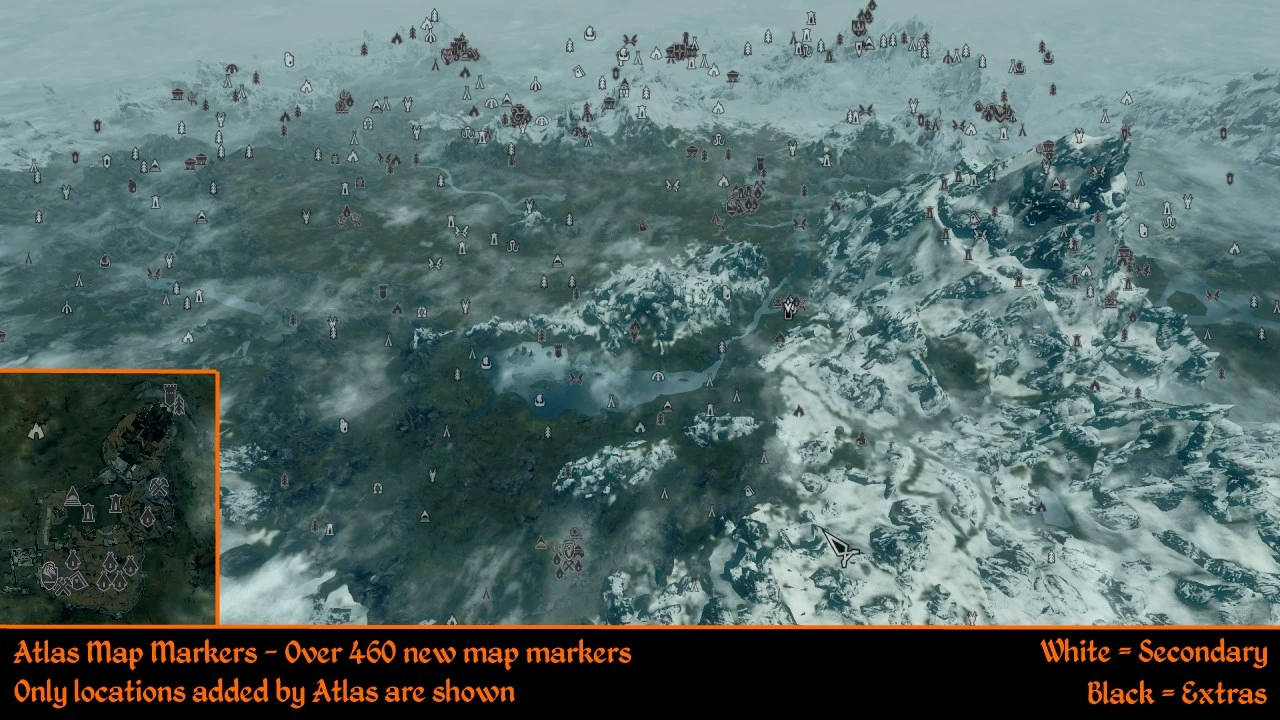
Atlas Map Markers adds over 700 new discoverable map markers across Skyrim, Dawnguard, Dragonborn, and Blackreach, covering shrines, shops, dungeon exits, innkeepers, ore mines, farms, wilderness, lost books, and Khajiit caravans. A classic UI overhaul for explorers seeking to uncover every location.
📦 Full mod page on discovermods
Downloads, ratings, compatibility info, installation guides, and user reviews.
View on discovermods →Syntax
User InterfaceExample
Downloads: 594,740 | Endorsements: 27,172💡 Notes
By Kronixx | v1.7 | 27,172 endorsements
🎯 Tips & Tricks
Since this mod is from 2014, make sure you're using the original Skyrim (Legendary Edition) or look for a Special Edition conversion patch on the mod page.
If you use other map mods, load Atlas Map Markers after them so its markers don't get overwritten.
Check the mod's comments section for user-reported compatibility fixes — the description doesn't cover them.
🔧 Troubleshooting
Mod not working
Check load order and required dependencies. Read the full mod description.
⚠️ Common Mistakes
- Installing multiple mods that modify the same files without checking compatibility
👍 Pros
- Huge content boost: 700+ markers means way less wandering around trying to find that last shrine or mine.
- Community favorite with 27k endorsements and nearly 600k downloads — this is a proven, must-have UI mod.
- Covers all major DLCs, so you get consistent marker coverage across the whole game.
👎 Cons
- Last updated in 2014 — that's ancient by Skyrim standards, so you might run into compatibility issues with newer mods or the Special Edition.
- No install instructions or compatibility notes in the description, so you're on your own if something breaks.
- The description is pretty bare-bones — no screenshots or detailed breakdown of what each marker type looks like, so you're taking a bit of a leap of faith.