Update My Statue
oblivion — Mods & Enhancements
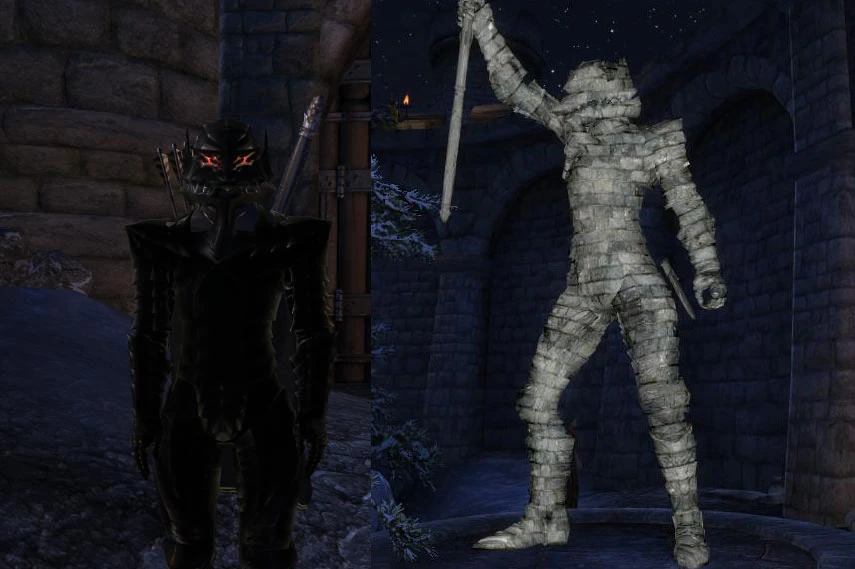
Update My Statue lets Oblivion players refresh the appearance of their statue in Bruma. Created because many players, including the author, ended up with an ugly statue without realizing they had one or how to improve it. A simple quality-of-life fix for a common oversight.
📦 Full mod page on discovermods
Downloads, ratings, compatibility info, installation guides, and user reviews.
View on discovermods →Syntax
Gameplay Effects and ChangesExample
Downloads: 21,819 | Endorsements: 1,014💡 Notes
By Unknown | v1.30 | 1,014 endorsements
🎯 Tips & Tricks
Make sure to place the mod file in your Oblivion Data folder and activate it in the launcher.
If you're using a mod manager like OBMM or Wrye Bash, you can install it through that for easier management.
Test the mod after your statue is created — it should let you update its appearance without needing to reload an old save.
🔧 Troubleshooting
Mod not working
Check load order and required dependencies. Read the full mod description.
⚠️ Common Mistakes
- Installing multiple mods that modify the same files without checking compatibility
👍 Pros
- Solid community support with over 1,000 endorsements.
- Fixes a real annoyance for players who ended up with a bad-looking statue.
- Simple concept that does exactly what it says.
👎 Cons
- Last updated in 2008 — may not work with newer Oblivion versions or mod setups.
- No install instructions or compatibility notes provided by the author.
- Very niche feature — only affects the Bruma statue, so if you don't care about that, it's useless.