Ultimate 3rd Person Camera v151 OMOD
oblivion — Mods & Enhancements
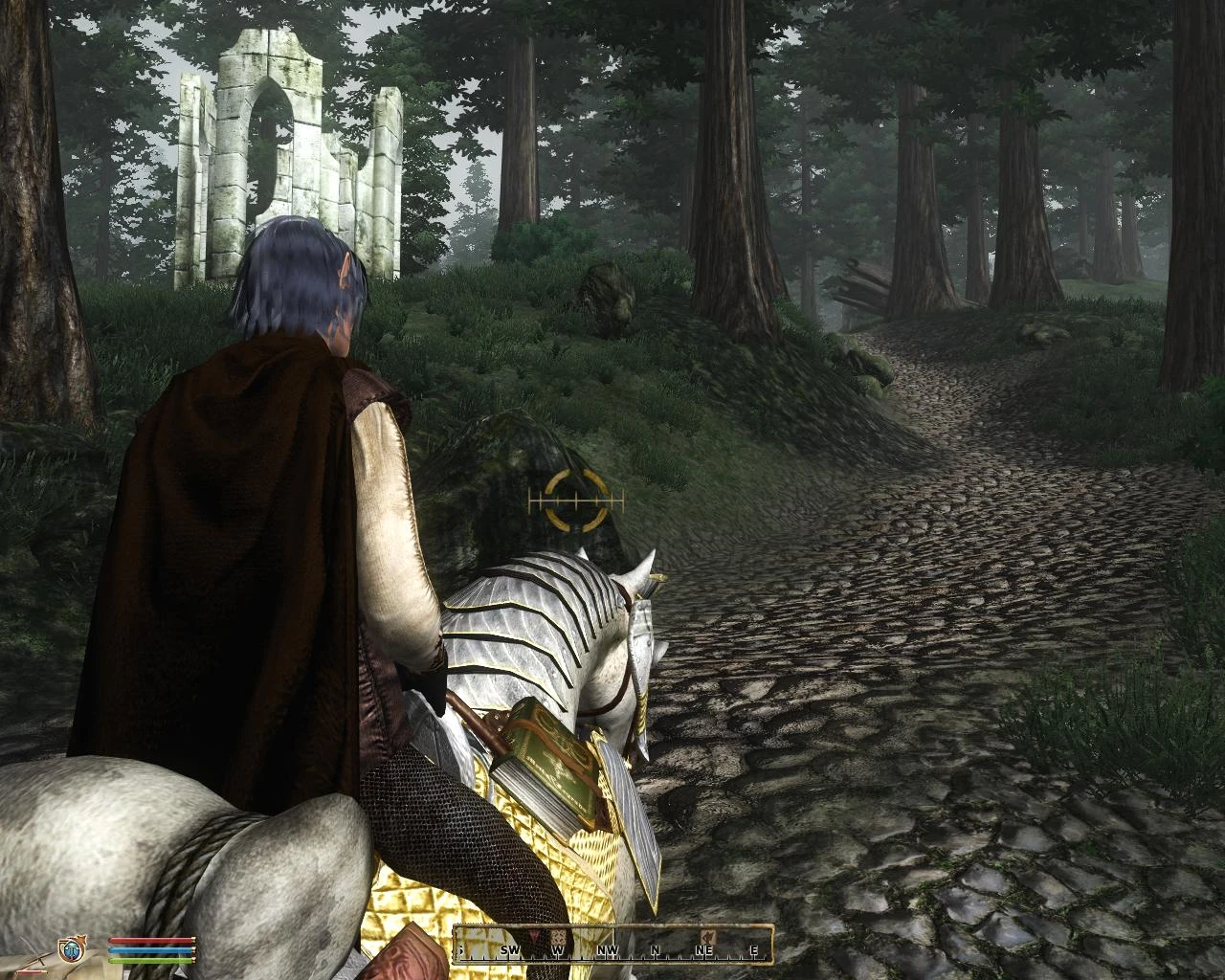
This mod replaces the default third-person camera with a new side camera perspective, designed for players who prefer third-person gameplay. It fixes issues found in other camera mods and claims high compatibility with other Nexus mods. With 3,343 endorsements and 169,772 downloads, it's a popular choice for Oblivion players seeking an improved camera experience.
📦 Full mod page on discovermods
Downloads, ratings, compatibility info, installation guides, and user reviews.
View on discovermods →Syntax
Visuals and GraphicsExample
Downloads: 169,772 | Endorsements: 3,343💡 Notes
By Revolucion09 | v1.51 | 3,343 endorsements
🎯 Tips & Tricks
Since it's an OMOD, use Oblivion Mod Manager (OBMM) to install—just double-click the file and it'll handle the rest.
If you're using a mod manager like Wrye Bash, you can still install it, but make sure to activate it in your load order.
Test the camera in third-person right after installing—if it doesn't work, check for conflicts with other camera or UI mods.
🔧 Troubleshooting
Mod not working
Check load order and required dependencies. Read the full mod description.
⚠️ Common Mistakes
- Installing multiple mods that modify the same files without checking compatibility
👍 Pros
- Community favorite with 3,343 endorsements and 169,772 downloads—clearly a go-to for third-person fans.
- Author specifically fixed issues from other camera mods, so you're getting a more polished experience.
- Claims compatibility with all Nexus mods, which is a huge plus if you run a heavily modded game.
👎 Cons
- Last updated in 2010—over a decade old, so it may not work with newer Oblivion versions or mods without tweaks.
- No detailed installation instructions or compatibility notes provided, so you're on your own if something breaks.
- The description is vague about what exactly was fixed or how the camera behaves—you'll have to test it yourself.