TES4Edit
oblivion — Mods & Enhancements
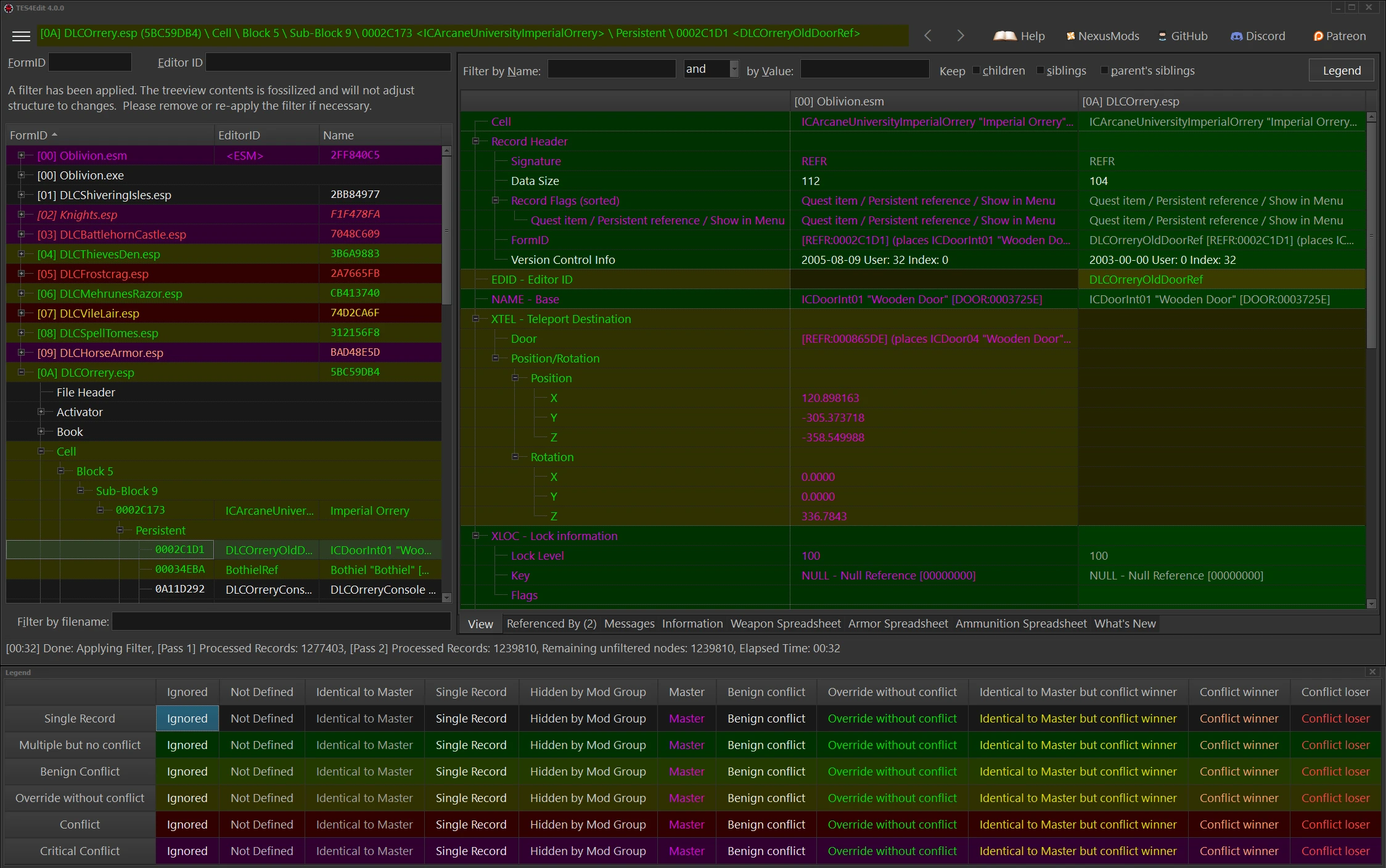
TES4Edit is the Oblivion version of xEdit, an advanced graphical module viewer/editor and conflict detector. It's a powerful utility for modders and players who need to inspect, edit, and resolve conflicts in their Oblivion mod setup. With 18,612 endorsements and 469,376 downloads, it's a trusted tool in the community.
📦 Full mod page on discovermods
Downloads, ratings, compatibility info, installation guides, and user reviews.
View on discovermods →Syntax
UtilitiesExample
Downloads: 469,376 | Endorsements: 18,612💡 Notes
By ElminsterAU and the xEdit Team | v4.1.5f | 18,612 endorsements
🎯 Tips & Tricks
Run TES4Edit with the '-lod' argument to load only the master files and speed up initial scans.
Use the 'Apply Filter' function to show only conflicting records — it makes spotting issues way easier.
Always create a backup of your load order before making edits, and use the 'Clean Masters' option to remove dirty edits safely.
🔧 Troubleshooting
Mod not working
Check load order and required dependencies. Read the full mod description.
⚠️ Common Mistakes
- Installing multiple mods that modify the same files without checking compatibility
👍 Pros
- Community staple with 18,612 endorsements and nearly half a million downloads — clearly the go-to for Oblivion mod conflict resolution.
- Being part of the xEdit family means you get the same robust editing and viewing tools that Skyrim and Fallout modders swear by.
- Still updated in 2024, so you know it's not abandoned and works with current Oblivion setups.
👎 Cons
- Steep learning curve — xEdit tools are powerful but not beginner-friendly; you'll need to watch tutorials to get the most out of it.
- No in-depth documentation in the description, so you'll have to rely on community guides and forums to learn the ins and outs.
- Primarily a utility for modders — if you just want to play with mods, you might not need this unless you're troubleshooting conflicts.