Qarls Texture Pack III OMOD - QTP3
oblivion — Mods & Enhancements
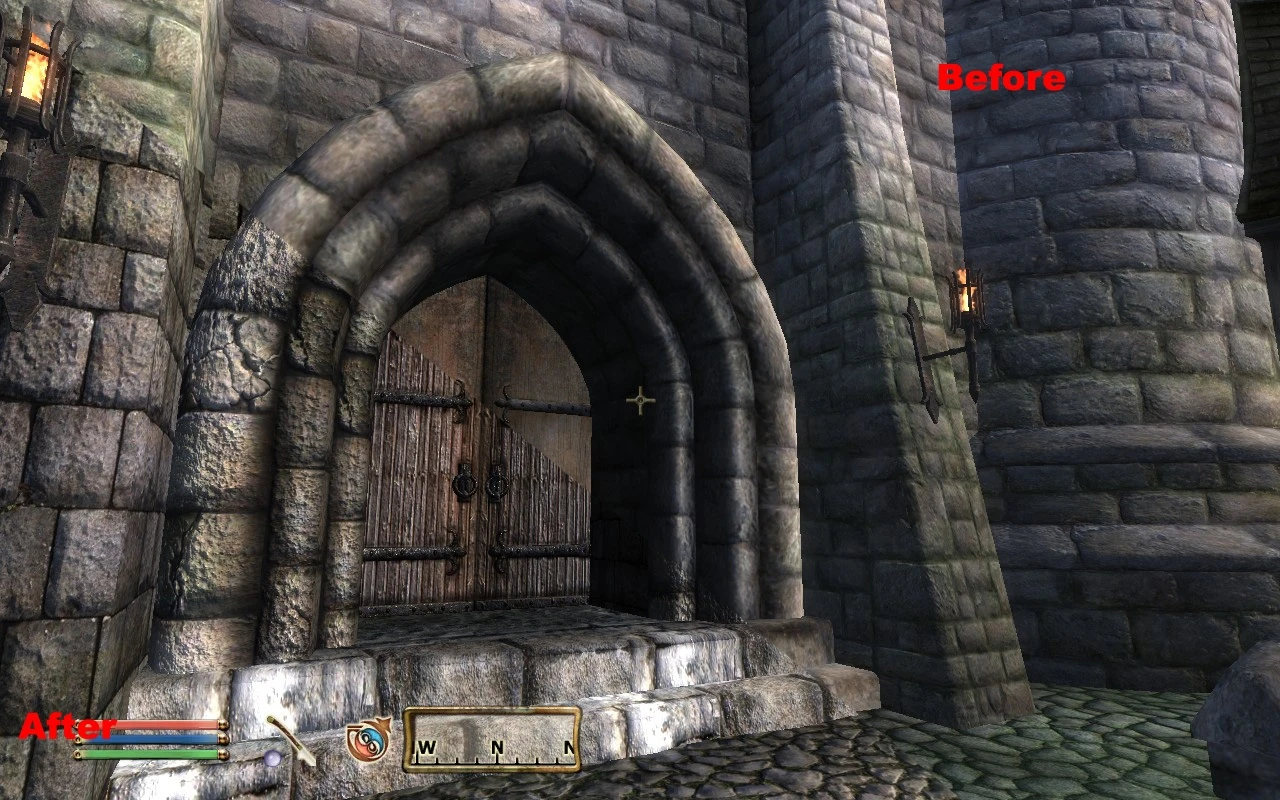
Qarls Texture Pack III OMOD (QTP3) is a comprehensive texture overhaul for Oblivion that makes the game world appear much clearer and sharper. It comes as an OMOD with the 1.3 patch pre-installed, simplifying installation. With over 20,000 endorsements and 4.5 million downloads, it's a legendary mod for enhancing visual fidelity.
📦 Full mod page on discovermods
Downloads, ratings, compatibility info, installation guides, and user reviews.
View on discovermods →Syntax
Models And TexturesExample
Downloads: 4,469,123 | Endorsements: 20,774💡 Notes
By Qarl -OMOD by BangsBoomstik- | v1.3 | 20,774 endorsements
🎯 Tips & Tricks
Make sure you have Oblivion Mod Manager (OBMM) installed – this mod is OMOD-only and won't work with manual extraction.
After installing, activate the OMOD in OBMM and check your load order – QTP3 should be loaded after other texture mods to avoid conflicts.
If you experience performance issues, consider using the performance version of QTP3 instead of the full pack.
🔧 Troubleshooting
Mod not working
Check load order and required dependencies. Read the full mod description.
⚠️ Common Mistakes
- Installing multiple mods that modify the same files without checking compatibility
👍 Pros
- Massive community approval – 20,774 endorsements and 4.5 million downloads speak for themselves.
- OMOD format with the 1.3 patch pre-installed means less hassle for mod manager users.
- A classic texture overhaul that dramatically improves visual clarity – a must-try for Oblivion veterans.
👎 Cons
- Last updated in 2008 – may have compatibility issues with newer systems or mods.
- Requires Oblivion Mod Manager (OBMM) to install – not for manual installers.
- Texture packs can be performance-heavy on older hardware – expect a hit on FPS.