Qarls Texture Pack III - QTP3
oblivion — Mods & Enhancements
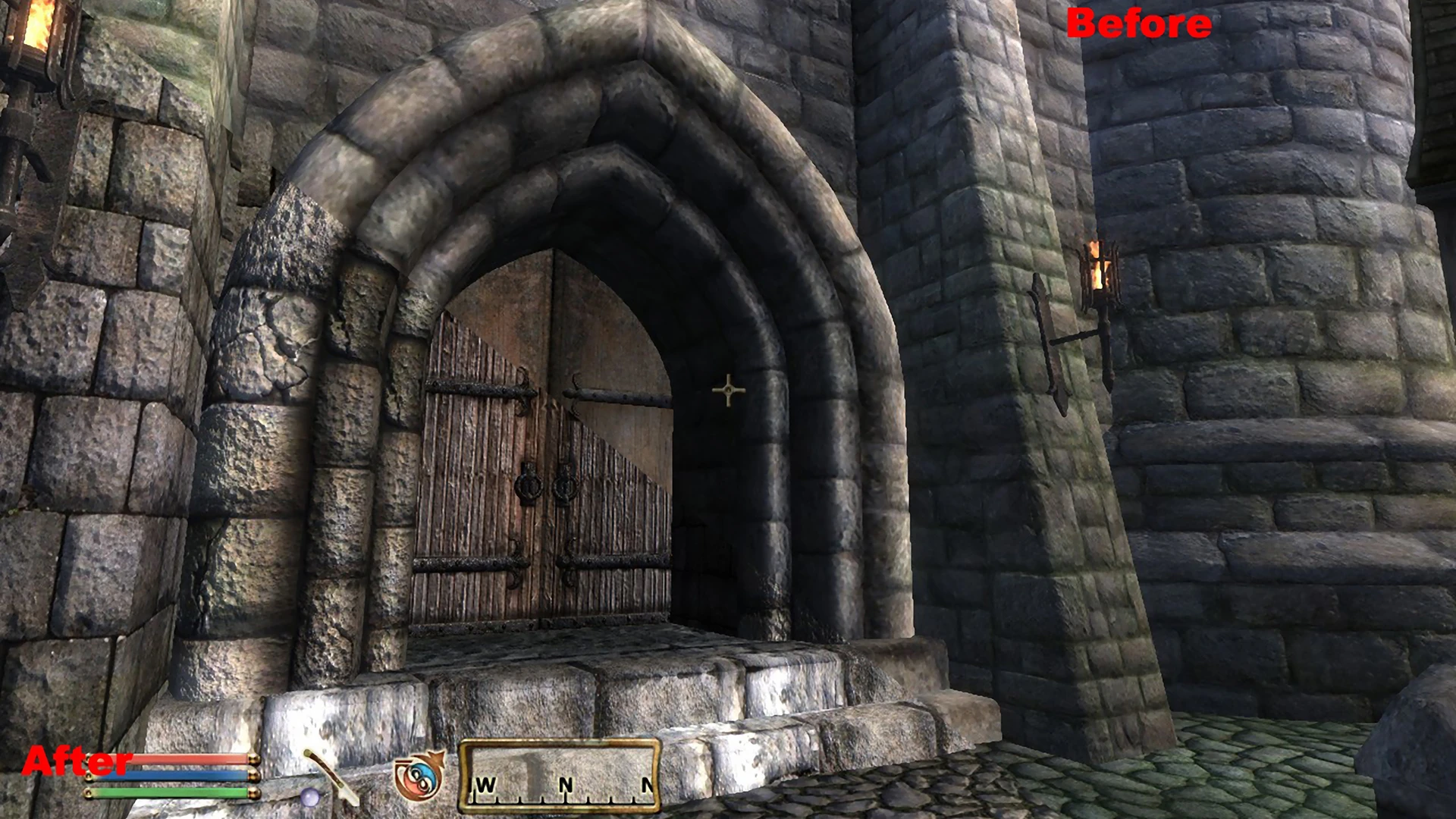
Qarl's Texture Pack III (QTP3) is a comprehensive texture overhaul for Oblivion, offering high-resolution replacements for the game's environments and objects. With 3,881 endorsements and 147,732 downloads, it's a community favorite. Last updated in 2014, it remains a popular choice for players seeking visual upgrades.
📦 Full mod page on discovermods
Downloads, ratings, compatibility info, installation guides, and user reviews.
View on discovermods →Syntax
Models And TexturesExample
Downloads: 147,732 | Endorsements: 3,881💡 Notes
By Qarl | v1.3 | 3,881 endorsements
🎯 Tips & Tricks
Make sure to back up your original textures or use a mod manager like Oblivion Mod Manager (OBMM) to handle installation and uninstallation cleanly.
Load order matters: place QTP3 early in your mod list so other mods can overwrite its textures if needed.
Check the mod's comments section on Nexus for user-reported compatibility issues with other popular mods like Better Cities or Unique Landscapes.
🔧 Troubleshooting
Mod not working
Check load order and required dependencies. Read the full mod description.
⚠️ Common Mistakes
- Installing multiple mods that modify the same files without checking compatibility
👍 Pros
- Massive download count (147k) and 3.8k endorsements — this is a proven, community-approved texture overhaul.
- All-in-one package means you don't have to juggle multiple texture mods; just install and go.
- High-resolution textures breathe new life into Oblivion's dated visuals, making the game look noticeably better.
👎 Cons
- Last updated in 2014 — may have compatibility issues with newer mods or Oblivion patches.
- Large file size (typical for texture packs) could be a pain for slower connections or limited disk space.
- No detailed feature list or installation instructions provided in the description, so you're on your own for setup.