Loot Menu
oblivion — Mods & Enhancements
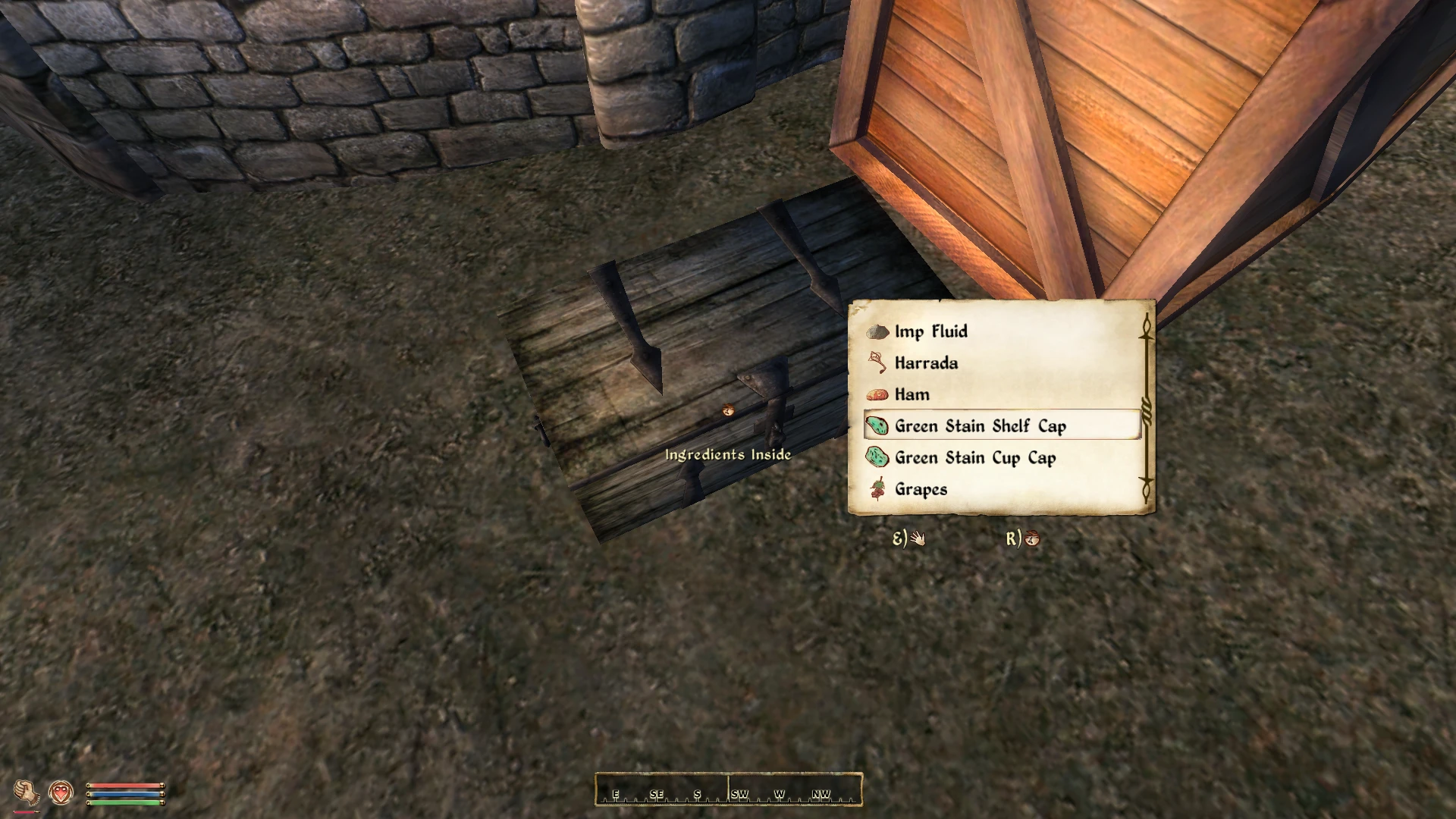
Loot Menu is a UI overhaul for Oblivion that replaces the default container loot interface with a Fallout 4-inspired menu. It offers two UI styles to choose from, giving players a more modern and streamlined looting experience. With over 3,300 endorsements and 217,000 downloads, it's a popular choice for Oblivion players seeking a fresh take on inventory management.
📦 Full mod page on discovermods
Downloads, ratings, compatibility info, installation guides, and user reviews.
View on discovermods →Syntax
User InterfacesExample
Downloads: 217,320 | Endorsements: 3,377💡 Notes
By Ersh - original mod by Gribbleshnibit8 | v2.3.1 | 3,377 endorsements
🎯 Tips & Tricks
Since it's a UI mod, make sure to place it in your Oblivion Data folder and enable it in the launcher's Data Files section.
If you use OBMM or Wrye Bash, install it through your mod manager to avoid overwriting other UI mods.
Try both UI styles in-game to see which one feels better for your playthrough — you can switch by editing the INI or re-installing.
🔧 Troubleshooting
Mod not working
Check load order and required dependencies. Read the full mod description.
⚠️ Common Mistakes
- Installing multiple mods that modify the same files without checking compatibility
👍 Pros
- Huge community trust: 3,377 endorsements and 217k downloads show this mod is a staple for Oblivion UI modding.
- Two UI styles mean you can pick the look that fits your preference, whether you want a cleaner or more familiar layout.
- Inspired by Fallout 4's loot menu, so if you liked that system, this brings a similar feel to Oblivion.
👎 Cons
- Last updated in September 2020 — might have compatibility issues with newer Oblivion patches or mods that alter UI.
- No detailed feature list or screenshots in the description, so you'll have to try it to see exactly what you get.
- Only affects container loot menus — if you wanted a full inventory overhaul, this won't cover that.