DarNified UI
oblivion — Mods & Enhancements
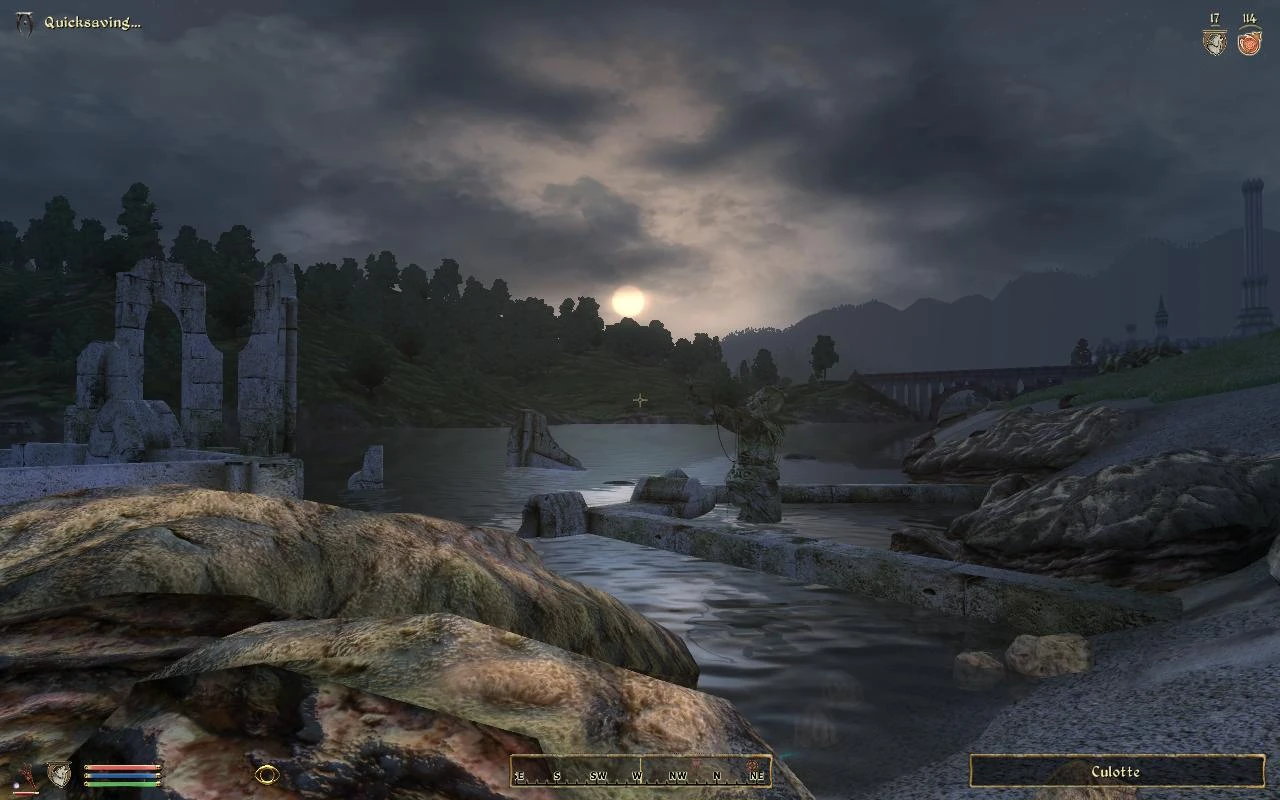
DarNified UI is a comprehensive overhaul of Oblivion's user interface, removing the console-style design for a more PC-friendly experience. It offers smaller fonts, in-game adjustable settings, scaled user controls, and more on-screen information. With 57,950 endorsements and 2.3 million downloads, it's a highly popular and enduring mod.
📦 Full mod page on discovermods
Downloads, ratings, compatibility info, installation guides, and user reviews.
View on discovermods →Syntax
User InterfacesExample
Downloads: 2,295,288 | Endorsements: 57,950💡 Notes
By DarN | v1.3.2 | 57,950 endorsements
🎯 Tips & Tricks
Since it's an older mod, check if you have any UI-altering mods that might conflict.
Use a mod manager like OBMM or Wrye Bash to keep track of your load order.
If you're using the Steam version, make sure to back up your original UI files before overwriting.
🔧 Troubleshooting
Mod not working
Check load order and required dependencies. Read the full mod description.
⚠️ Common Mistakes
- Installing multiple mods that modify the same files without checking compatibility
👍 Pros
- Massive community trust with 57,950 endorsements and 2.3 million downloads.
- Transforms the clunky console UI into a sleek, PC-friendly interface.
- In-game settings mean you can tweak without restarting the game.
👎 Cons
- Last updated in 2008 — may have compatibility issues with newer mods or patches.
- No detailed installation instructions provided by the author.
- Requires manual installation, which might be tricky for modding newcomers.