Sunset Sarsaparilla HD
newvegas — Mods & Enhancements
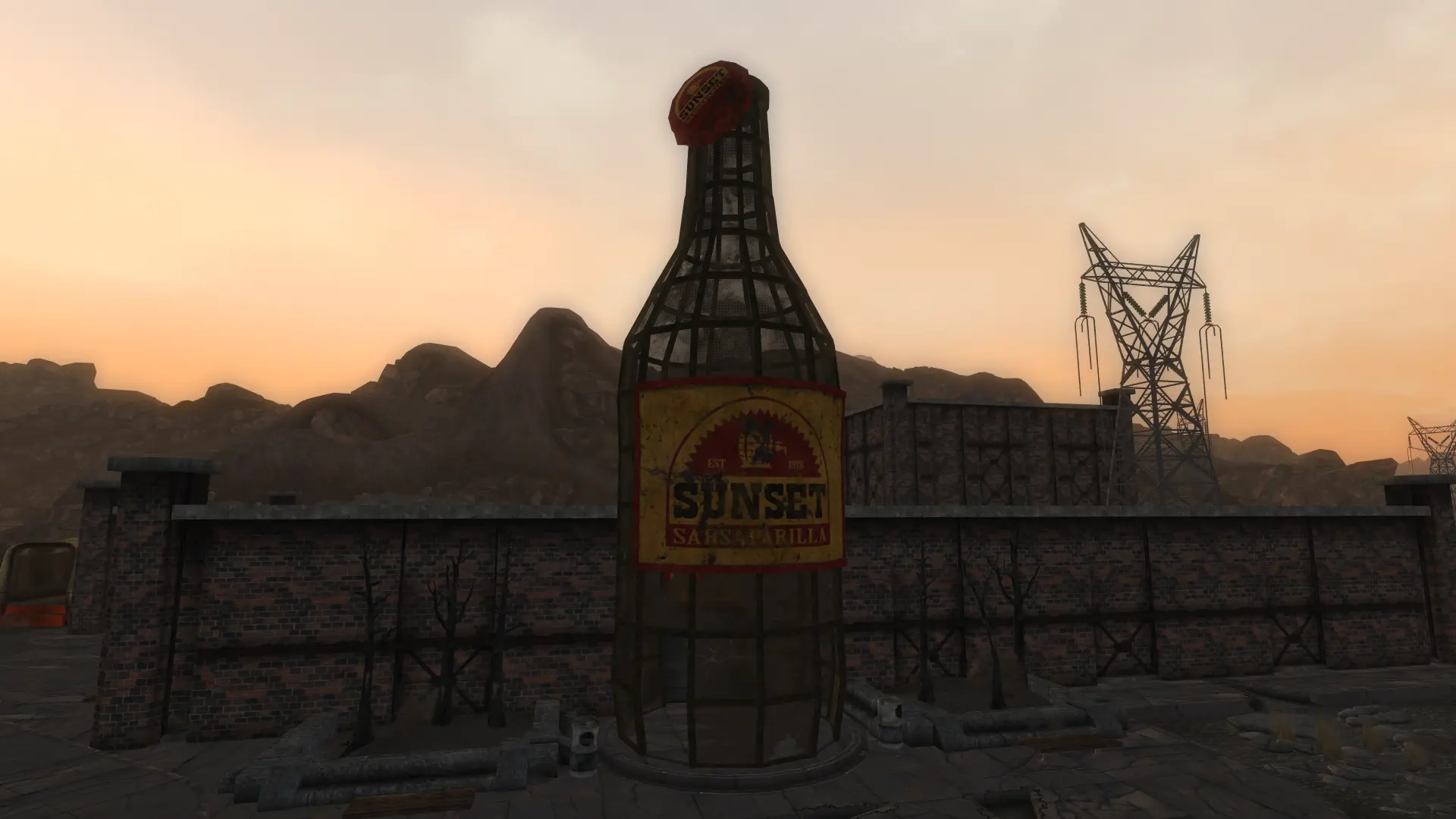
Sunset Sarsaparilla HD is a high-definition retexture mod for Fallout: New Vegas that overhauls various objects around the Sunset Sarsaparilla building. With 847 endorsements and over 361k downloads, it's a popular choice for players wanting sharper visuals in that area. Last updated in December 2023.
📦 Full mod page on discovermods
Downloads, ratings, compatibility info, installation guides, and user reviews.
View on discovermods →Syntax
Models and TexturesExample
Downloads: 361,311💡 Notes
By chilloucik
🎯 Tips & Tricks
Since the mod is just a texture pack, you can install it manually by dropping the files into your Data folder, but using a mod manager like Vortex or FOMM makes it easier to uninstall.
Make sure you have ArchiveInvalidation enabled (or use a mod manager that does it automatically) to ensure the new textures show up in-game.
If you're using other texture mods, load this one after them so it takes priority for the Sunset Sarsaparilla area.
🔧 Troubleshooting
Mod conflicts
Check load order. Disable conflicting mods one by one.
⚠️ Common Mistakes
- Installing without checking requirements
👍 Pros
- Community favorite with 847 endorsements and over 361k downloads—clearly a go-to for visual upgrades.
- Focuses on a specific location, so it's a great pick for players who want to enhance that part of the Mojave without overhauling everything.
- Recent update (Dec 2023) means it's likely compatible with current setups.
👎 Cons
- Description is vague—doesn't specify exactly which items are retextured, so you might not know what you're getting until you try it.
- Only covers the Sunset Sarsaparilla building area, so if you're looking for a broader texture overhaul, this won't cut it.
- No screenshots or install instructions provided, so you're flying blind on what the textures look like and how to install.