Loot Menu for FNV
newvegas — Mods & Enhancements
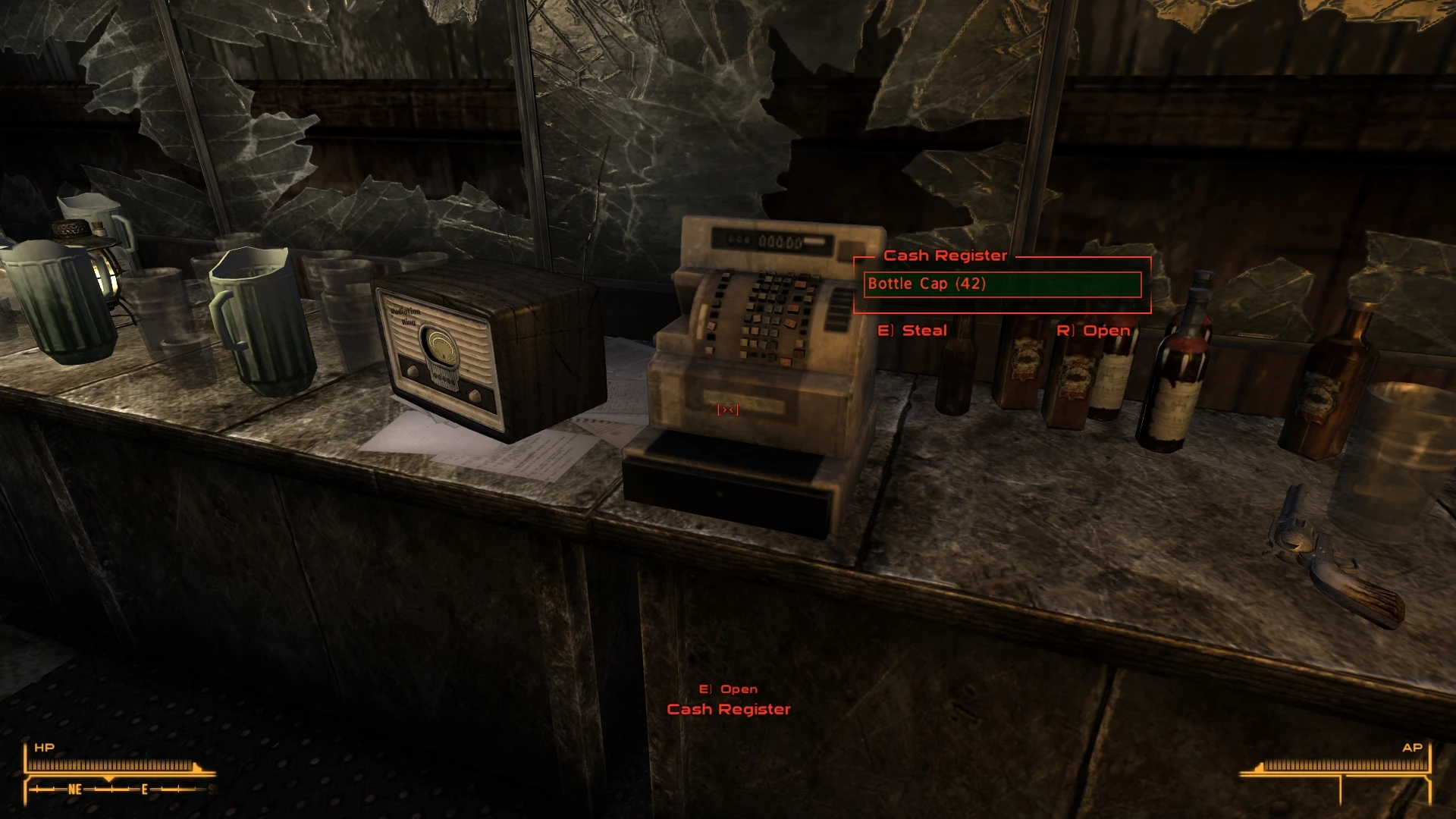
Loot Menu for FNV is a UI overhaul that replaces the classic container menu with a Fallout 4-style loot interface, designed to match New Vegas's aesthetic. It supports both keyboard and controller input, allowing for real-time looting. With over 14,000 endorsements and 555,000 downloads, it's a popular choice for players seeking a more modern looting experience.
📦 Full mod page on discovermods
Downloads, ratings, compatibility info, installation guides, and user reviews.
View on discovermods →Syntax
User InterfacesExample
Downloads: 555,073💡 Notes
By Gribbleshnibit8
🎯 Tips & Tricks
Use a mod manager like Vortex or Mod Organizer 2 to install—it's a simple drag-and-drop, but a manager keeps your load order clean.
Check if you have any other UI mods installed that might conflict; this mod changes the container menu, so disable similar overhauls.
If you're using a controller, make sure your game is set to gamepad mode in the options for the best experience.
🔧 Troubleshooting
Mod conflicts
Check load order. Disable conflicting mods one by one.
⚠️ Common Mistakes
- Installing without checking requirements
👍 Pros
- Huge community trust: 14,507 endorsements and 555,073 downloads show it's a go-to mod for UI overhauls.
- Real-time looting is a game-changer for immersion—no more pausing to sort through containers.
- Controller support is a big win for players who prefer gamepads, making looting smooth and intuitive.
👎 Cons
- Last updated in January 2022—might have compatibility issues with newer game patches or mods.
- The Fallout 4-style menu might not appeal to purists who prefer the classic New Vegas interface.
- No detailed installation instructions provided, so you'll need to rely on standard mod manager practices.