Mass Effect HDR and Realism ME 1 2 and 3
masseffectlegendaryedition — Mods & Enhancements
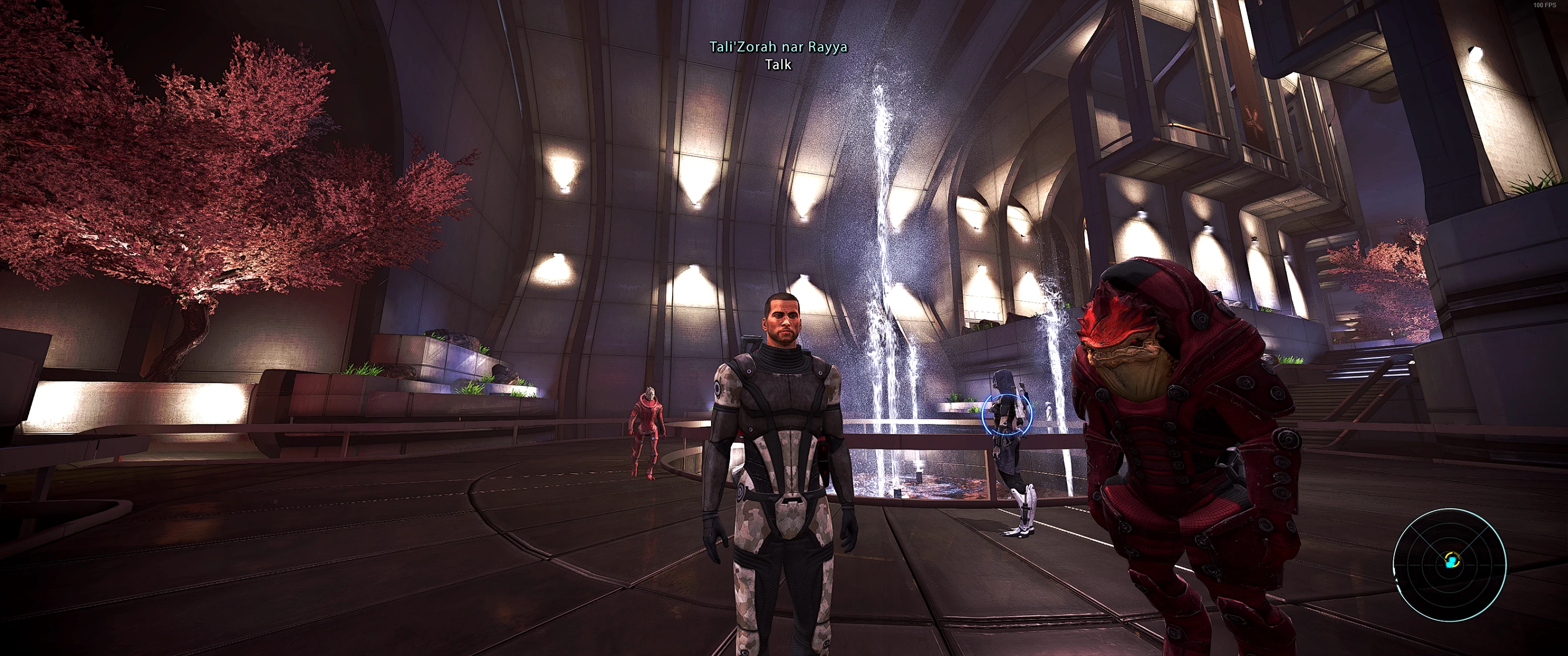
A Reshade preset for Mass Effect Legendary Edition that enhances colors and sharpness across all three games. It addresses the low-resolution textures in ME1 by avoiding excessive sharpening. With 387 endorsements and nearly 10k downloads, it's a community-trusted visual upgrade for players wanting improved visuals without texture mods.
📦 Full mod page on discovermods
Downloads, ratings, compatibility info, installation guides, and user reviews.
View on discovermods →Syntax
VisualsExample
Downloads: 9,719💡 Notes
By Metzli
🎯 Tips & Tricks
Install Reshade first, then drop this preset into the game's main folder and select it in the Reshade in-game menu.
If ME1 textures look too soft, try lowering the sharpening strength in the preset settings to your taste.
Make sure to run the game with DirectX 11 for Reshade to work properly.
🔧 Troubleshooting
Mod conflicts
Check load order. Disable conflicting mods one by one.
⚠️ Common Mistakes
- Installing without checking requirements
👍 Pros
- Community-approved with 387 endorsements and nearly 10k downloads
- One preset covers all three games in the Legendary Edition
- Smart approach to sharpening that respects ME1's texture limitations
👎 Cons
- Last updated in 2021 — may not be compatible with the latest Reshade versions
- Requires Reshade to be installed separately, which isn't included
- No screenshots or detailed installation instructions in the description