Realistic ReSahde
hogwarts-legacy — Mods & Enhancements
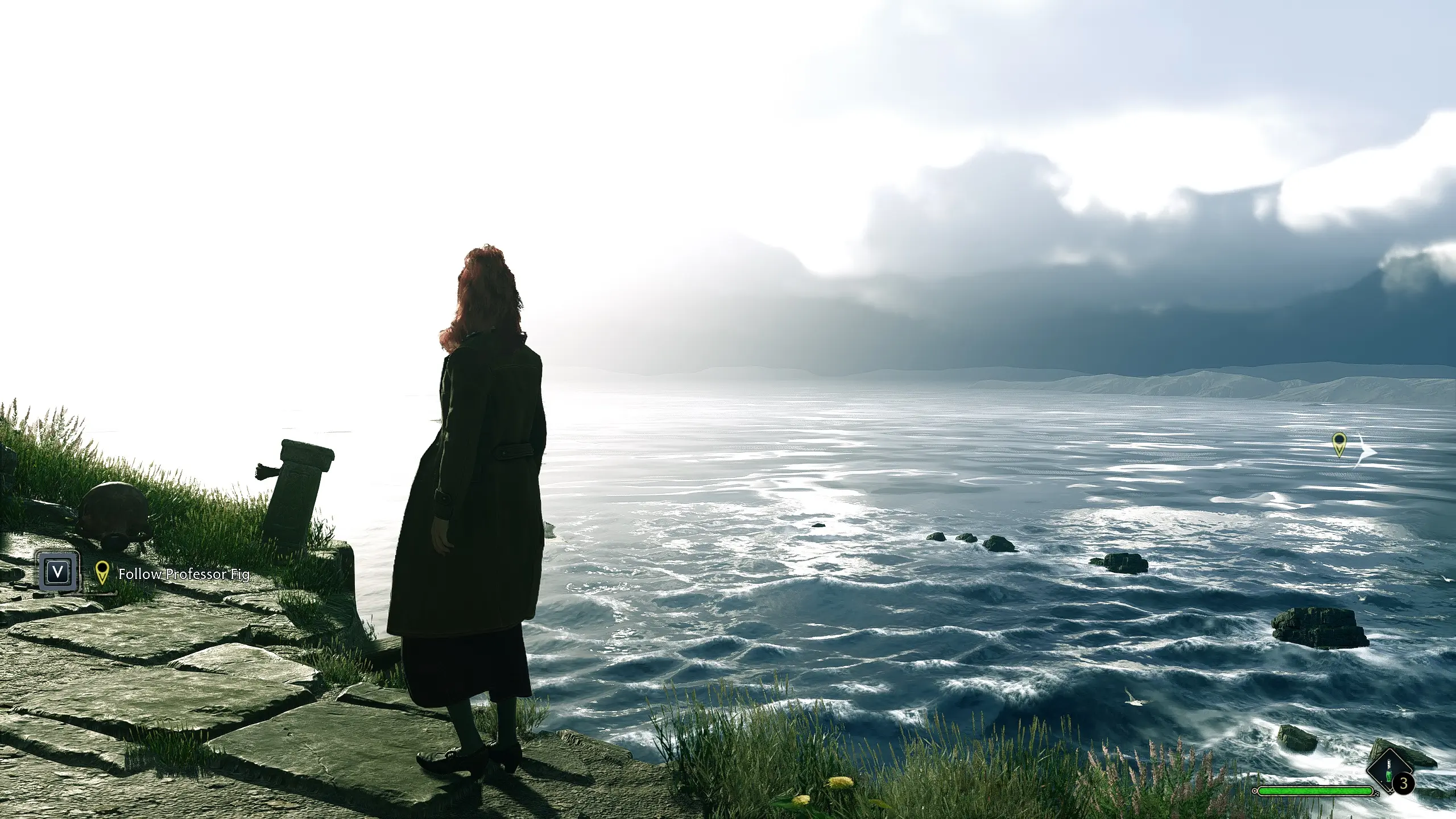
A ReShade preset that removes the beige color tint from the game, aiming for a more realistic look. With 65 endorsements and 1,668 downloads, it's a niche visual tweak for players who find the default color grading too warm or washed out.
📦 Full mod page on discovermods
Downloads, ratings, compatibility info, installation guides, and user reviews.
View on discovermods →Syntax
VisualsExample
Downloads: 1,668 | Endorsements: 65💡 Notes
By HowlingDakota | v1 | 65 endorsements
🎯 Tips & Tricks
Make sure ReShade is installed and working before adding this preset, then drop the file into the game's main folder.
Test the preset in different lighting conditions (day/night, indoors/outdoors) to see if it suits your taste.
If the effect is too strong or too weak, you can tweak the ReShade settings in-game using the ReShade overlay.
🔧 Troubleshooting
Mod not working
Check load order and required dependencies. Read the full mod description.
⚠️ Common Mistakes
- Installing multiple mods that modify the same files without checking compatibility
👍 Pros
- Community-tested with 65 endorsements and 1,668 downloads
- Directly addresses a common complaint about the game's beige tint
- Lightweight visual mod that doesn't overhaul the entire look
👎 Cons
- No screenshots or detailed description provided, so you're flying blind on the exact effect
- Last updated in April 2023 — may not be compatible with the latest game patches
- Requires ReShade to be installed separately, which adds an extra step