Accio Clarity (ReShade Preset)
hogwarts-legacy — Mods & Enhancements
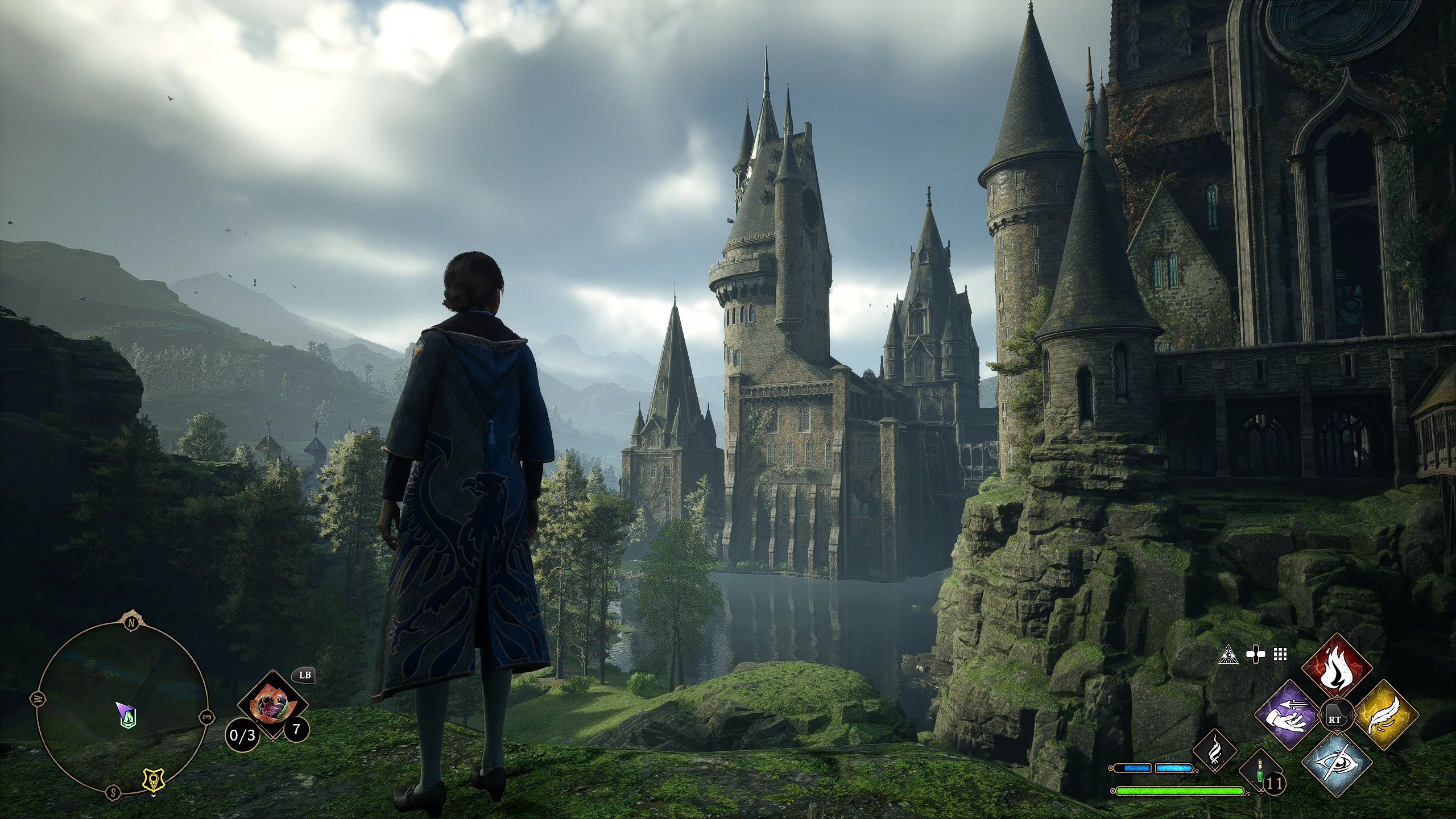
Accio Clarity is a ReShade preset for Hogwarts Legacy that sharpens the image and adds a subtle HDR effect, aiming to enhance visual clarity while preserving the game's original aesthetic. With 622 endorsements and over 16,000 downloads, it's a popular choice for players seeking a crisper, more vibrant look without overhauling the game's style.
📦 Full mod page on discovermods
Downloads, ratings, compatibility info, installation guides, and user reviews.
View on discovermods →Syntax
VisualsExample
Downloads: 16,929 | Endorsements: 622💡 Notes
By NeuroticPixels | v1.1 | 622 endorsements
🎯 Tips & Tricks
Make sure you have ReShade installed and set up for Hogwarts Legacy before adding this preset.
After installing, tweak the sharpening strength in the ReShade in-game menu to match your monitor's resolution and personal preference.
If you're using DLSS or FSR, you may need to adjust the sharpening to avoid over-sharpening artifacts.
🔧 Troubleshooting
Mod not working
Check load order and required dependencies. Read the full mod description.
⚠️ Common Mistakes
- Installing multiple mods that modify the same files without checking compatibility
👍 Pros
- Community favorite with 622 endorsements and over 16k downloads—clearly a hit.
- Doesn't mess with the game's core look—just makes it crisper and more vibrant.
- Lightweight preset that won't tank your FPS like some heavy ENBs.
👎 Cons
- Requires ReShade to be installed separately—not included in the mod.
- Last updated in February 2023—might not be optimized for the latest game patches.
- No before/after screenshots in the description, so you're flying blind until you try it.