Vivid Fallout - Landscapes - Textures in HD - ORIGINAL SIZE - LOWER RESOLUTION
fallout-4 — Mods & Enhancements
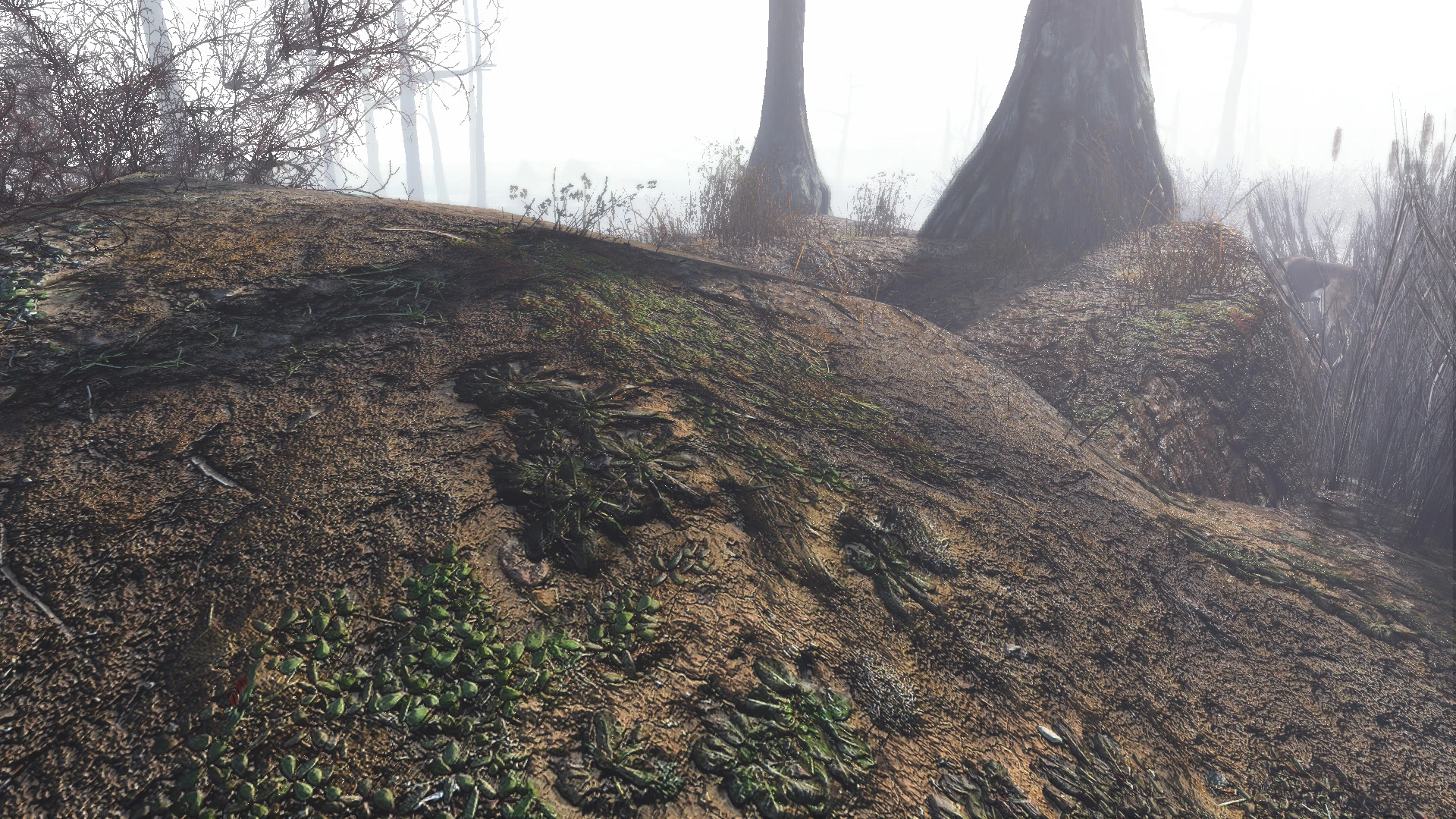
This mod replaces the ground, road, rock, and dirt textures across the entire Commonwealth with higher-detail 2K (original size) versions, while stripping away the 4K variants that Bethesda shipped for some surfaces. It improves visual clarity on terrain without the VRAM hit of full 4K, making it a popular choice for players using ENB or high-res weapon mods. The 'lower resolution' tag means it keeps the original texture dimensions but recompresses them to DXT1/5, reducing file size and load times while maintaining acceptable sharpness at typical gameplay distances.
📦 Full mod page on discovermods
Downloads, ratings, compatibility info, installation guides, and user reviews.
View on discovermods →Syntax
EnvironmentExample
Downloads: 3,555,769 | Endorsements: 106,884💡 Notes
By Hein84 | v2.8 | 106,884 endorsements
🎯 Tips & Tricks
In Vortex, place Vivid Fallout - Landscapes AFTER Vivid Fallout - All in One (if you use it) but BEFORE any landscape-specific overhauls like 'True Grass' or 'Boston Natural Surroundings'. This ensures grass and tree textures don't get overwritten by the landscape's dirt/rock files, which can cause seams at biome borders.
After installing, open the Fallout4Custom.ini (in Documents/My Games/Fallout4) and add [General] bUsePreCombinedMeshes=1. If you see flickering textures on roads near Diamond City, run the 'setini bUsePreCombinedMeshes:General to 0' command in console, then fast-travel away and back to force the game to rebuild the mesh cache.
In the same INI, under [Papyrus], add bUseTextureStreaming=1 and set iTextureStreamingCacheSize=512 (if you have 8GB VRAM) or 256 (if 4GB). This mod's DXT1 compression makes it stream faster, but these settings prevent hitching when sprinting across the Glowing Sea where large rock formations load in.
🔧 Troubleshooting
Gray or purple terrain textures with 'Vivid Fallout - All in One' installed
This happens because the All in One pack includes 4K versions of some landscape files that conflict with this mod's 2K DXT1 files. Download the 'Vivid Landscapes - Terrain Only' patch from the mod's optional files, and load it AFTER both mods in your load order. Alternatively, delete the 'Textures/Terrain' folder from the All in One BA2 using Archive2 tool.
Crashes near Lexington when combined with 'Boston FPS Fix'
Boston FPS Fix modifies precombined meshes for that area, and this mod's texture replacement can trigger a mesh-texture mismatch. Use the 'Vivid Fallout - Previs Repair Patch' from the bug reports section, or set bUsePreCombinedMeshes=0 in the INI for that cell only (via console 'setini' command) to stop the crash.
⚠️ Common Mistakes
- [object Object]
- [object Object]
👍 Pros
- 106,884 endorsements
- 3,555,769 downloads
- Category: Environment
👎 Cons
- Requires mod manager installation
- May conflict with similar mods