ULG Tool (Ultra Low Graphics)
fallout-4 — Mods & Enhancements
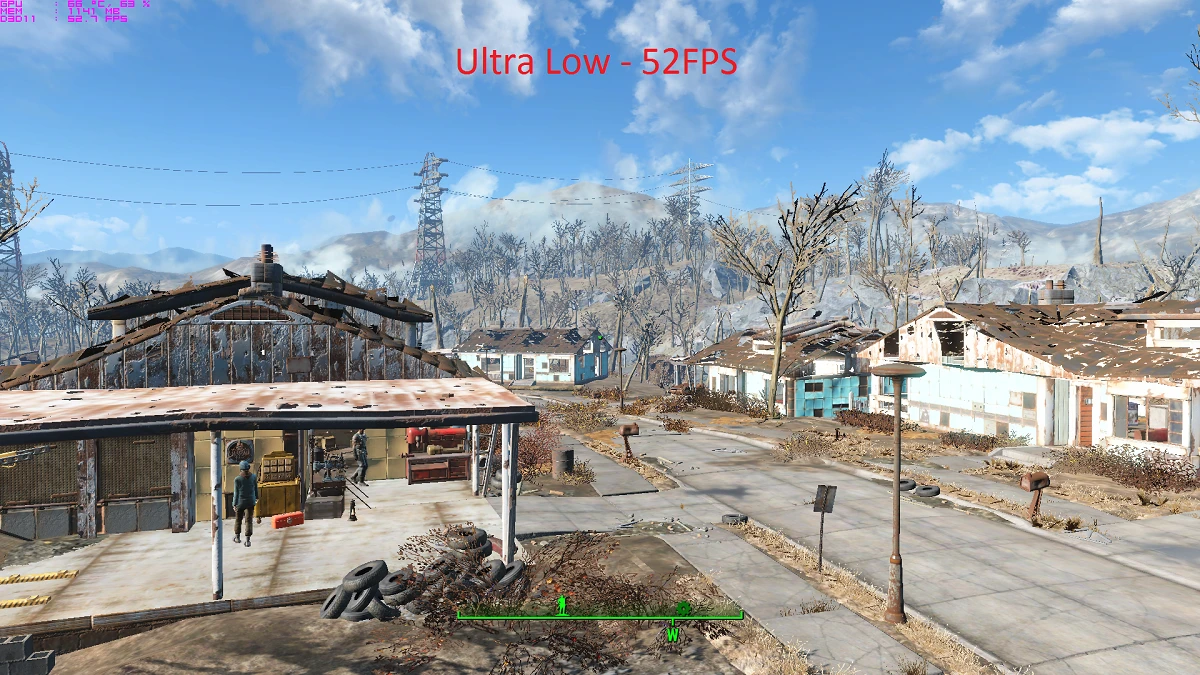
ULG Tool (Ultra Low Graphics) by Iyzik is a performance-focused mod that provides optimized INI files to boost framerates by reducing shadow quality, disabling godrays, reducing draw distances, and turning off anti-aliasing and ambient occlusion. With over 8,000 endorsements and 319,000 downloads, it's a popular choice for players seeking smoother performance on lower-end systems. Last updated in March 2021, it remains a go-to for visual tweaks.
📦 Full mod page on discovermods
Downloads, ratings, compatibility info, installation guides, and user reviews.
View on discovermods →Syntax
Visuals and GraphicsExample
Downloads: 319,291 | Endorsements: 8,322💡 Notes
By Iyzik | v2.2.0 | 8,322 endorsements
🎯 Tips & Tricks
Make sure to back up your original INI files before replacing them, so you can revert if needed.
If the mod doesn't work as expected, check that you're placing the INIs in the correct directory (usually the game's root or config folder).
Combine with a mod manager like Vortex or MO2 for easier installation and uninstallation.
🔧 Troubleshooting
Mod not working
Check load order and required dependencies. Read the full mod description.
⚠️ Common Mistakes
- Installing multiple mods that modify the same files without checking compatibility
👍 Pros
- Huge community trust with 8,322 endorsements and 319,291 downloads.
- Simple INI tweaks that can give a solid FPS boost without needing a new GPU.
- Straightforward setup—just drop in the files and go.
👎 Cons
- Last updated in March 2021—might not be tuned for the latest game patches.
- Visual quality takes a hit: shadows, godrays, and draw distances are reduced.
- No detailed documentation on which specific INI settings are changed or how to customize them.