Tactical Animations
fallout-4 — Mods & Enhancements
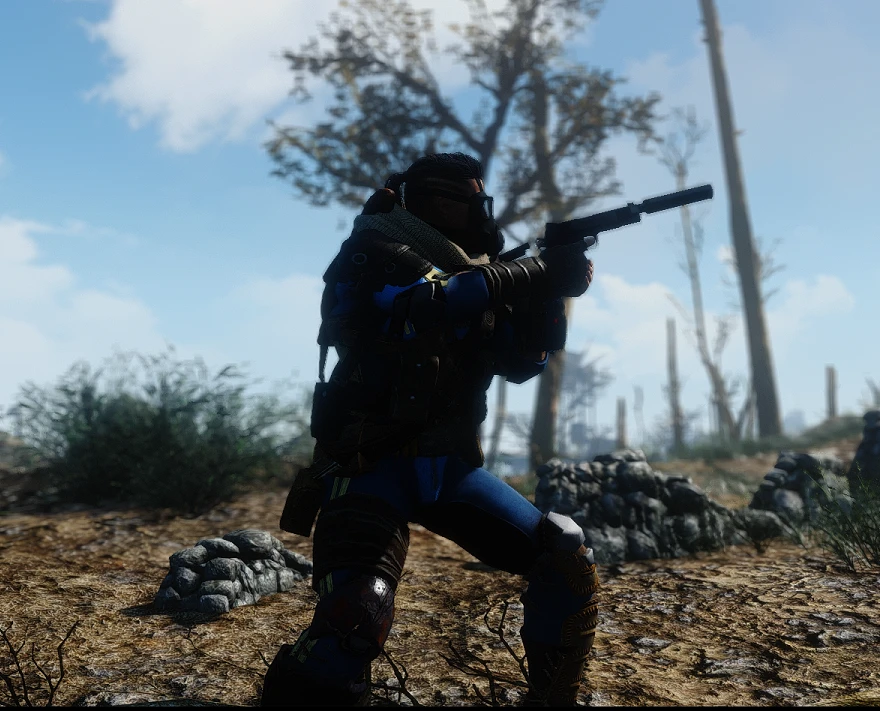
Tactical Animations is a compact animation mod for Fallout 4 that replaces your character's animations with NPC ones, providing a more tactical third-person view. With 8,398 endorsements and 361,589 downloads, it's a popular choice for players seeking a grittier, more grounded feel. Last updated in 2016, it remains a staple for third-person enthusiasts.
📦 Full mod page on discovermods
Downloads, ratings, compatibility info, installation guides, and user reviews.
View on discovermods →Syntax
AnimationExample
Downloads: 361,589 | Endorsements: 8,398💡 Notes
By L0rdOfWar creator -- Amoveve for uploading it as a standalone mod | v3.1 | 8,398 endorsements
🎯 Tips & Tricks
Since it's a simple animation replacer, just drop the files into your Data folder or use a mod manager — no F4SE needed.
If you use other animation mods, load order matters: place Tactical Animations after them to ensure its animations take priority.
Test in third-person view (press V) to see the new animations immediately — if you don't see changes, check that the mod is enabled and load order is correct.
🔧 Troubleshooting
Mod not working
Check load order and required dependencies. Read the full mod description.
⚠️ Common Mistakes
- Installing multiple mods that modify the same files without checking compatibility
👍 Pros
- Huge community trust: 8,398 endorsements and over 360k downloads show it's a proven favorite.
- Simple concept, big impact: makes third-person combat feel more grounded and tactical without changing gameplay.
- Standalone upload means you don't need to hunt down the original mod or extra patches.
👎 Cons
- Last updated in 2016 — likely hasn't been tested with newer Fallout 4 updates or DLC, so expect potential conflicts.
- No detailed description or install instructions provided, so you're on your own for setup.
- Purely cosmetic animation swap — if you're looking for new moves or combat mechanics, this isn't it.