Looks Menu Customization Compendium
fallout-4 — Mods & Enhancements
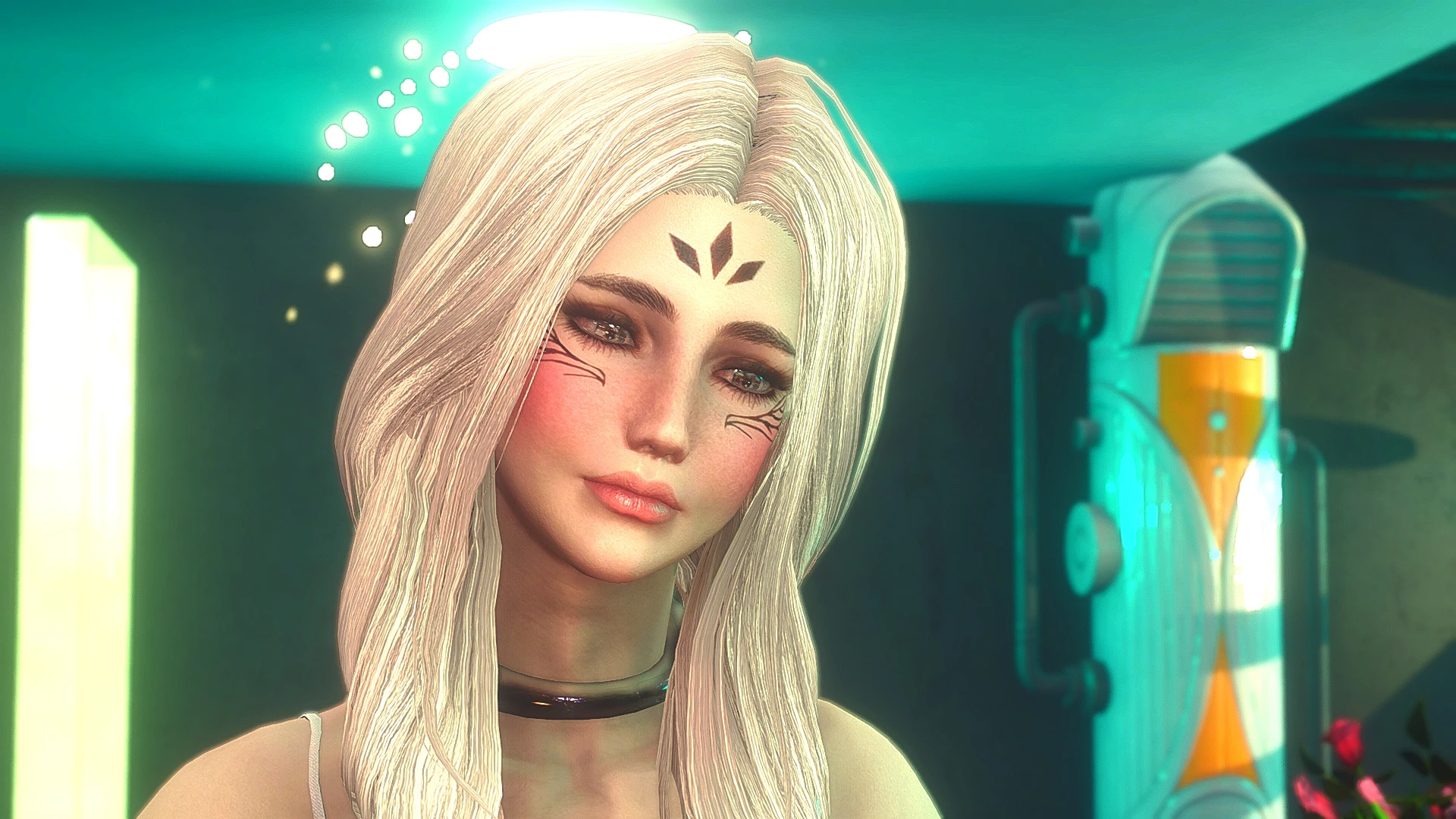
This mod expands the character creation slider system (via LooksMenu) with over 700 new presets and sliders, including face paint, tattoos, scars, makeup, brows, hair colors, and eye colors, plus additional morphs for cheekbones, jaw, and nose. It integrates directly into the LooksMenu UI, so you can mix these options with vanilla sliders, and it adds a 'Randomize All' function that uses the new assets. Players install it to create highly unique characters that stand out in screenshots and roleplay, especially for female protagonists, as the mod adds realistic skin textures and detailed overlays that vanilla lacks.
📦 Full mod page on discovermods
Downloads, ratings, compatibility info, installation guides, and user reviews.
View on discovermods →Syntax
OverhaulsExample
Downloads: 5,381,897 | Endorsements: 77,509💡 Notes
By AGodComplexPikachu CurioNC EmissaryOFWind JTesmer ANiceOakTree Kirse10 imAarwyn Robberfox RoboAsimov TrophiHunter Wendera | vv10 | 77,509 endorsements
🎯 Tips & Tricks
After installing, open the console (~) and type 'slm 14' to bring up the LooksMenu on your current character. Navigate to the 'Overlays' tab to find new face paint and tattoo layers. To use the additional morph sliders, go to 'Sculpt' tab and look for the 'Extra' section—these are the new cheekbone, eyelid, and lip shape options. If sliders don't appear, ensure you have the latest LooksMenu and F4SE, then verify the mod's .esp is loaded after LooksMenu's .esm in your plugin list.
The mod includes body overlays, but they only show if you have the 'BodySlide and Outfit Studio' installed with a compatible body (CBBE or EVB). Open BodySlide, select the 'LooksMenu Customization' preset, and build it to your chosen body. Then, in LooksMenu, go to 'Body Overlays' and select a tattoo—it will map to the UV layout. For face tattoos, use the 'Face Overlays' section and adjust opacity with the 'Alpha' slider in the lower right.
Once you've customized, open the console and type 'slm 14' again, then press the 'Save' button (default: F9) to save as a .json preset file. This file is stored in your Documents/My Games/Fallout4/F4SE folder. To share, copy that .json to the same folder on another PC. For presets that use this mod's assets, the other user must have the same mod installed, or the sliders will default to vanilla values.
🔧 Troubleshooting
CTD when opening LooksMenu after installing with 'LooksMenu Customization Compendium' alongside 'The Eyes of Beauty'
This is a known mesh conflict. Load order fix: place 'The Eyes of Beauty' ABOVE the Compendium, and in your Fallout4Custom.ini under [Archive], add bInvalidateOlderFiles=1 and sResourceDataDirsFinal=. Also, delete the 'Meshes/Actors/Character/CharacterAssets' folder from the Compendium's install, as it contains duplicate eye meshes that cause the crash.
New sliders appear but have no effect on the character model
This happens when the mod's morph files are not loaded due to a missing F4SE plugin. Reinstall F4SE, then verify that 'LooksMenuCustomizationCompendium.esp' is loaded AFTER 'LooksMenu.esp'. If using Vortex, set the Compendium to 'Load After' LooksMenu in the Plugins tab. Also, check that you have the latest version of the mod from the Nexus, as older versions were incompatible with F4SE 0.6.21+.
⚠️ Common Mistakes
- [object Object]
- [object Object]
👍 Pros
- 77,509 endorsements
- 5,381,897 downloads
- Category: Overhauls
👎 Cons
- Requires mod manager installation
- May conflict with similar mods