HoloTime - HUD Clock Widget
fallout-4 — Mods & Enhancements
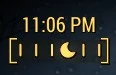
HoloTime adds a HUD clock widget to Fallout 4, showing either in-game time or real-world time. It's a lightweight UI mod with 12,146 endorsements and nearly 500k downloads, last updated in 2017. For players who want a quick time reference without opening the Pip-Boy.
📦 Full mod page on discovermods
Downloads, ratings, compatibility info, installation guides, and user reviews.
View on discovermods →Syntax
User InterfaceExample
Downloads: 496,865 | Endorsements: 12,146💡 Notes
By registrator2000 | v1.1b | 12,146 endorsements
🎯 Tips & Tricks
Check if you have any other HUD mods that might overlap—place HoloTime after them in your load order to avoid conflicts.
If you're on PC, use a mod manager like Vortex or NMM for easy installation and uninstallation.
In-game, look for the mod's settings in the HoloTime configuration to switch between game time and real time.
🔧 Troubleshooting
Mod not working
Check load order and required dependencies. Read the full mod description.
⚠️ Common Mistakes
- Installing multiple mods that modify the same files without checking compatibility
👍 Pros
- Huge community trust: 12,146 endorsements and nearly half a million downloads.
- Simple, practical addition—no more opening the Pip-Boy just to check the time.
- Lightweight UI mod that doesn't overhaul your HUD, just adds a clock.
👎 Cons
- Last updated in 2017—may have compatibility issues with current game versions or DLC.
- No detailed feature list or customization options provided in the description.
- Potential conflicts with other HUD mods that alter the same screen space.