Game Configuration Menu
fallout-4 — Mods & Enhancements
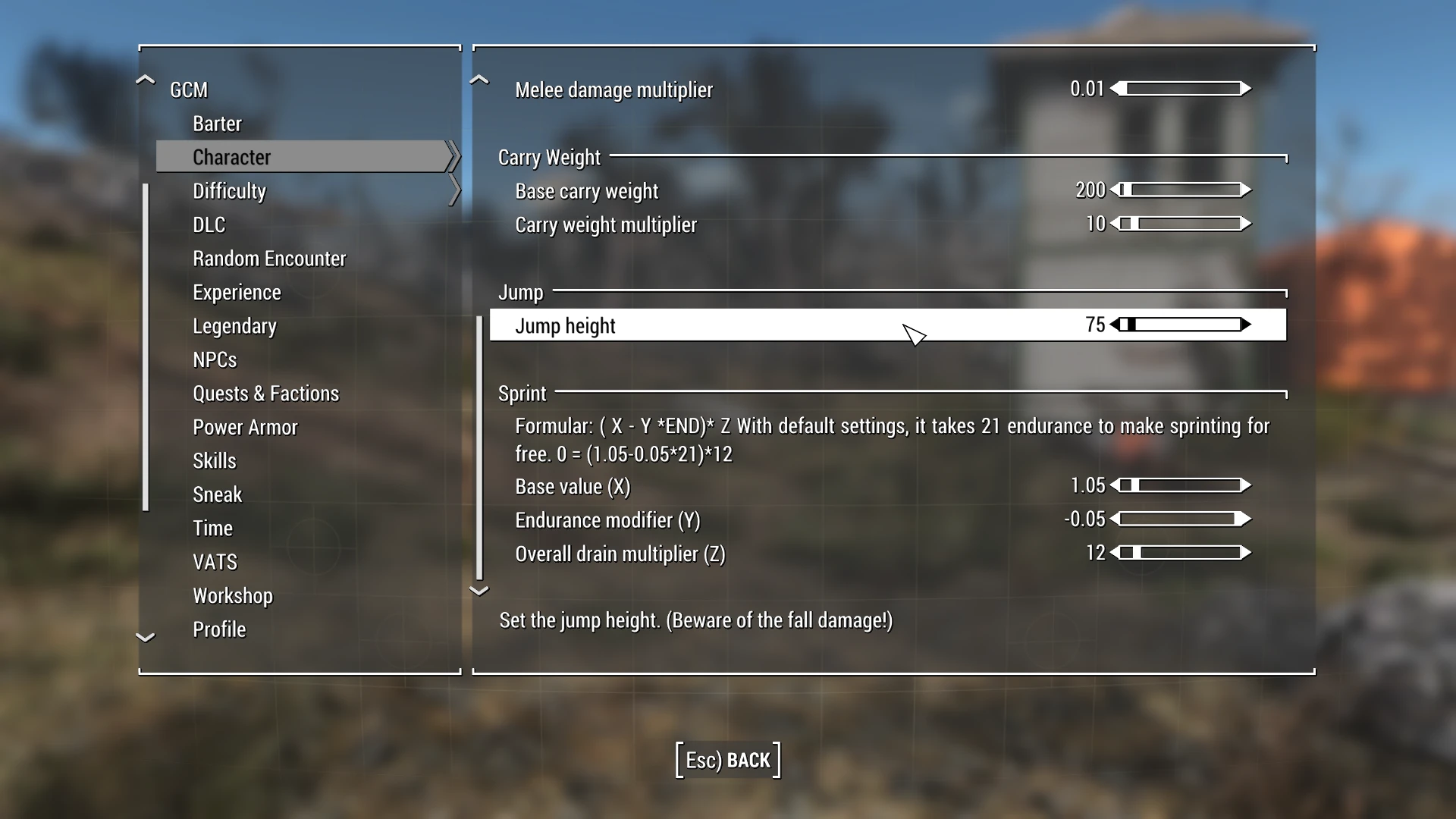
Game Configuration Menu (GCM) is a lightweight UI mod that lets you adjust many game settings directly through an in-game menu, eliminating the need for extra ESPs or console commands. With 15,962 endorsements and 3.3 million downloads, it's a popular tool for players who want quick, hassle-free configuration.
📦 Full mod page on discovermods
Downloads, ratings, compatibility info, installation guides, and user reviews.
View on discovermods →Syntax
User InterfaceExample
Downloads: 3,257,522 | Endorsements: 15,962💡 Notes
By Zzyxzz | v0.7.1 | 15,962 endorsements
🎯 Tips & Tricks
Use a mod manager like Vortex or Mod Organizer 2 to install GCM and keep your load order clean.
After installing, launch the game and look for the GCM option in the pause menu or main menu to start tweaking settings.
If you're on a newer game version, check the mod's comments for user reports on compatibility before installing.
🔧 Troubleshooting
Mod not working
Check load order and required dependencies. Read the full mod description.
⚠️ Common Mistakes
- Installing multiple mods that modify the same files without checking compatibility
👍 Pros
- Huge community trust with 15,962 endorsements and 3.3 million downloads.
- Saves time by removing the need for console commands or extra plugins.
- Simple and effective—does exactly what it says without bloat.
👎 Cons
- Last updated in 2020—may not be compatible with the latest game patches.
- No detailed feature list provided, so you'll have to discover settings yourself.
- Requires a mod manager for proper installation, which might be a hurdle for beginners.