Better Computer Terminals - 4K or 2K
fallout-4 — Mods & Enhancements
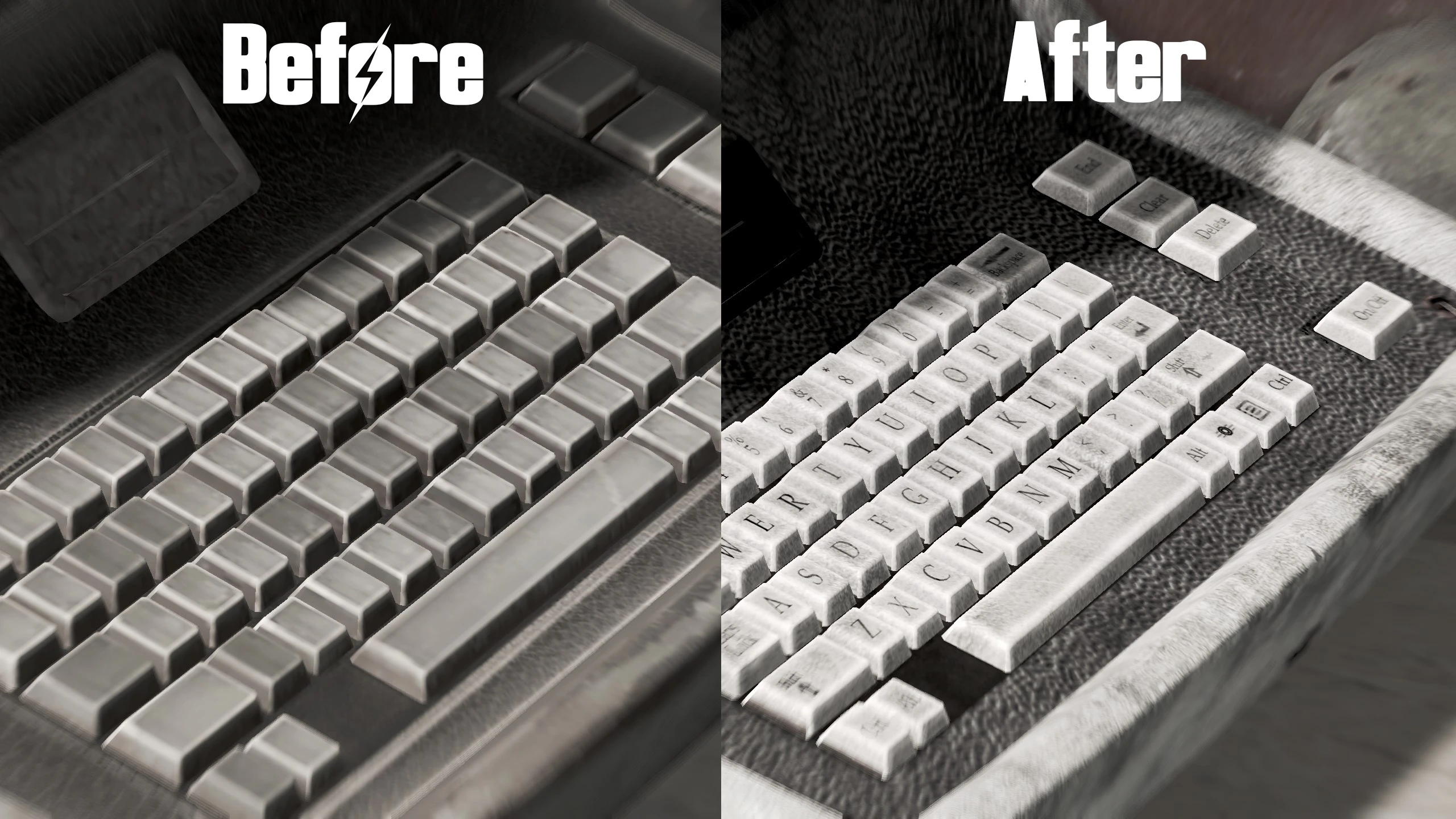
This mod replaces the default 1024x1024 textures of computer terminals in Fallout 4 with high-resolution 4096x4096 versions, making them crisper and more detailed. It's a straightforward visual upgrade for players who want sharper textures on hacking terminals, with a 2K option available. With over 7,000 endorsements and 259,000 downloads, it's a popular choice for texture enthusiasts.
📦 Full mod page on discovermods
Downloads, ratings, compatibility info, installation guides, and user reviews.
View on discovermods →Syntax
Models and TexturesExample
Downloads: 259,453 | Endorsements: 7,289💡 Notes
By Jomla97 | v1.0 | 7,289 endorsements
🎯 Tips & Tricks
If you're using a mod manager like Nexus Mods' Vortex, just download with the manager and it'll handle the installation—no manual file placement needed.
Choose the 2K version if you're on a mid-range GPU or playing on a 1080p monitor; the 4K version is best for 4K displays.
Since this is a texture replacer, it won't affect your save files, so you can install or remove it anytime without breaking your game.
🔧 Troubleshooting
Mod not working
Check load order and required dependencies. Read the full mod description.
⚠️ Common Mistakes
- Installing multiple mods that modify the same files without checking compatibility
👍 Pros
- Massive visual improvement—terminals go from blurry to razor-sharp, especially on 4K monitors.
- Community favorite with 7,289 endorsements and a quarter-million downloads, so you know it works.
- Gives you a choice between 4K and 2K, so you can balance quality vs. performance.
👎 Cons
- Last updated in 2015—might not be compatible with the latest Fallout 4 patches or DLC, though texture mods are usually safe.
- Only affects computer terminals, so it's a niche upgrade—don't expect changes to other objects.
- 4K textures can hit your VRAM hard on lower-end GPUs, so the 2K option is there for a reason.