B.A.E. - Bethesda Archive Extractor
fallout-4 — Mods & Enhancements
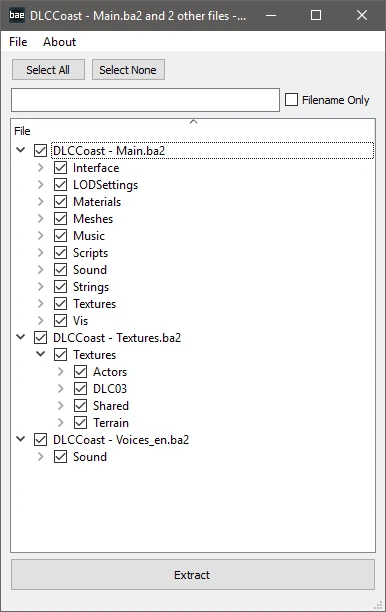
B.A.E. is a utility tool that extracts Bethesda's BA2 archives and also supports the older BSA format. With over 26,000 endorsements and 475,000 downloads, it's a trusted, essential tool for modders and players who need to unpack game files for modding or customization. Last updated in 2018, it remains a standard choice for Fallout 4 and other Bethesda games.
📦 Full mod page on discovermods
Downloads, ratings, compatibility info, installation guides, and user reviews.
View on discovermods →Syntax
UtilitiesExample
Downloads: 475,051 | Endorsements: 26,010💡 Notes
By hexabit | v0.11 | 26,010 endorsements
🎯 Tips & Tricks
Run the extractor from the command line with the path to your .ba2 or .bsa file as an argument — check the mod's forum posts for exact syntax.
Extract to a separate folder to avoid overwriting original game files, especially if you're modding.
For Fallout 4, make sure you have the latest game version, but note the tool hasn't been updated since 2018, so test with a backup first.
🔧 Troubleshooting
Mod not working
Check load order and required dependencies. Read the full mod description.
⚠️ Common Mistakes
- Installing multiple mods that modify the same files without checking compatibility
👍 Pros
- Community staple with 26k endorsements and nearly half a million downloads — this is the go-to tool for BA2 extraction.
- Handles both BA2 and BSA formats, so you're covered for older and newer Bethesda games.
- Simple utility that does exactly what it says — no bloat, just extraction.
👎 Cons
- Last updated in 2018 — may not support the latest game versions or archive changes, so check for alternatives if you're on newer titles.
- No GUI or fancy features — it's a command-line tool, which might intimidate less technical users.
- No explicit documentation or support included in the description, so you might need to look up usage guides elsewhere.