Parkerized Pip-Boy
fallout-3 — Mods & Enhancements
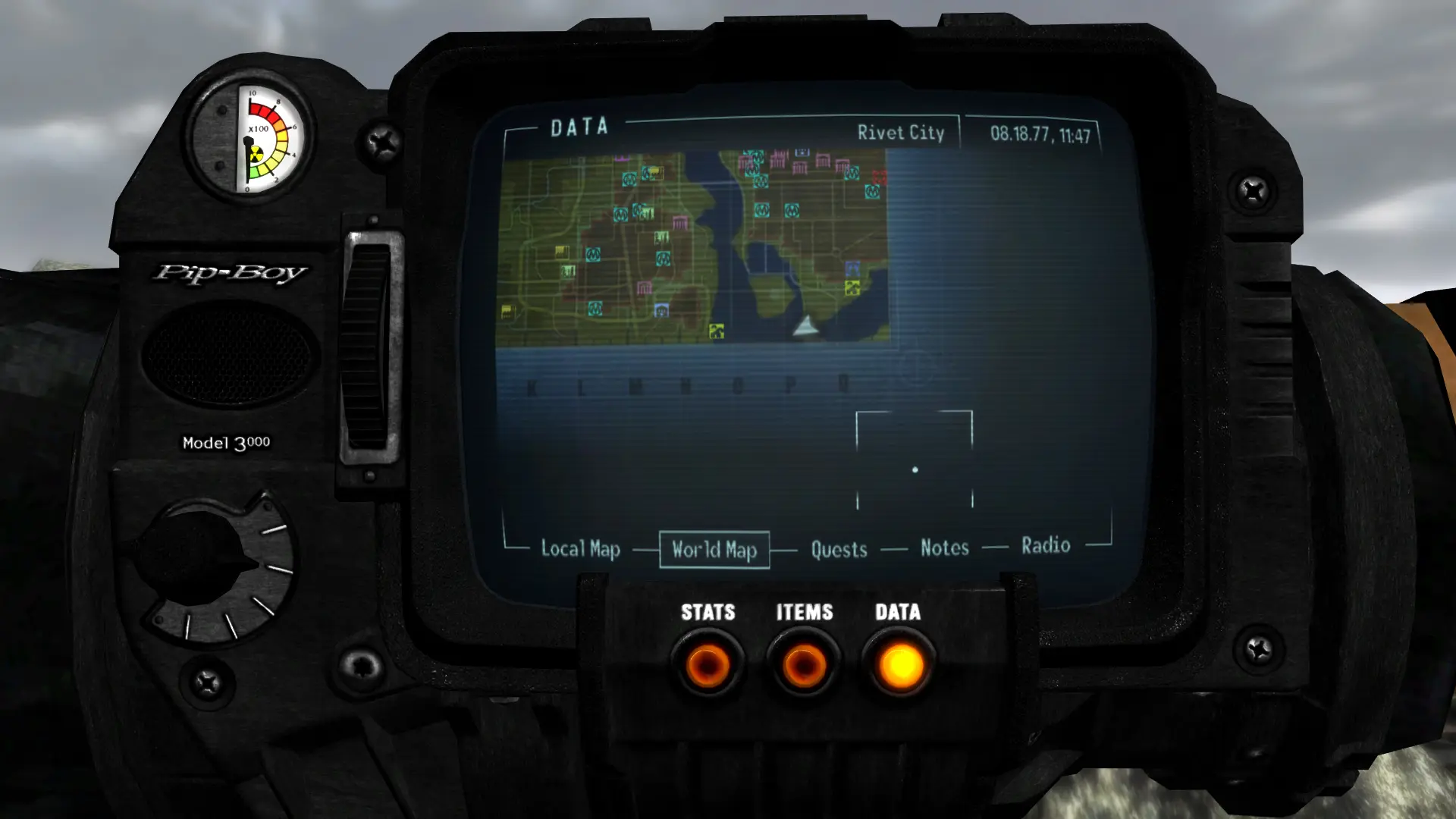
A high-resolution texture replacement that gives your Pip-Boy a parkerized finish, a matte, dark gray coating often used on firearms. This is a purely cosmetic mod for Fallout 3/NV players who want a more realistic, less glossy Pip-Boy. With 875 endorsements and 23,069 downloads, it's a well-received, simple texture upgrade.
📦 Full mod page on discovermods
Downloads, ratings, compatibility info, installation guides, and user reviews.
View on discovermods →Syntax
Models and TexturesExample
Downloads: 23,069 | Endorsements: 875💡 Notes
By DonKnotts | v1.3 | 875 endorsements
🎯 Tips & Tricks
Make sure to place the texture file in the correct Data folder (e.g., Fallout 3/Data/Textures) to avoid conflicts.
If you're using a mod manager, load this mod after any other Pip-Boy texture mods to ensure it takes priority.
Check if your game version is compatible — since it's from 2010, it may need manual tweaking for newer patches.
🔧 Troubleshooting
Mod not working
Check load order and required dependencies. Read the full mod description.
⚠️ Common Mistakes
- Installing multiple mods that modify the same files without checking compatibility
👍 Pros
- Community favorite with 875 endorsements and over 23k downloads — clearly a go-to for texture purists.
- Gives your Pip-Boy a realistic, non-reflective finish that fits the wasteland aesthetic.
- Lightweight and easy to install — just drop the texture file in and you're done.
👎 Cons
- Last updated in 2010 — might not be compatible with newer game versions or mods that alter the Pip-Boy.
- Only affects the Pip-Boy's appearance; if you want more texture overhauls, this is a one-trick pony.
- No screenshots or detailed install instructions in the description, so you're flying blind until you try it.