Archiveinvalidation validator
fallout-3 — Mods & Enhancements
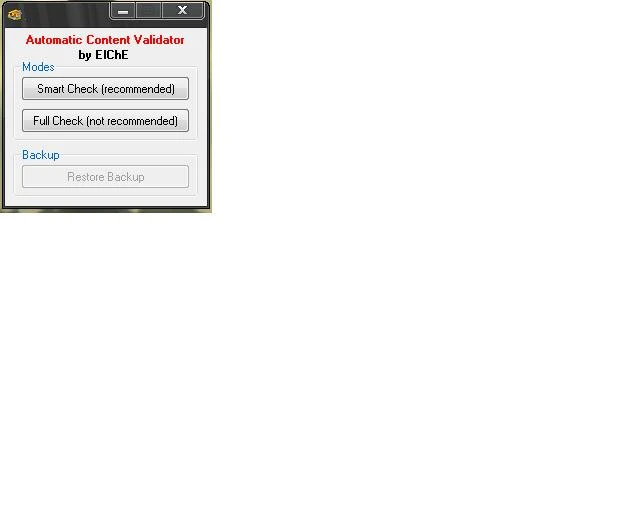
A utility that enables non-ESP mods to work by managing archive invalidation for Fallout 3. Press smart mode and point to the Data folder; use after installing texture, sound, or menu mods. With 1,561 endorsements and 46,344 downloads, it's a trusted tool from 2008.
📦 Full mod page on discovermods
Downloads, ratings, compatibility info, installation guides, and user reviews.
View on discovermods →Syntax
UtilitiesExample
Downloads: 46,344 | Endorsements: 1,561💡 Notes
By ElChE Upload by me | v1.0 | 1,561 endorsements
🎯 Tips & Tricks
Run the tool every time you install a texture or sound mod to ensure it loads correctly.
Point smart mode to your Fallout 3 Data folder (usually C:\Program Files\Bethesda Softworks\Fallout 3\Data).
If you use a mod manager like FOMM, check if it has built-in archive invalidation—this tool may be redundant.
🔧 Troubleshooting
Mod not working
Check load order and required dependencies. Read the full mod description.
⚠️ Common Mistakes
- Installing multiple mods that modify the same files without checking compatibility
👍 Pros
- Community staple with 1,561 endorsements and 46k downloads—clearly works for many.
- One-click smart mode makes it easy for beginners to set up.
- Essential for modders who use non-ESP mods, saving manual archive invalidation hassle.
👎 Cons
- Last updated in 2008—may not be compatible with newer Fallout 3 versions or mods.
- No detailed instructions beyond 'press smart mode'—could confuse first-timers.
- Only works with Fallout 3, not other Bethesda games.