Ultrawide UI Fixes
eldenring — Mods & Enhancements
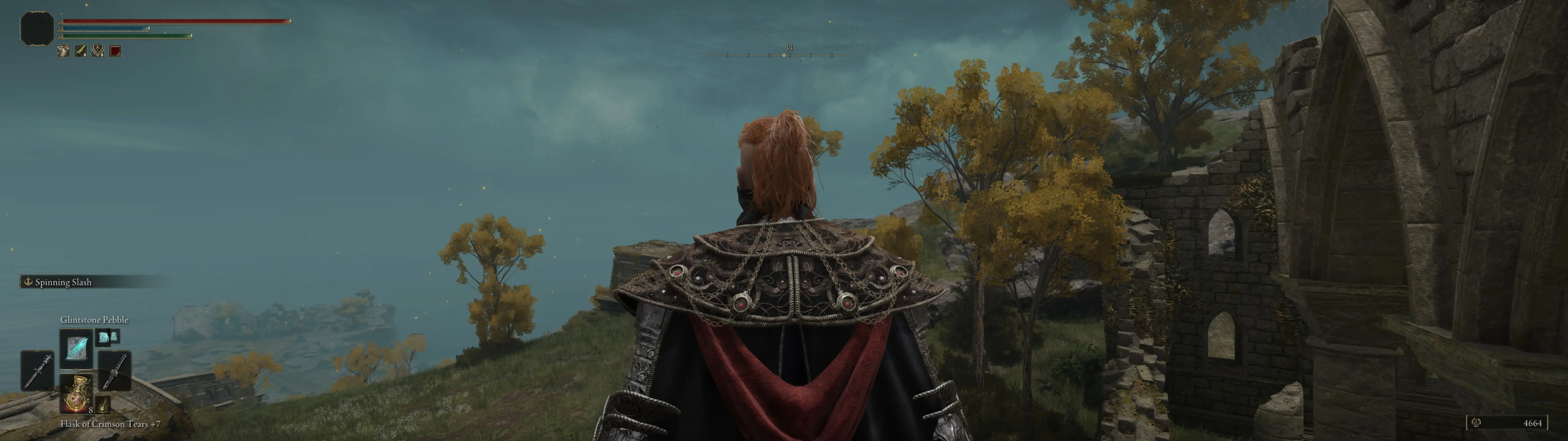
Ultrawide UI Fixes by Dziggy addresses all UI issues on ultrawide monitors, supporting 21:9, 32:9, and 48:9 aspect ratios. It is specifically for game version 1.12.x and will not work with older versions. With 1,680 endorsements and 119,724 downloads, it's a popular solution for ultrawide users.
📦 Full mod page on discovermods
Downloads, ratings, compatibility info, installation guides, and user reviews.
View on discovermods →Syntax
User InterfaceExample
Downloads: 119,724💡 Notes
By Dziggy
🎯 Tips & Tricks
Make sure your game is updated to version 1
Make sure your game is updated to version 1.12.x before installing, or it won't work.
If you use other UI mods, test them together to ensure no co
If you use other UI mods, test them together to ensure no conflicts.
Back up your original UI files just in case you want to reve
Back up your original UI files just in case you want to revert.
🔧 Troubleshooting
Mod conflicts
Check load order. Disable conflicting mods one by one.
⚠️ Common Mistakes
- Installing without checking requirements
👍 Pros
- Community-approved with 1,680 endorsements and over 119k downloads.
- Comprehensive fix for all ultrawide UI issues—no more stretched or misaligned elements.
- Covers extreme aspect ratios like 48:9, which is rare in mods.
👎 Cons
- Only works with game version 1.12.x—if you're on an older version, you're out of luck.
- No detailed changelog or feature list provided, so you'll have to test it yourself.
- Potential compatibility issues with other UI mods, though not explicitly stated.