Photorealistic Lands Between ReShade with Vivid Option and Optional Balanced Cinematic Effects
elden-ring — Mods & Enhancements
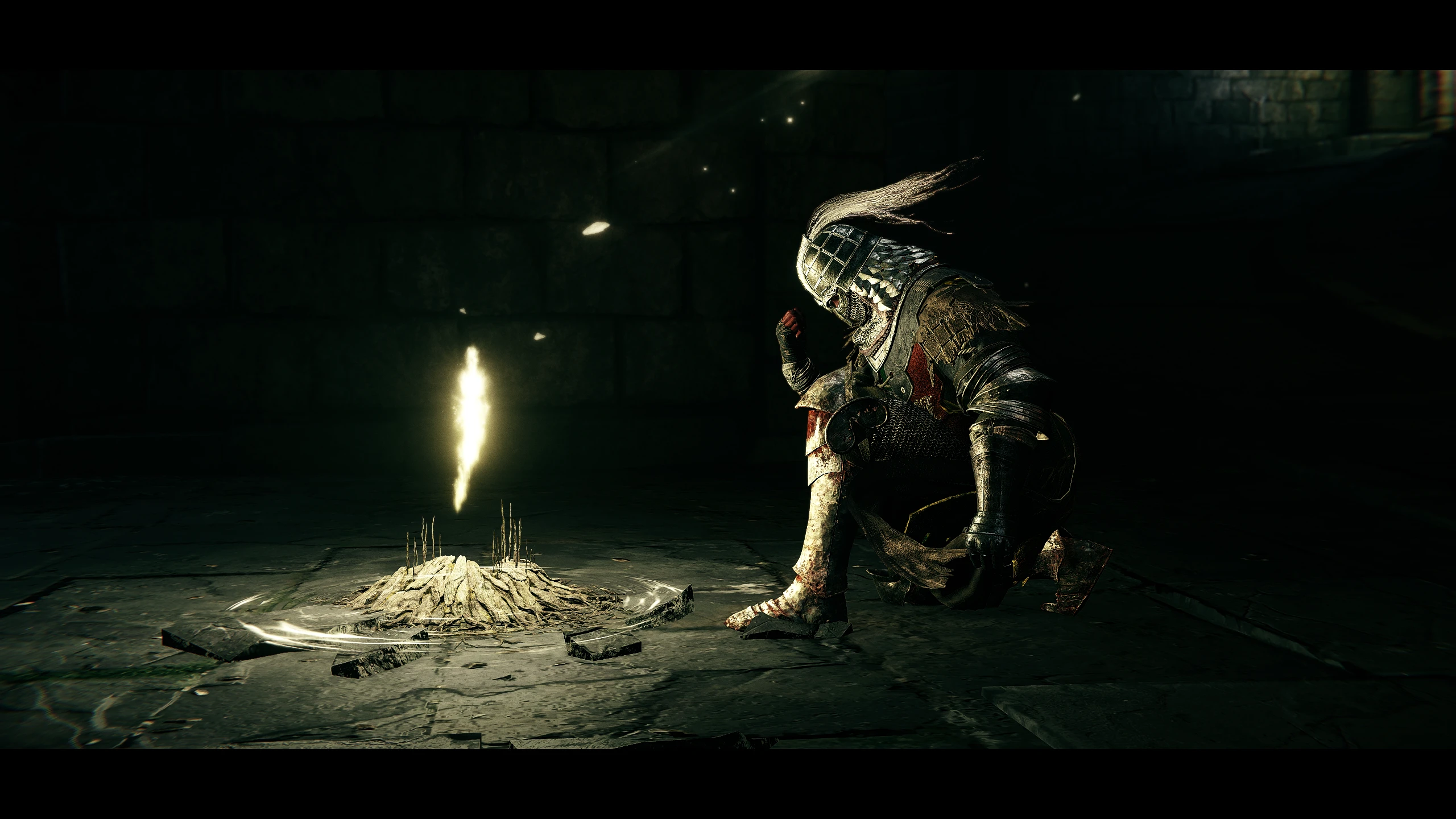
This mod offers two ReShade presets for Elden Ring: a photorealistic option and a vivid option, both with optional cinematic effects like depth-of-field, film grain, letterbox, and chromatic aberration. It's a popular visual enhancement with 646 endorsements and over 18,000 downloads, last updated in March 2022.
📦 Full mod page on discovermods
Downloads, ratings, compatibility info, installation guides, and user reviews.
View on discovermods →Syntax
VisualsExample
Downloads: 18,830 | Endorsements: 646💡 Notes
By TheMercsAssassin | v1.0 | 646 endorsements
🎯 Tips & Tricks
Install ReShade first, then drop these preset files into the Elden Ring game folder where ReShade looks for presets.
Use the in-game ReShade overlay (Home key) to toggle effects and see which preset suits your system's performance.
If the game updates, check for ReShade updates too — old versions can break with new patches.
🔧 Troubleshooting
Mod not working
Check load order and required dependencies. Read the full mod description.
⚠️ Common Mistakes
- Installing multiple mods that modify the same files without checking compatibility
👍 Pros
- Community favorite with 646 endorsements and over 18k downloads
- Two presets in one: pick photorealistic or vivid to match your taste
- Optional cinematic effects let you tweak the look without extra mods
👎 Cons
- Last updated in March 2022 — may not work with the latest Elden Ring patches or ReShade versions
- Requires ReShade, which isn't included and must be installed separately
- No screenshots or install guide in the description, so you're flying blind until you try it