Faded Realism ReShade
elden-ring — Mods & Enhancements
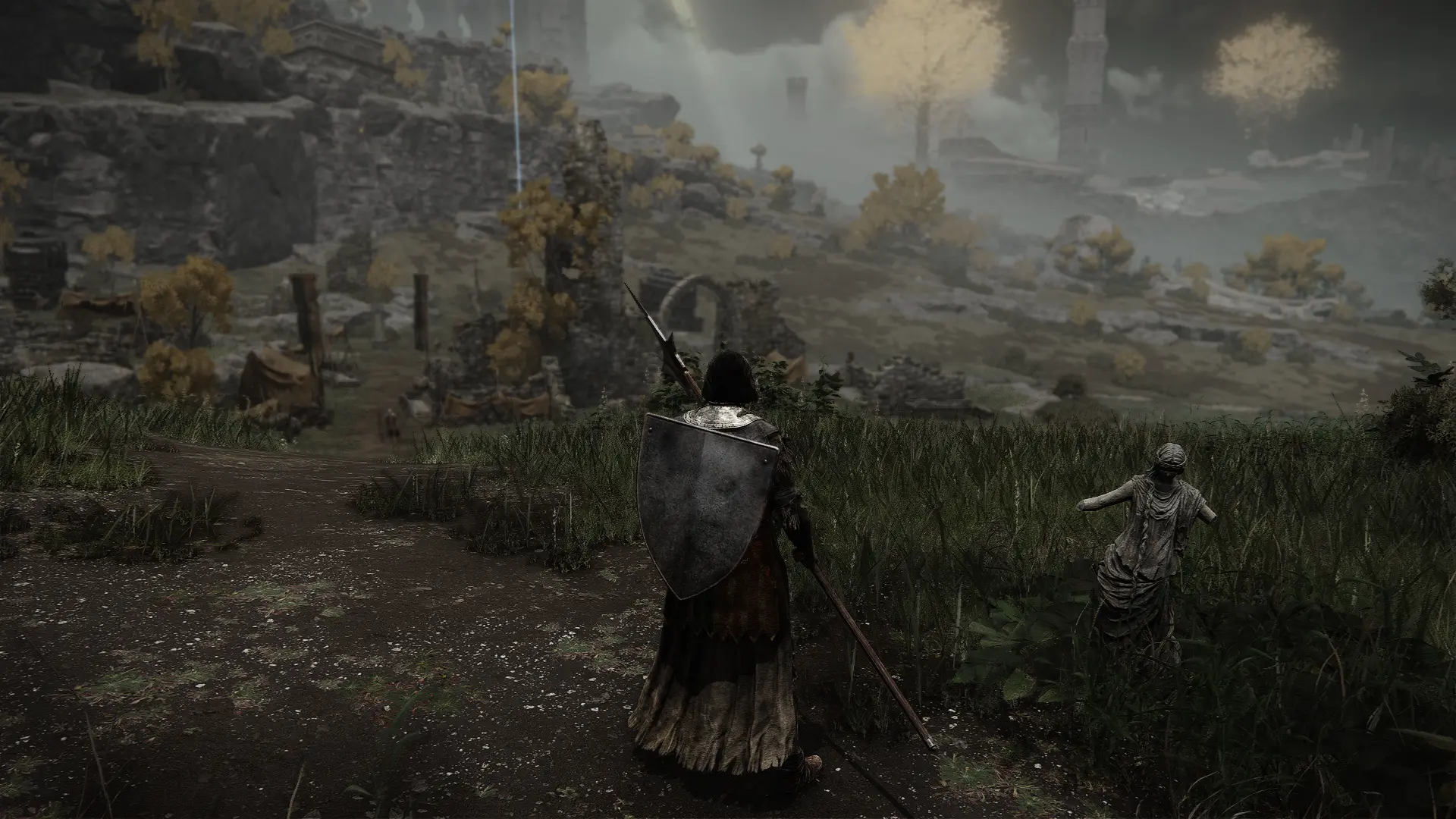
Faded Realism ReShade is a visual mod for Elden Ring that replaces the game's default color grading with realistic, faded tones. It offers compatibility with RTGI shaders and includes a non-RTGI version for users without that setup. With 183 endorsements and nearly 7,000 downloads, it's a niche but appreciated choice for players seeking a more grounded look.
📦 Full mod page on discovermods
Downloads, ratings, compatibility info, installation guides, and user reviews.
View on discovermods →Syntax
VisualsExample
Downloads: 6,976 | Endorsements: 183💡 Notes
By Jenkinsoup | v2 | 183 endorsements
🎯 Tips & Tricks
Make sure you have ReShade installed and set up before adding this preset.
If you're using RTGI, download the RTGI version; otherwise, use the non-RTGI version to avoid conflicts.
Test the preset in different areas of the game to ensure the color grading looks good in various lighting conditions.
🔧 Troubleshooting
Mod not working
Check load order and required dependencies. Read the full mod description.
⚠️ Common Mistakes
- Installing multiple mods that modify the same files without checking compatibility
👍 Pros
- Community-tested with 183 endorsements and nearly 7,000 downloads
- Offers a distinct visual style that tones down the game's vibrant colors
- Provides flexibility with both RTGI and non-RTGI versions
👎 Cons
- Last updated in November 2022 — may not be compatible with the latest Elden Ring patches
- Requires ReShade installation and configuration, which can be tricky for newcomers
- No installation instructions or screenshots provided in the description