True Minimalist HUD
darksouls3 — Mods & Enhancements
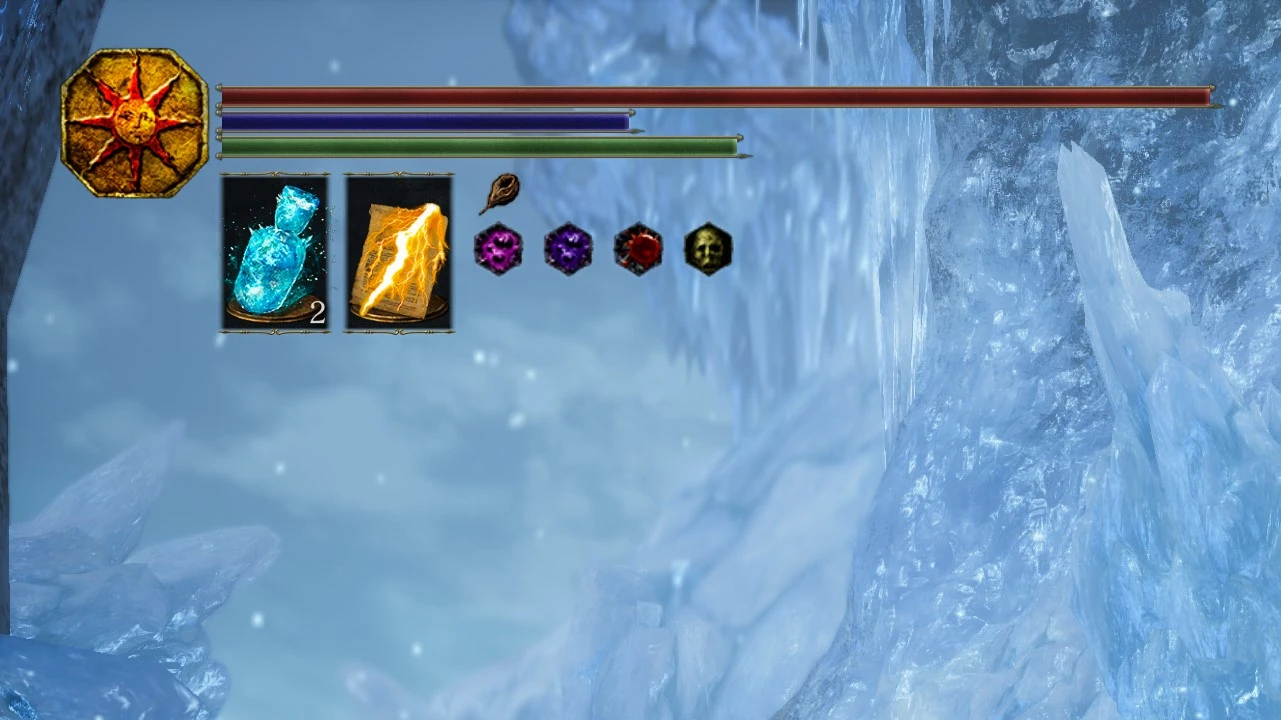
True Minimalist HUD removes non-essential elements from Dark Souls 3's interface, leaving only core gameplay components. With 183 endorsements and 3,793 downloads, it's a niche quality-of-life mod for players seeking a cleaner screen. Last updated in February 2021, it remains a straightforward option for HUD decluttering.
📦 Full mod page on discovermods
Downloads, ratings, compatibility info, installation guides, and user reviews.
View on discovermods →Syntax
User InterfaceExample
Downloads: 3,793💡 Notes
By Joel LeVecque or Seriously Casual
🎯 Tips & Tricks
Back up your original HUD files before installing, just in case you want to revert.
Check if the mod requires a mod engine like DS3 Mod Engine; if so, follow its setup first.
Test in a low-stakes area to ensure the HUD still shows health and stamina clearly.
🔧 Troubleshooting
Mod conflicts
Check load order. Disable conflicting mods one by one.
⚠️ Common Mistakes
- Installing without checking requirements
👍 Pros
- Community-trusted with 183 endorsements and nearly 4,000 downloads
- Does exactly what it says—no bloat, just a cleaner HUD
- Lightweight and doesn't require extra mods to work
👎 Cons
- Last updated in 2021—might not be compatible with the latest game patches
- No detailed description of which elements are removed or kept
- Limited to HUD changes; no customization options