DS3 Ultrawide UI Fix
darksouls3 — Mods & Enhancements
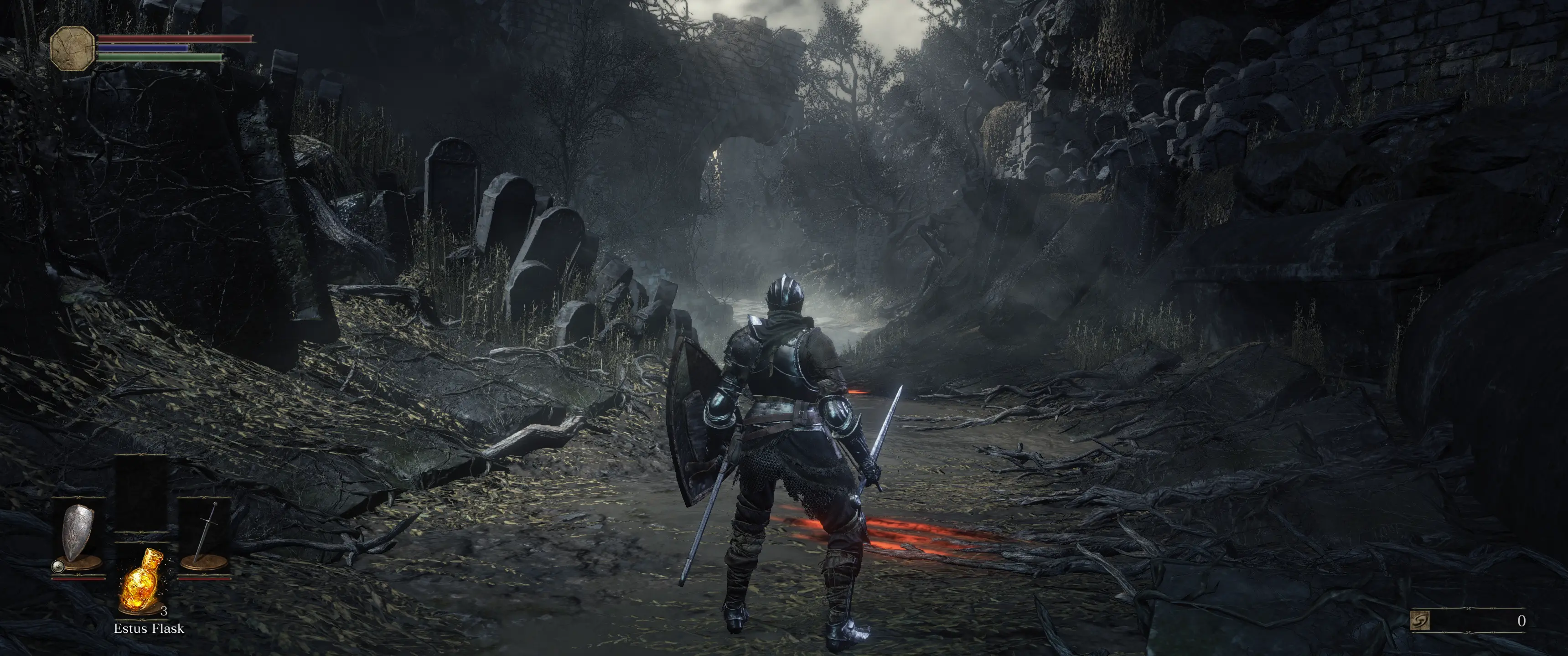
DS3 Ultrawide UI Fix adjusts Dark Souls III's user interface to better fit 21:9 ultrawide resolutions. It's a niche utility for ultrawide monitor owners, with 119 endorsements and 8,866 downloads, last updated in July 2024.
📦 Full mod page on discovermods
Downloads, ratings, compatibility info, installation guides, and user reviews.
View on discovermods →Syntax
User InterfaceExample
Downloads: 8,866💡 Notes
By Deggial Nox
🎯 Tips & Tricks
Make sure your game is set to the correct ultrawide resolution in display settings before applying the mod.
If you use a mod manager like Vortex, you can install this mod directly; otherwise, manually place files in the game directory.
Test the UI in different menus (inventory, bonfire) to ensure all elements align properly.
🔧 Troubleshooting
Mod conflicts
Check load order. Disable conflicting mods one by one.
⚠️ Common Mistakes
- Installing without checking requirements
👍 Pros
- Does exactly what it says—fixes UI stretching on ultrawide monitors
- Solid download count (8,866) shows real demand from ultrawide players
- Recently updated (July 2024), so likely compatible with current game version
👎 Cons
- Only 119 endorsements—small user base, so less community feedback
- No install instructions or compatibility notes provided by author
- Niche appeal—useless if you don't have a 21:9 monitor