Mod Settings
cyberpunk2077 — Mods & Enhancements
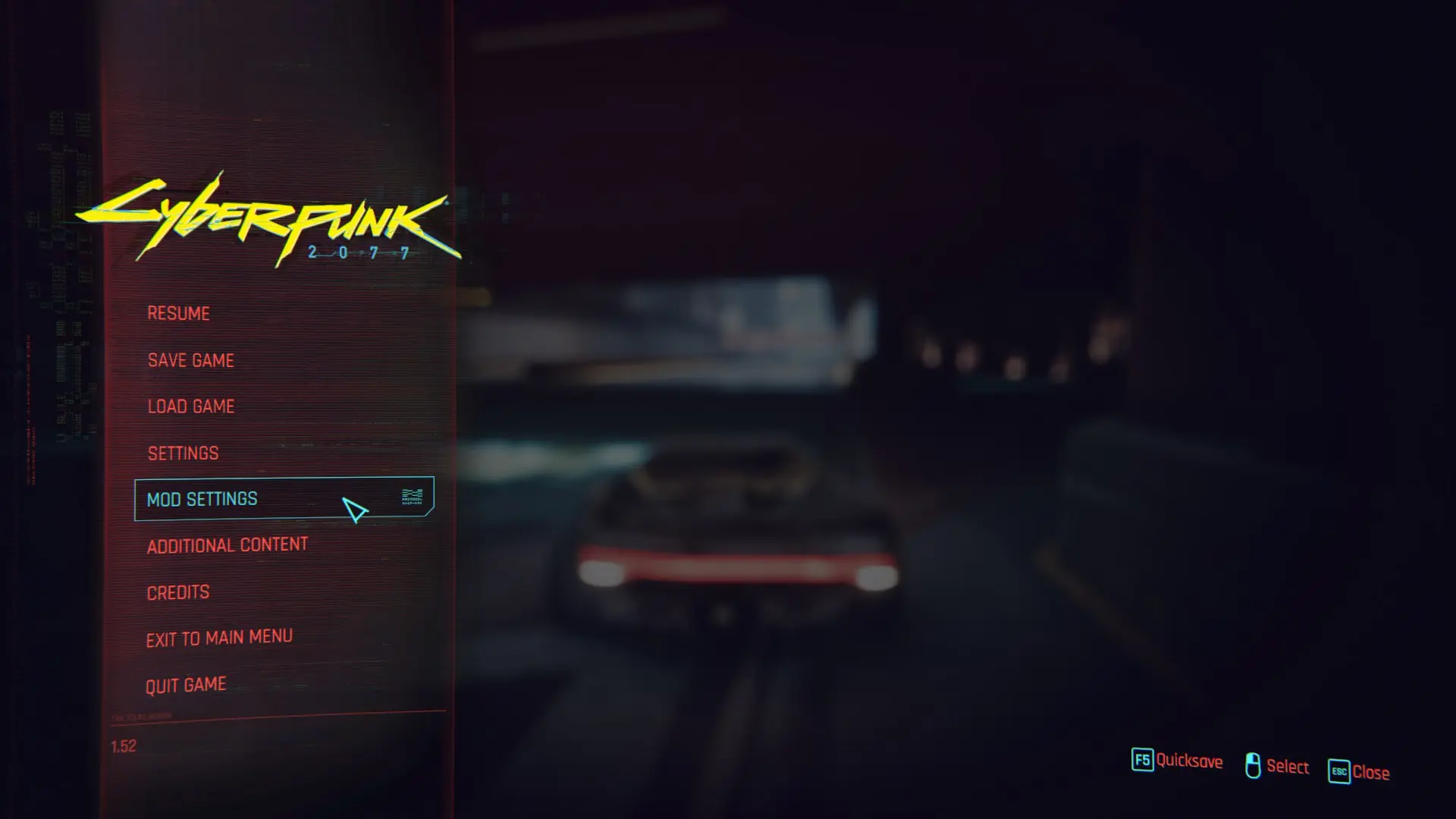
Mod Settings is a UI framework for Cyberpunk 2077 that adds a configurable settings page to the main menu, allowing other mods to integrate their own options. It's a foundational tool for mod users and authors, with massive community adoption (80k+ endorsements, 6.8M downloads).
📦 Full mod page on discovermods
Downloads, ratings, compatibility info, installation guides, and user reviews.
View on discovermods →Syntax
User InterfaceExample
Downloads: 6,754,966💡 Notes
By Jack Humbert
🎯 Tips & Tricks
Install redscript first, then drop Mod Settings into your Cyberpunk 2077 mod folder.
Check each mod's page to see if it supports Mod Settings—if it does, its options will appear under the Mod Settings menu.
If you're using a mod manager like Vortex, let it handle the file placement to avoid conflicts.
🔧 Troubleshooting
Mod conflicts
Check load order. Disable conflicting mods one by one.
⚠️ Common Mistakes
- Installing without checking requirements
👍 Pros
- Essential for managing mod options in one place—no more digging through config files.
- Huge community trust (80k endorsements) means it's stable and widely supported.
- Active development (updated July 2025) keeps it compatible with current game patches.
👎 Cons
- Requires redscript to be installed, which is an extra dependency for some users.
- Only useful if you have mods that support it—vanilla players won't see a benefit.
- No built-in UI for editing settings; it's just a framework, so mods must implement their own pages.