Simple Menu - An In-Game UI including Hotkeys
cyberpunk-2077 — Mods & Enhancements
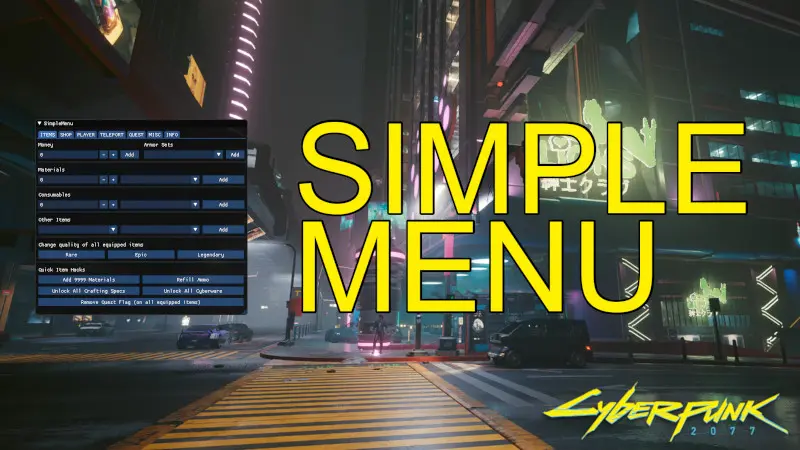
Simple Menu is a Cyber Engine Tweaks (CET) based overlay that adds a compact, always-accessible UI for cheats and utilities—things like spawning vehicles (e.g., the Quadra Turbo-R), setting time of day, teleporting to waypoints, toggling god mode, and adding items/eddie to your inventory—all mapped to hotkeys you define. It differs from the native CET console by giving you a visual button panel, reducing typing errors, and it integrates with the game's scripting system to execute actions in real-time without pausing. Players install it for quick QoL tweaks like skipping traffic lights or fixing stuck quests without reloading.
📦 Full mod page on discovermods
Downloads, ratings, compatibility info, installation guides, and user reviews.
View on discovermods →Syntax
UtilitiesExample
Downloads: 1,743,132 | Endorsements: 31,068💡 Notes
By Dank Rafft and capncoolio2 | v50.2 | 31,068 endorsements
🎯 Tips & Tricks
Open Simple Menu (default key 'Home' to toggle), go to 'Settings' > 'Hotkeys', then click on 'Spawn Vehicle' and press 'V' (or any key) to bind. In-game, press that key to spawn your last-used vehicle directly in front of you, even in restricted areas like inside Japantown alleys—saves the hassle of calling a car that gets stuck on geometry.
In Simple Menu, navigate to 'World' > 'Time', then use the slider to set hour to 23:00. Press 'Apply'. This is superior to waiting in game because it bypasses the 1-hour skip animation, and you can set exact minute (e.g., 23:47) for scripted events like the 'Sinnerman' quest. Works even during combat.
Open the map, place a waypoint (press 'M' on map), then in Simple Menu go to 'Player' > 'Teleport to Waypoint'. This moves you instantly, ignoring collision—useful for getting to a rooftop in Heywood without climbing. For precise coordinates, use the 'Teleport' input field with X/Y/Z values from the CET console command 'Game.GetPlayer():GetWorldPosition()'.
🔧 Troubleshooting
Simple Menu's hotkeys conflict with vanilla game keys (e.g., 'V' for vehicle), causing the game to open the vehicle call menu instead of spawning.
Open Simple Menu's config file at Cyberpunk 2077\bin\x64\plugins\cyber_engine_tweaks\mods\SimpleMenu\config.json. Find the 'hotkeys' section and change the binding from 'V' to 'F6' (or any unused key). Save the file, then reload the mod via CET console command 'SimpleMenu:Reload()'. Do not use 'E', 'F', or 'Tab'—they're used for interaction, scan, and inventory.
Simple Menu crashes when used alongside 'Cyber Vehicle Overhaul' (CVO) because both try to spawn vehicles simultaneously.
In Simple Menu's settings, disable 'Spawn Vehicle' from the hotkey panel and rely on CVO's own spawn system. Alternatively, set Simple Menu's spawn to 'Use CVO API' in its config (set "vehicleSpawnMethod": "cvo" in config.json). If still crashing, uninstall CVO and use Simple Menu's spawn—it's less complex but stable.
⚠️ Common Mistakes
- Using 'God Mode' (invincibility) and then entering a vehicle—Simple Menu's god mode only applies to the player character, not the vehicle, so you can still die from a car explosion. You need the 'Vehicle God Mode' toggle separately.
- Setting time to 00:00 during a quest that requires daytime (e.g., 'The Pickup' with Meredith) causes the NPC to not spawn or the quest to glitch—always reset time to a safe hour like 09:00 before continuing story missions.
👍 Pros
- 31,068 endorsements
- 1,743,132 downloads
- Category: Utilities
👎 Cons
- Requires mod manager installation
- May conflict with similar mods