Mod Settings
cyberpunk-2077 — Mods & Enhancements
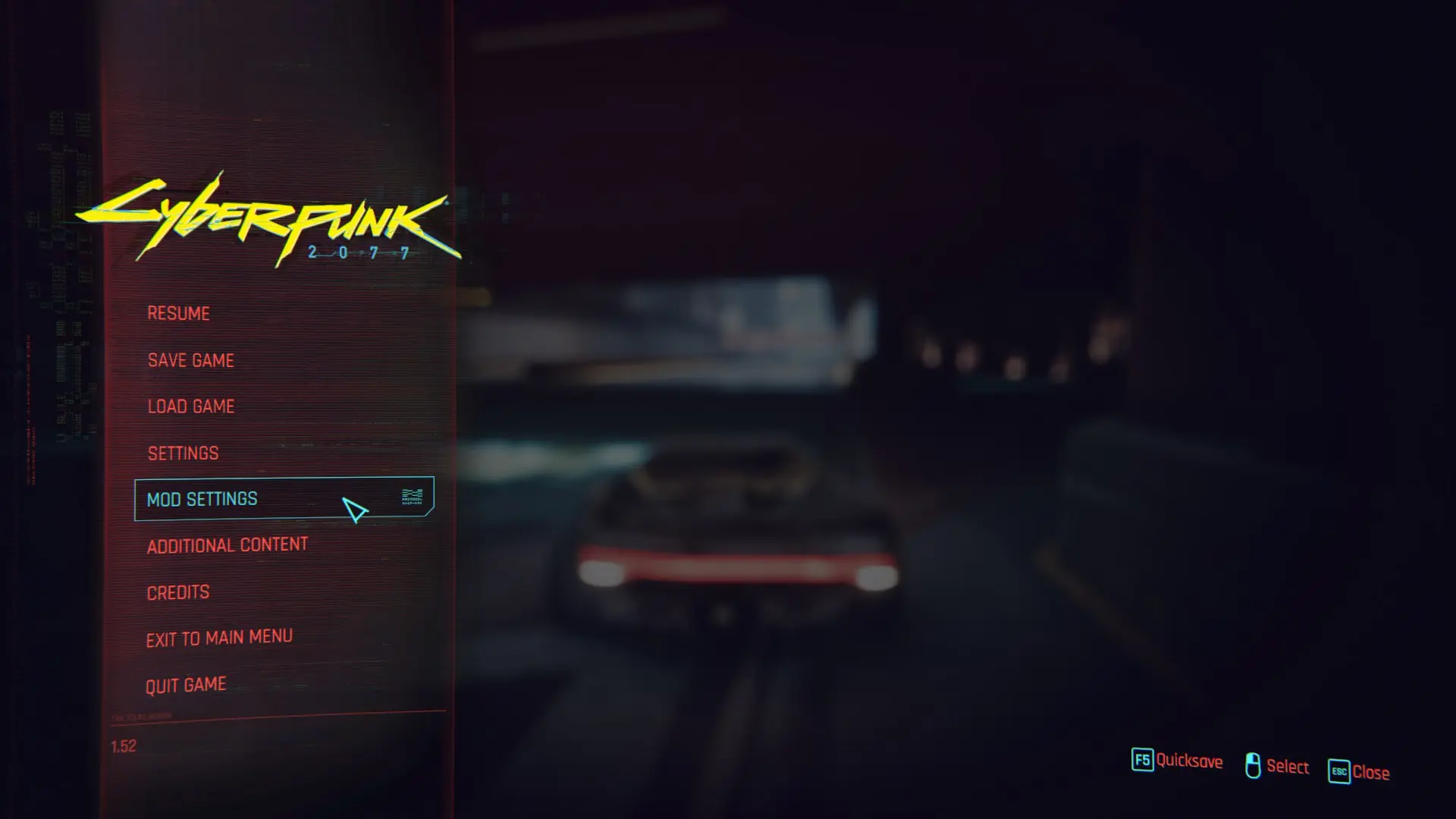
Mod Settings (by rfuzzo) creates a unified, redscript-driven settings hub in the main menu of Cyberpunk 2077, allowing any mod to register its own sub-page for toggles, sliders, and keybind remaps. It replaces the need for editing individual .ini or .json files for dozens of mods, instead exposing a clean UI where you can adjust gameplay tweaks like 'Limited HUD' timers, 'Cyber Vehicle Overhaul' handling, or 'Time Dilation Overhaul' intensities on the fly. Players install it to avoid breaking save files from manual config edits and to centralize all mod options after a fresh 2.0/2.1 update.
📦 Full mod page on discovermods
Downloads, ratings, compatibility info, installation guides, and user reviews.
View on discovermods →Syntax
User InterfaceExample
Downloads: 6,754,966 | Endorsements: 80,713💡 Notes
By Jack Humbert | v0.2.21 | 80,713 endorsements
🎯 Tips & Tricks
After installing, launch the game and load any save. Press ESC to open the pause menu, then click 'Mod Settings' at the bottom of the list. If it's missing, open the console (tilde key) and type 'modsettings.show()' to force-open the window. Ensure you have redscript 0.5.21+ and RED4ext 1.21.0+ installed, otherwise the page won't render.
Navigate to Mod Settings > 'Settings' > 'General' > 'Open Mod Settings Key'. Set it to a rarely used key like 'U' or 'F6'. This is critical for mods like 'RadioExt' that change audio settings mid-combat. Save the keybind by clicking 'Apply' at the bottom, then exit and re-enter the menu to confirm the binding sticks.
If a mod like 'Native Settings UI' crashes on load, open Mod Settings, find that mod's page, and click 'Reset to Defaults' at the bottom. This deletes the mod's .json from 'r6/config/mod_settings/' and regenerates it. If the mod still crashes, manually delete the file: navigate to 'Cyberpunk 2077/r6/config/mod_settings/', find the mod's .json (e.g., 'mod_settings_native_settings_ui.json'), and remove it, then relaunch.
🔧 Troubleshooting
Mod Settings page is blank or doesn't show any mods after installing a new mod like 'Equipment-EX' or 'Simple Menu'
This happens because the mod's redscript files are not compiled. Delete the 'r6/cache/modded' folder, then verify your game files via Steam/GOG. After that, reinstall redscript 0.5.21+ and RED4ext 1.21.0+. If using Vortex, deploy mods again and ensure 'Mod Settings' is loaded AFTER redscript but BEFORE any mod that depends on it (like 'Virtual Atelier'). Check the log at 'r6/logs/redscript.log' for 'Failed to compile' errors.
Mod Settings causes a crash when opening the map with 'CET (Cyber Engine Tweaks)' installed
This is a known conflict with CET's own overlay. Update CET to v1.31.2 or later, then in Mod Settings > 'CET' page, disable 'Enable Overlay' and 'Enable Input Hooks'. If the crash persists, edit 'Cyberpunk 2077/bin/x64/plugins/cyber_engine_tweaks.ini' and set 'EnableImGui = false'. Relaunch the game—Mod Settings will now render without CET's ImGui interference.
⚠️ Common Mistakes
- [object Object]
- [object Object]
👍 Pros
- 80,713 endorsements
- 6,754,966 downloads
- Category: User Interface
👎 Cons
- Requires mod manager installation
- May conflict with similar mods