Immersive First Person v2.0 - Native Height and Camera Rework
cyberpunk-2077 — Mods & Enhancements
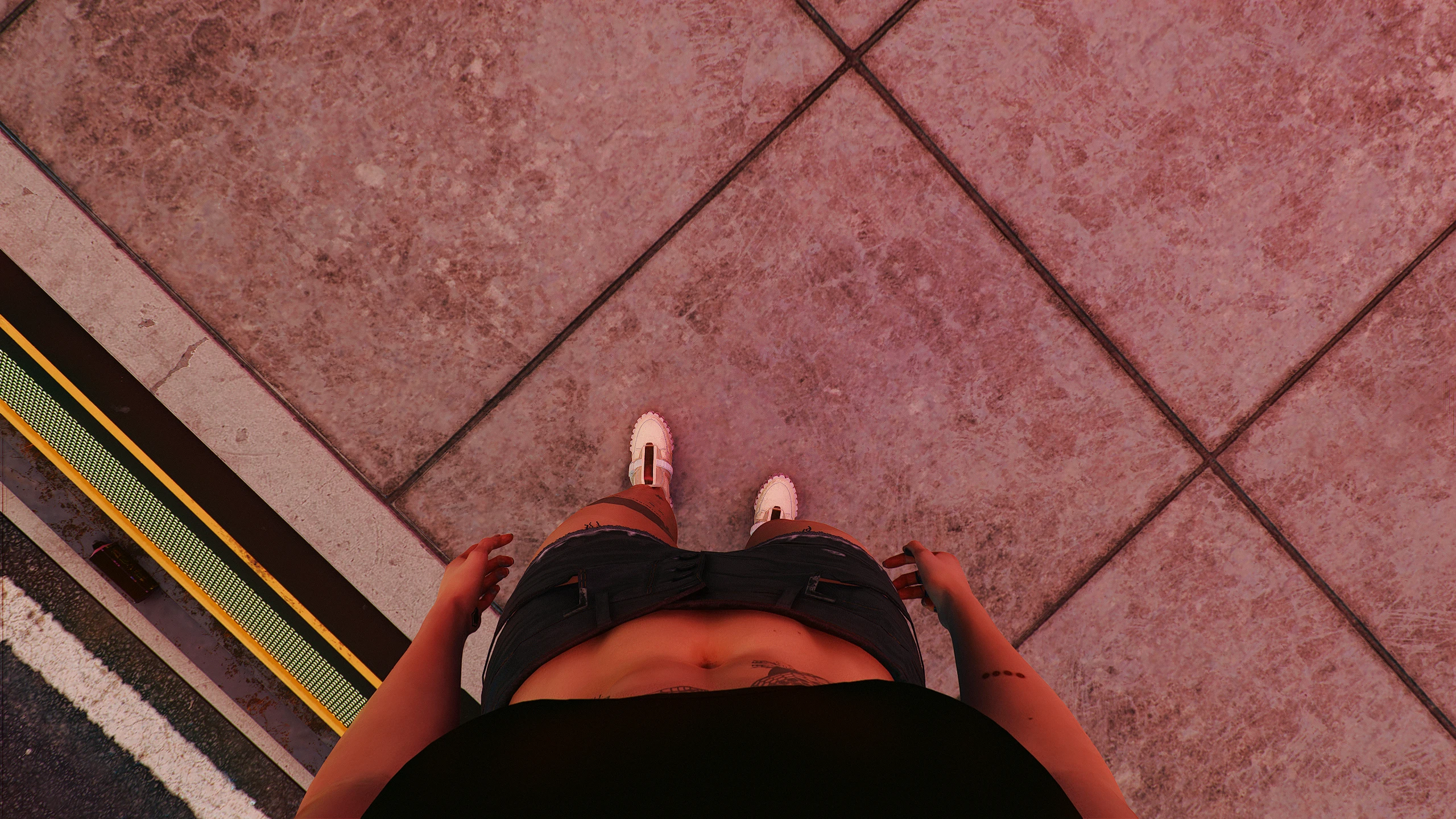
This mod completely reworks Cyberpunk 2077's first-person camera system to give V a visible, physical body with accurate height scaling, allowing players to see their legs, torso, and arms when looking down or to the side. It also introduces a FreeLook feature (holding a key to look around independently of movement) and adjusts the camera's native height based on V's gender and body type, making interactions like sitting, driving, and leaning feel more grounded. Players install it to eliminate the 'floating camera' feel and enhance immersion, especially when using photo mode or roleplaying.
📦 Full mod page on discovermods
Downloads, ratings, compatibility info, installation guides, and user reviews.
View on discovermods →Syntax
GameplayExample
Downloads: 4,244,085 | Endorsements: 54,631💡 Notes
By Bonaniki | v2.1.2 | 54,631 endorsements
🎯 Tips & Tricks
In the mod's config file (r6/config/immersive_first_person.ini), set 'BodyHeightOffset' to a positive or negative value (e.g., -0.05 for shorter V, +0.08 for taller). Test in-game by opening the pause menu and using the 'Camera Height' debug option (if enabled) to fine-tune until your eyes align with NPCs during conversations.
Open the mod's input mapping file (r6/input/immersive_first_person.xml) and change the default 'FreeLook' binding from 'IK_C' (C key) to 'IK_Q' or 'IK_Z' to avoid conflict with crouch. Use this while driving to check blind spots, or while sprinting to look around without changing movement direction.
In the mod's settings, set 'ShowBodyInCinematics' to false. This prevents the modded body from clipping through doors or NPCs during scripted sequences, which can break immersion. Re-enable it for free-roam gameplay.
🔧 Troubleshooting
Conflicts with 'Appearance Menu Mod' (AMM) when trying to change V's height in photomode, causing the camera to clip through the ground
In AMM's settings, disable 'Override Camera Height' and instead use Immersive First Person's 'BodyHeightOffset' to adjust. Alternatively, load Immersive First Person AFTER AMM in your mod order (e.g., place its .archive higher in the load order using ArchiveXL) to ensure its camera values take priority.
Incompatibility with 'Vehicle Combat Enhanced' mod, causing camera to shake or detach when firing from a car
Update to Immersive First Person v2.0.3+ which includes a patch for vehicle camera conflicts. If still broken, in the mod's ini set 'VehicleCameraOverride' to 0, and use the vehicle mod's own camera settings instead.
⚠️ Common Mistakes
- [object Object]
- [object Object]
👍 Pros
- 54,631 endorsements
- 4,244,085 downloads
- Category: Gameplay
👎 Cons
- Requires mod manager installation
- May conflict with similar mods