High Quality Shortcut Icons
cyberpunk-2077 — Mods & Enhancements
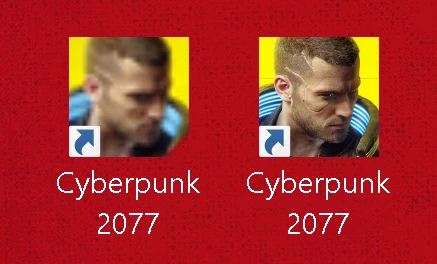
A simple quality-of-life mod that replaces the default blurry shortcut icon with a higher quality version based on the Steam artwork. Ideal for players who want a crisper desktop icon. With over 1,000 endorsements and 20,000 downloads, it's a popular cosmetic fix.
📦 Full mod page on discovermods
Downloads, ratings, compatibility info, installation guides, and user reviews.
View on discovermods →Syntax
MiscellaneousExample
Downloads: 20,280 | Endorsements: 1,074💡 Notes
By konstantinos96b | v1.2 | 1,074 endorsements
🎯 Tips & Tricks
Locate your game's shortcut on the desktop, right-click and go to Properties to change the icon manually if the mod doesn't auto-apply.
If you're unsure where to place the icon file, check the mod's comments section for user-provided instructions.
Back up the original icon file before replacing it, just in case you want to revert.
🔧 Troubleshooting
Mod not working
Check load order and required dependencies. Read the full mod description.
⚠️ Common Mistakes
- Installing multiple mods that modify the same files without checking compatibility
👍 Pros
- Community-approved with over 1,000 endorsements and 20,000 downloads.
- Does exactly what it says—no bloat, just a cleaner icon.
- Last updated in 2020, but for a static icon that's fine.
👎 Cons
- Only affects the desktop shortcut icon—no in-game changes.
- No install instructions provided by the author; you'll need to figure out where to put the file.
- May not be compatible with future game updates if the shortcut target changes.