Cyberarms Patch
cyberpunk-2077 — Mods & Enhancements
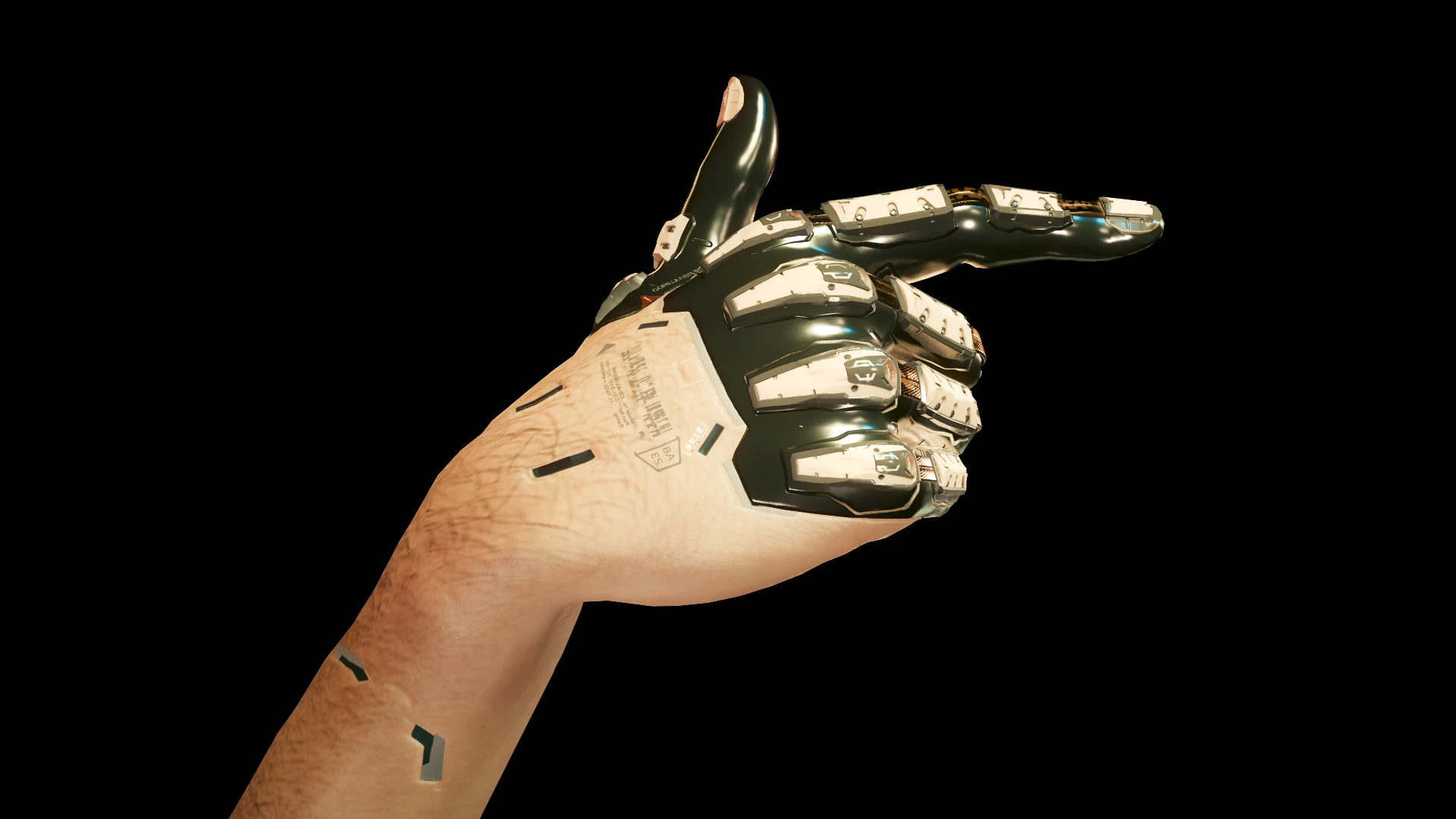
This mod fixes a long-standing bug where equipped cyberarms (Gorilla Fists, Mantis Blades, Projectile Launch System, and Monowire) always use the male character's arm meshes, even on female V. The patch swaps the mesh files so female V gets slender arm models and male V gets bulkier ones, matching the body type. Players install it for visual consistency, especially when wearing tank tops or using the 'Photo Mode' to show off their cyberware.
📦 Full mod page on discovermods
Downloads, ratings, compatibility info, installation guides, and user reviews.
View on discovermods →Syntax
MiscellaneousExample
Downloads: 1,611,409 | Endorsements: 17,864💡 Notes
By Aanderz | v1.5 | 17,864 endorsements
🎯 Tips & Tricks
If you use body mods like 'Private Body' or 'Skeleton for Female V', install Cyberarms Patch AFTER those. The patch looks for the standard female arm meshes, so if a body mod replaces them, you'll need to reinstall Cyberarms Patch. In Vortex, set load order: Body Mod > Cyberarms Patch.
After installing, go to a ripperdoc (e.g., Viktor in Watson) and equip Gorilla Fists, then Mantis Blades, then Monowire. Check the arms in first-person and third-person (open inventory and rotate the character model). If any type still looks male, you need to manually extract the female meshes from the mod's archive and replace the male ones—use WolvenKit to navigate to 'base/characters/cyberware/arms'.
Pair this patch with 'Immersive Cyberware' mod, which adds visual effects like glowing lines and metal textures. The patch ensures those effects are applied to the correct female arm model, so you see the effects on the right body type. Set 'CyberwareVisibility = True' in Immersive Cyberware's config to see the full arm.
🔧 Troubleshooting
Conflict with 'Mantis Blades Extended' mod causing missing arm textures
Mantis Blades Extended adds new blade models that override the default arm meshes. You must install Cyberarms Patch AFTER Mantis Blades Extended, and then use the 'Mantis Blades Extended' compatibility patch from the Cyberarms Patch Nexus page. If still broken, edit the 'MantisBladesExtended.ini' and set 'UseOriginalArmMeshes = true'.
Does not work with 'Cyberware Visuals Overhaul' (CVO) on female V
CVO replaces the entire arm mesh with its own custom model, ignoring the patch. Uninstall CVO's 'arms' folder from its archive, or use the CVO + Cyberarms Patch merge file from the Nexus page. Load order: CVO > Cyberarms Patch > any other arm mods.
⚠️ Common Mistakes
- Installing the patch on a save where you've already equipped cyberarms—you must unequip and re-equip the cyberware at a ripperdoc for the new meshes to load. Otherwise, the old male meshes stay in memory.
- Assuming the patch works for all body types—it only fixes the standard female and male V meshes. If you use a custom body mod that changes arm proportions (like 'Slim Female V'), you need to manually adjust the mesh files in WolvenKit.
👍 Pros
- 17,864 endorsements
- 1,611,409 downloads
- Category: Miscellaneous
👎 Cons
- Requires mod manager installation
- May conflict with similar mods