Cyber Engine Tweaks In-game Mod Manager (dofile script launcher)
cyberpunk-2077 — Mods & Enhancements
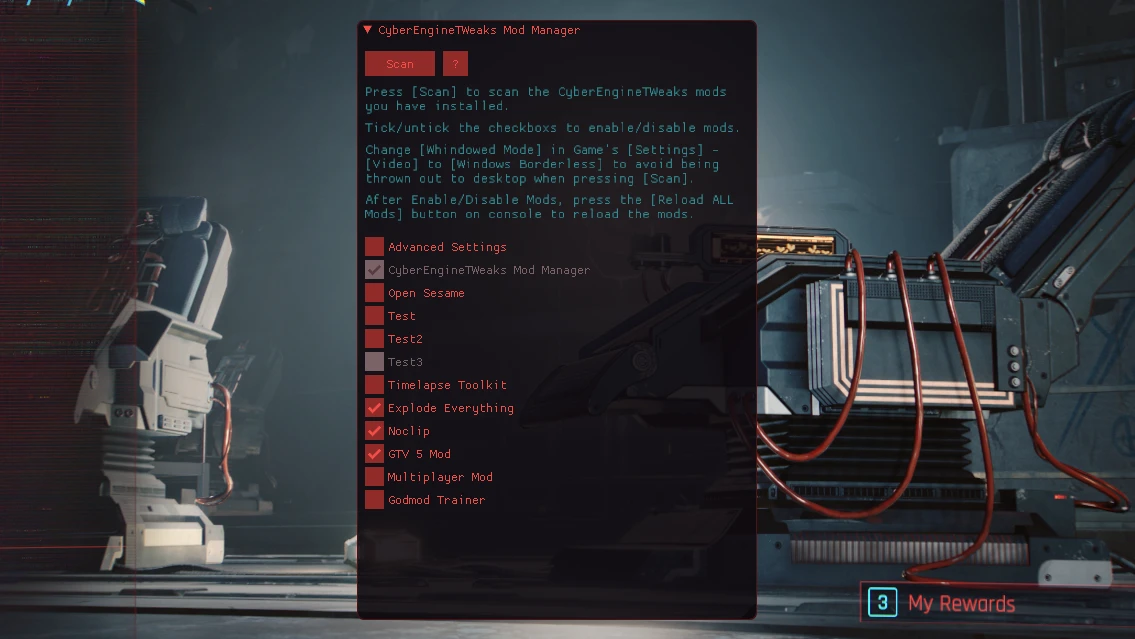
This utility adds an in-game mod manager for Cyber Engine Tweaks, letting you toggle CET-based mods on and off without restarting. It also supports running legacy dofile() script mods, making it a handy tool for troubleshooting compatibility issues. With over 4,000 endorsements, it's a community favorite.
📦 Full mod page on discovermods
Downloads, ratings, compatibility info, installation guides, and user reviews.
View on discovermods →Syntax
UtilitiesExample
Downloads: 162,463 | Endorsements: 4,113💡 Notes
By Ming | v2.0.10 | 4,113 endorsements
🎯 Tips & Tricks
Make sure you have Cyber Engine Tweaks installed first, since this mod depends on it.
Use the in-game menu to toggle mods one by one to isolate conflicts.
If a mod isn't showing up, double-check that it's placed in the correct CET mod folder.
🔧 Troubleshooting
Mod not working
Check load order and required dependencies. Read the full mod description.
⚠️ Common Mistakes
- Installing multiple mods that modify the same files without checking compatibility
👍 Pros
- Huge community trust (4,113 endorsements) — this is a go-to tool for Cyberpunk modders
- Saves time by letting you toggle mods without restarting the game
- Revives old dofile() mods that would otherwise be left behind
👎 Cons
- Only works with Cyber Engine Tweaks mods — doesn't manage other mod types
- No detailed instructions in the description, so you might need to figure out the setup yourself
- Last updated in March 2024 — check if it's still compatible with the latest game patches