ImpUI (ImprovedUI)
baldurs-gate-3 — Mods & Enhancements
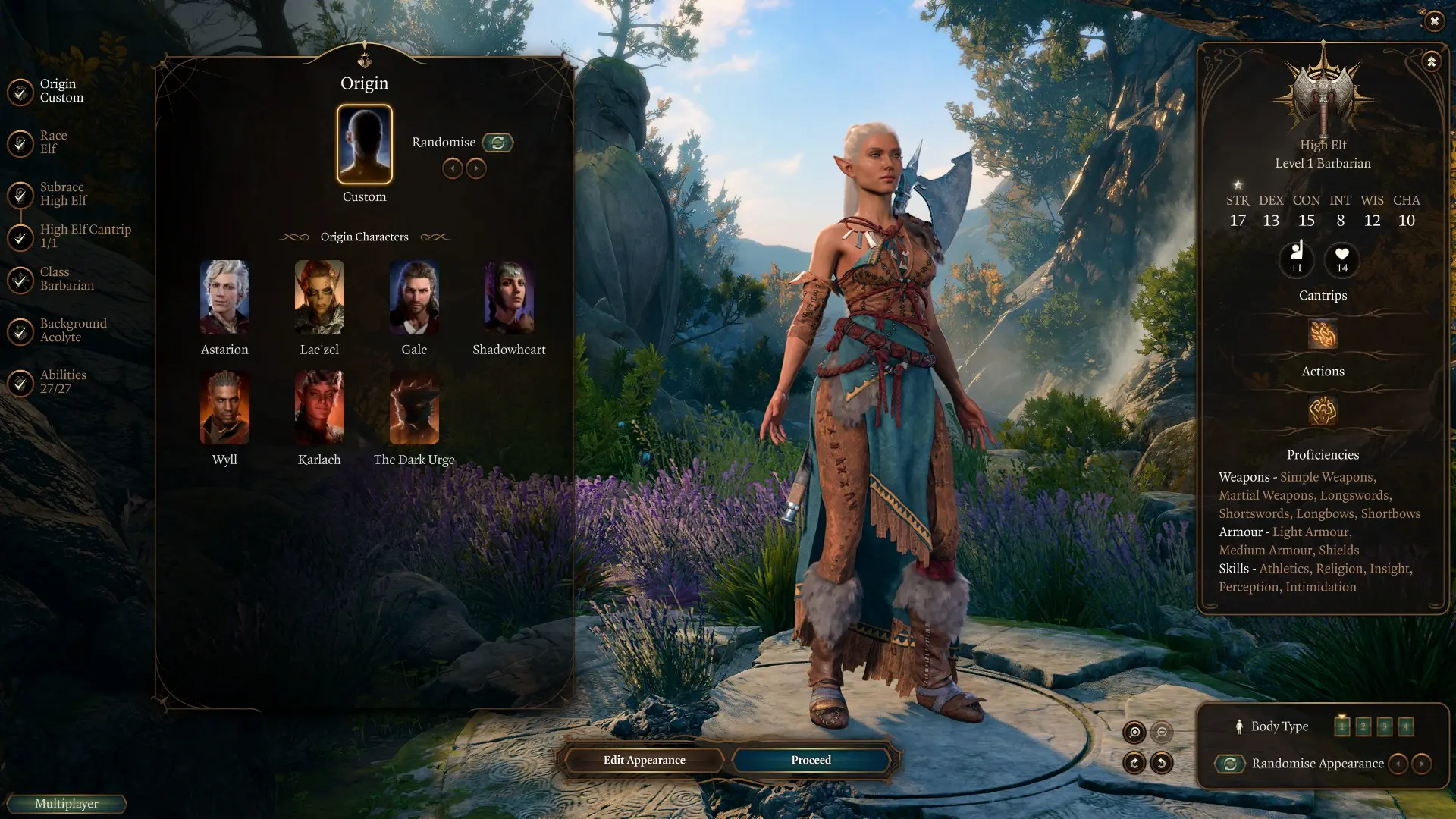
ImpUI is a UI overhaul mod that removes the intrusive 'Mods are not allowed' warning screen and expands character creation options by unlocking hidden race/class combinations and adding new visual sliders. It also provides optional asset packs that replace the default inventory, spellbook, and party view with cleaner, more readable layouts. Players install it to eliminate the red warning banner that appears when using mods, and to access additional customization like custom eye colors or tattoo layers that the base game hides.
📦 Full mod page on discovermods
Downloads, ratings, compatibility info, installation guides, and user reviews.
View on discovermods →Syntax
User InterfaceExample
Downloads: 8,187,845 | Endorsements: 87,762💡 Notes
By AlanaSP ShinyHobo Djmr Zee and bibsan | v2.1.0.82 | 87,762 endorsements
🎯 Tips & Tricks
In Vortex, install 'ImprovedUI' first, then 'ImprovedUI Assets' as a separate mod. Ensure 'Assets' is placed AFTER in the load order. If using the 'Mods' folder manually, put 'ImprovedUI.pak' in 'Data\Mods' and then copy the 'Public' folder from Assets into 'Data\Public' (not 'Mods'). This prevents UI texture conflicts with other UI mods like 'Better Hotbar'.
To permanently disable the 'Mods are not allowed' warning without using the mod's core feature, edit the file 'Data\Mods\ImprovedUI\Config.lsx' using a text editor. Find the line '<attribute id="ShowWarning" type="bool" value="true"/>' and change 'true' to 'false'. Save and reload. This is useful if you want the UI changes but not the warning removal (e.g., for streaming).
After installing, launch the game and go to Character Creation. You'll see new sliders under 'Face' and 'Body' for 'Nose Width', 'Ear Size', and 'Tattoo Opacity'. To access hidden elf/human hybrid faces, select 'Half-Elf' and then cycle through the 'Heritage' dropdown — new options like 'Moon' or 'Sun' appear. This requires the 'Assets' pack; without it, these sliders are non-functional.
🔧 Troubleshooting
Incompatible with 'Better Character Creation' (by P4thfinder), causing UI elements to overlap or disappear
These two mods both edit the same UI XML files. Fix: Install 'ImprovedUI' first, then 'Better Character Creation', and then run the game once to let them merge. If issues persist, use the 'ImprovedUI Assets' version that includes a compatibility patch for 'BCC' (download from the mod's optional files). Load order: ImprovedUI > BCC > any other UI mods.
Crashes when using 'Party Limit Begone' (by Sildur) on Patch 6, specifically when opening the party view
ImpUI's party view rewrite conflicts with Party Limit Begone's custom UI. Fix: In the 'ImprovedUI' mod folder, delete the file 'Public\UI\PartyView.xaml' and reinstall. This removes ImpUI's party view override, letting Party Limit Begone's version work. Alternatively, use 'Party View Begone' mod which is compatible with ImpUI.
⚠️ Common Mistakes
- [object Object]
- [object Object]
👍 Pros
- 87,762 endorsements
- 8,187,845 downloads
- Category: User Interface
👎 Cons
- Requires mod manager installation
- May conflict with similar mods